

Beaver Builder AI 1.0 is now available. Current customers can download it from your My Account page.
New to Beaver Builder and want to see what AI can do? We’ve launched a new AI demo that lets you jump right in and start building without having to install anything. Try it out and see how Beaver Builder AI can turn your ideas into editable WordPress layouts. Try Beaver Builder AI →
What’s New in Beaver Builder AI 1.0?
This release adds several enhancements that make it easier to build, reuse, and customize AI-generated content in WordPress.
The biggest addition is Components for Custom Modules. You’ll also find improvements to image-based prompting in Chat, a handy option to trash pages from a Design System’s Used By list, and a new developer filter for applying Design System tokens site-wide.
Components: Save and Reuse Custom Modules
You can now save and edit Custom Modules as Beaver Builder Components.
When you save a Custom Module as a Component, you can choose which fields are editable on each instance. This lets you reuse the Component while still editing the selected fields on individual instances.
Beaver Builder AI Chat: Use Images as References
You can now use images added through the plus menu in Beaver Builder AI Chat as a reference for building:
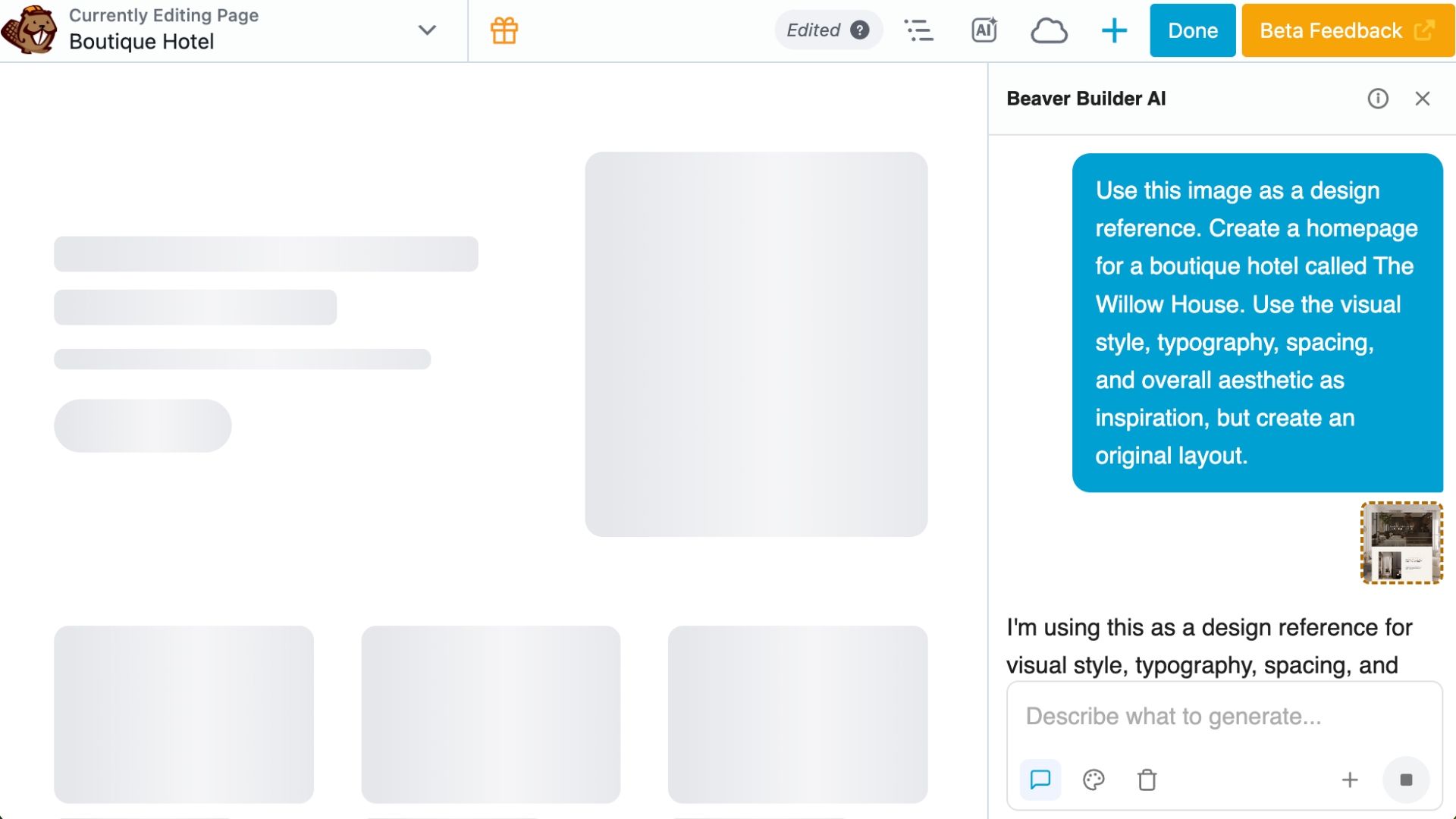
Previously, you could upload an image to place in the layout. Now, you can also give Beaver Builder AI an image and ask it to use that image as inspiration or a visual reference when creating the layout.
This makes it easier to start with an existing design, screenshot, or visual idea and turn it into an editable Beaver Builder layout.
Design Systems: Move Pages to Trash
The Used By list for a Design System now includes the ability to move items to the trash. This lets you clear out pages associated with a Design System without leaving the Used By screen.
To use it, open the Design System and go to the Used By tab. Switch to List View, then click the trash can next to the page you want to remove:
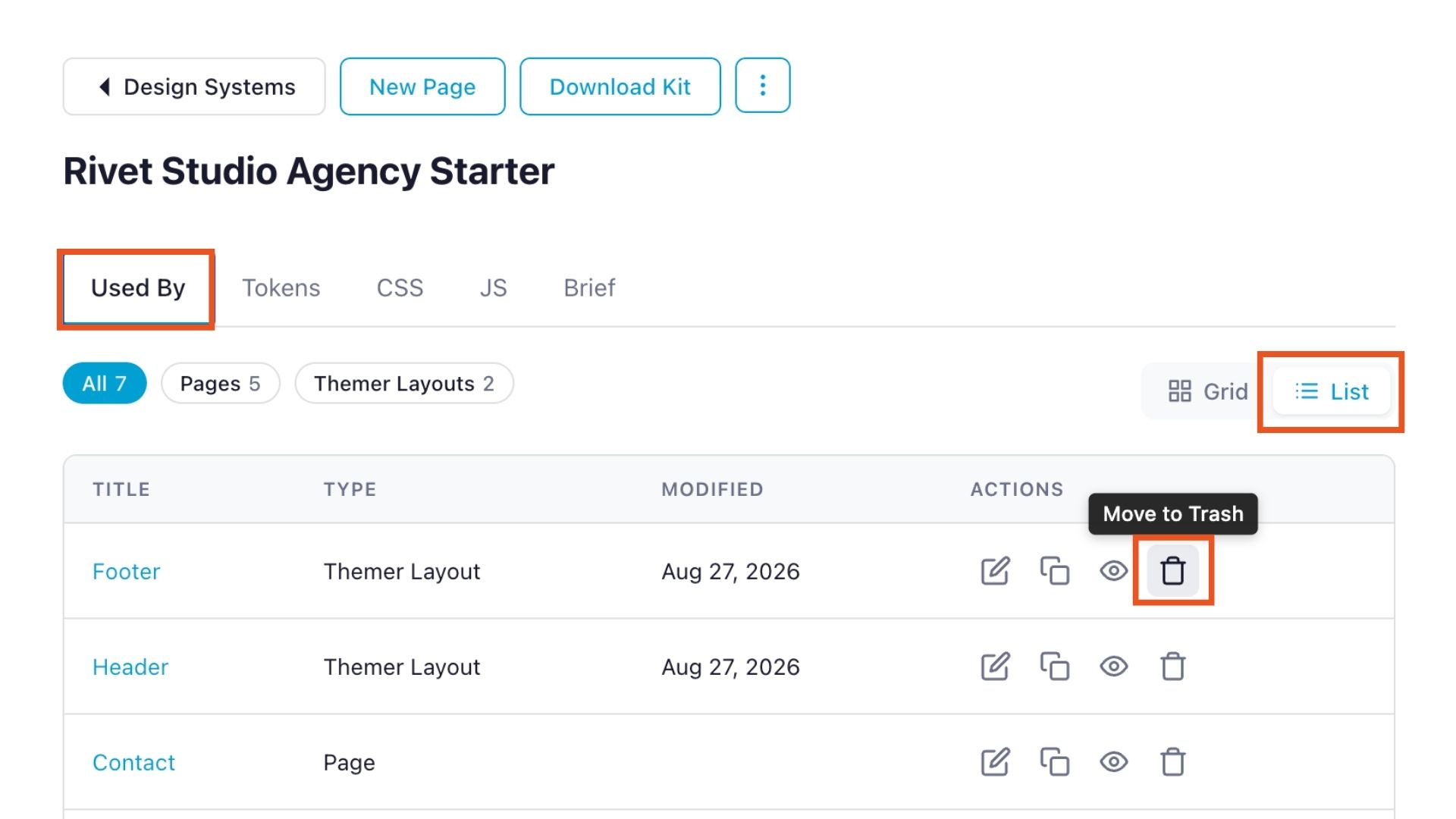
A confirmation popup will appear before you move the item to the trash. You can restore items from the WordPress trash if needed.
This makes it easier to clean up when you’re experimenting with AI-generated designs or testing different Design Systems.
Beaver Builder AI Welcome Page: Refreshed Getting Started Videos
The four Getting Started videos on the Welcome screen have been updated to reflect the current Beaver Builder AI interface and workflow:
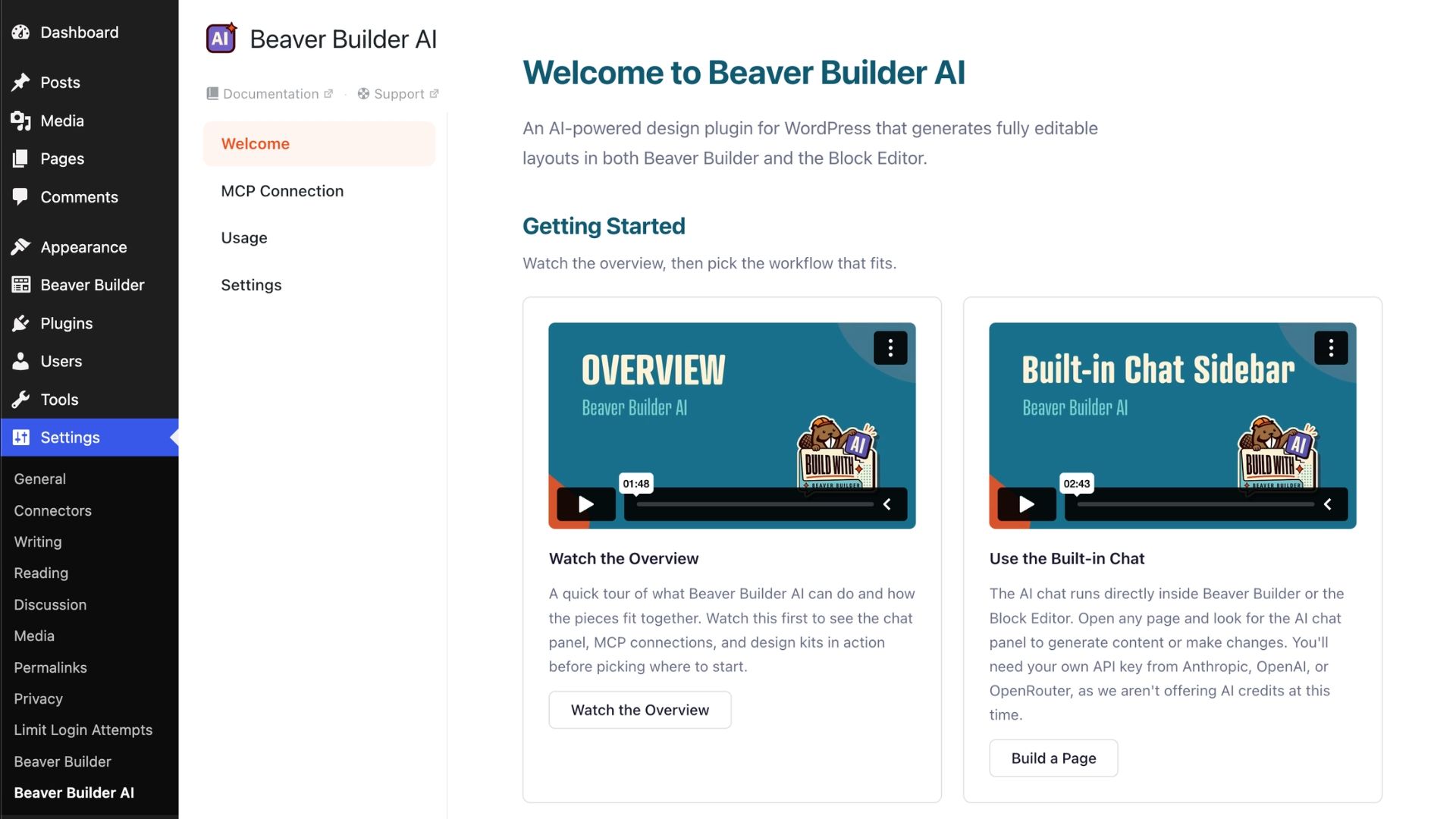
If you’re new to Beaver Builder AI, these videos provide a quick introduction to the tools and workflows available in the plugin.
Dynamic Data: Main Query and Custom Query
Dynamic Data repeaters now have a Main Query source that uses whatever the current page is already showing. The source that was previously called Main Query is now called Custom Query.
Developers: Load the Default Design System Site-Wide
Beaver Builder AI 1.0 adds a new fl_design_system_load_default_site_wide filter. It loads the default Design System across the whole site, so its tokens reach content outside Beaver Builder.
What’s Next?
Development continues across several areas of Beaver Builder AI:
- Components are in progress, with work continuing on what can be saved and where Components can be reused.
- Editing & Styling continues to receive attention, including structural editing on the canvas, settings forms for AI-generated content, and the Design panel.
- Images are planned to support generating images on demand in the style of your Design System.
- Dynamic Data is being expanded with filtering for post type, taxonomy, and more. Custom fields and deeper connections are also planned.
This roadmap represents the current direction of development and may change as we learn more from how people use Beaver Builder AI. Try Beaver Builder AI →

Start here

Beaver Builder AI Demo
Build a page with AI on a site that already has Beaver Builder and Beaver Themer installed. Free AI credits included.
Our Newsletter
Our newsletter is personally written and sent out about once a month. It's not the least bit annoying or spammy.
We promise.
Try Beaver Builder Today

Related articles
Create a Dark Mode Toggle in WordPress
 -
October 15, 2026
-
October 15, 2026
Add a light and dark mode toggle to your WordPress site with Beaver Builder AI and the free Dark Mode…
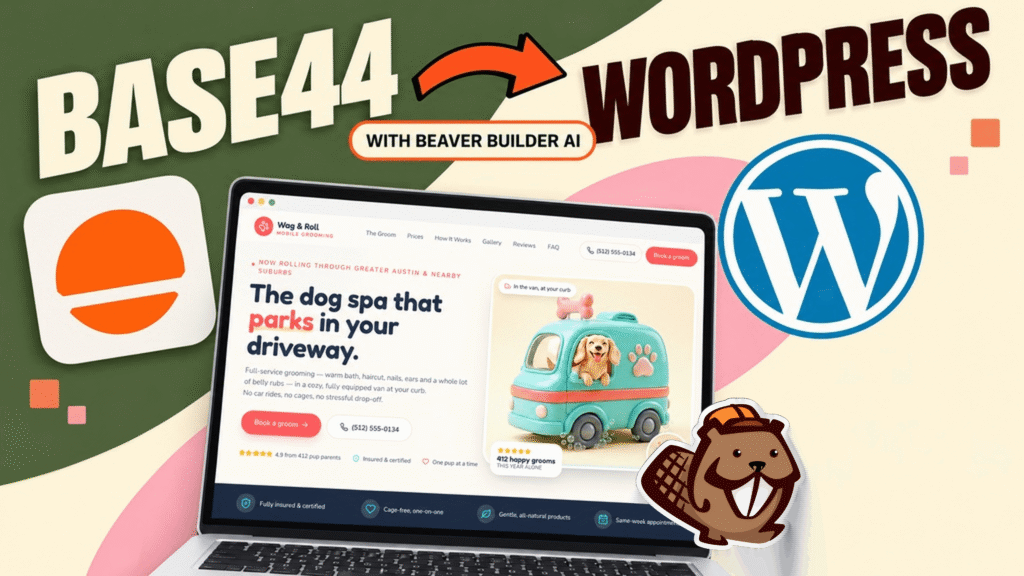
How to Convert Base44 design to WordPress using Claude and Beaver Builder AI
 -
October 13, 2026
-
October 13, 2026
In this article, I share how I moved a landing page design from Base44 to WordPress using Claude and Beaver…

How to Convert Figma Design to WordPress (Claude + Beaver Builder AI)
 -
October 9, 2026
-
October 9, 2026
How do you turn a Figma design into a WordPress site without rebuilding every section by hand? It’s a common…
Join the community
We're here for you
There's a thriving community of builders and we'd love for you to join us. Come by and show off a project, network, or ask a question.


Since 2014
Ready to build?
The WordPress page builder agencies and freelancers have trusted since 2014. Now with AI.