
Building a WordPress website still involves many repetitive steps such as writing copy, structuring layouts, generating images, and refining design ideas. Even with powerful visual builders like Beaver Builder, these tasks can slow down agencies, freelancers, and site owners.
What if AI could handle much of that work for you?
In a recent interview, Darren Stuart, creator of BeaverForge AI, shared how artificial intelligence can accelerate the website creation process inside Beaver Builder. Instead of starting with a blank page, developers can generate content, layouts, and design inspiration instantly, reducing the time required to launch a site.
In this article, we explore how BeaverForge AI works, why it was created, and how AI-assisted workflows could transform the way developers build Beaver Builder websites:
The Real Bottleneck in Website Building: Content
Beaver Builder has earned its reputation. Clean code, a client-friendly editing experience, stable performance, and a drag-and-drop interface that speeds up development. Agencies and freelancers rely on the website builder for its performance and exceptional support.
Beaver Builder solves the building problem, not the content problem.
Before a single module gets placed on the page, developers still need to:
- Define page structure and section hierarchy
- Write placeholder copy for every section
- Source images or temporary visuals
- Plan messaging for different industries and audiences
For a solo freelancer handling two or three projects at a time, this is manageable. For agencies running ten or fifteen concurrent builds, it becomes a real bottleneck.
BeaverForge AI is designed to close this gap.
What Is BeaverForge AI?
BeaverForge AI is a tool built specifically for the Beaver Builder ecosystem. It uses artificial intelligence to generate the assets developers need during the early stages of a site build such as copy, images, and layout suggestions, so the focus can shift immediately to design refinement rather than content creation:
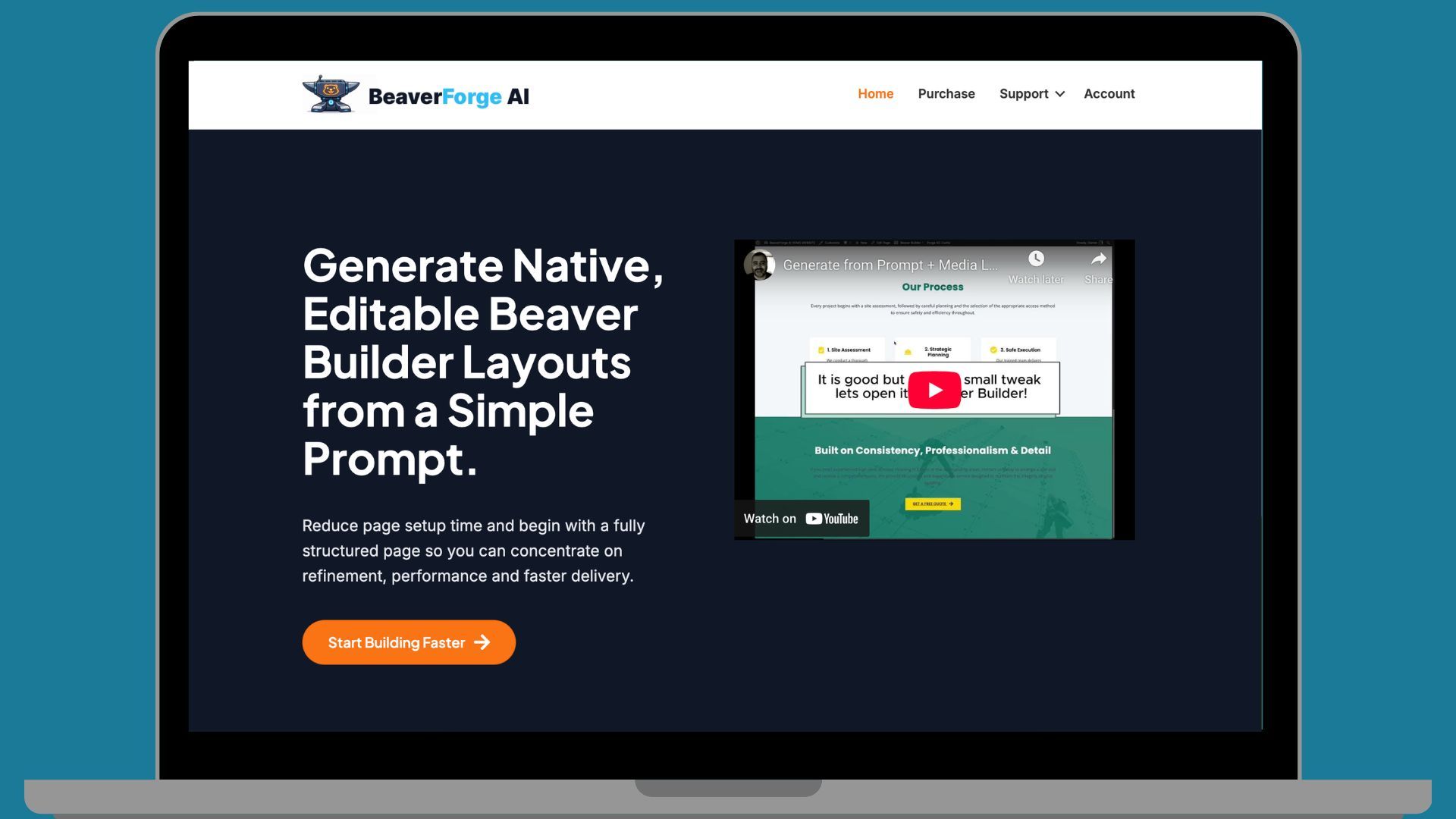
It isn’t a generic AI writing tool repurposed for web design. Stuart built BeaverForge AI specifically for Beaver Builder workflows, so the outputs drop directly into the layouts developers already use.
The core features include:
- AI-generated website copy — hero headlines, service descriptions, about sections, and calls to action.
- AI-generated images — visual assets created from prompts or design context, eliminating the early-stage stock photo hunt.
- Layout suggestions — AI suggests page layouts based on the type of site, giving developers a ready-made framework built with Beaver Builder modules.
How BeaverForge AI Works Inside Beaver Builder
BeaverForge AI works specifically within the Beaver Builder ecosystem, generating assets that plug directly into Beaver Builder layouts instead of producing generic website content.
Starting With Copy, Not a Blank Page
One of the biggest momentum killers in any site build is writing placeholder content. Most developers aren’t copywriters, and clients often struggle to hand over final copy before the design phase begins. That means developers are either writing filler text themselves or waiting.
BeaverForge AI eliminates that delay. Feed it the context, the industry, the business type, the page goal, and it generates usable copy for every major section. Hero headlines, benefit statements, service overviews, CTA text.
When the client’s final copy arrives, swapping it in is straightforward since the structure is already there.
Generating Images Without the Stock Photo Search
Finding images that fit a layout takes longer than most developers want to admit. Stock photo libraries are deep, licensing is complicated, and what looks good in search results rarely looks as good inside a real page design.
BeaverForge AI generates images directly, based on prompts or the context of the page being built. Developers can prototype full page designs with real visual assets in place without spending an hour in a stock library first. This matters most in client presentations, where a polished-looking prototype builds confidence and accelerates approvals.
Planning Page Structure With AI Suggestions
Layout planning is often one of the first creative decision a developer makes on a new project and it can be where a lot of time disappears.
BeaverForge AI can suggest full page structures based on the site type. A service business homepage might get a suggestion like:
- Hero with a clear value proposition
- Service overview section
- Benefits or differentiators
- Social proof / testimonials
- Strong call to action
That’s a working framework in seconds. Developers can accept it, modify it, or use it as a starting point. Either way, AI eliminates the blank page, saving hours on every project.
Why This Matters for Agencies and Freelancers
Speed is the most obvious benefit, but it isn’t the only one.
When AI handles the repetitive early-stage tasks, developers can
- Refining messaging to match the client’s brand voice
- Making UX decisions that improve conversion
- Optimizing layouts for mobile and accessibility
- Building the kind of strategic relationship with clients that leads to repeat work
For freelancers, this means taking on more projects without burning out. For agencies, it means scaling output without scaling headcount at the same rate.
Stuart’s key point in the interview was that AI doesn’t replace the developer; rather, it removes the friction that slows developers down.
AI as an Assistant, Not a Replacement
Stuart emphasized that AI acts as an assistant in the web design process, not a replacement for quality web development.
AI can generate a first draft. It can suggest a structure. It can produce an image that fits the context. What it can’t do is understand a specific client’s brand, make judgment calls about what messaging will convert, or bring the creative vision that separates a good website from a great one.
Think of it the way developers already think about WordPress templates. A template provides structure. A developer customizes it, adapts it, and makes it work for the specific project. AI simply generates that structure dynamically, tailored to context rather than pulled from a fixed library.
AI frees human expertise to focus on the parts of the process that truly make a difference.
Frequently Asked Questions About Beaver Builder AI
Yes, tools like BeaverForge AI are designed specifically for the Beaver Builder ecosystem. They use artificial intelligence to generate website copy, images, and layouts within the Beaver Builder editor.
AI tools for Beaver Builder, such as BeaverForge AI, suggest page structures based on the type of site, recommends section order, and generates placeholder content for each section, giving developers a strong framework to start with.
AI-generated content used as a starting point and refined by a human writer generally performs well in search. The key is editing for brand voice, accuracy, and relevance before publishing. Always replace placeholder copy with finalized content before a site goes live.
BeaverForge AI builds outputs specifically for the Beaver Builder workflow, generating them as ready-to-use Beaver Builder layouts. Generic AI tools generate content without that context, requiring more manual adaptation.
Final Thoughts on Beaver Builder AI
The blank page problem in web design is real, and it costs developers time on every project.
BeaverForge AI offers a practical solution: AI-generated copy, images, and layout suggestions that get a Beaver Builder site moving quickly. For agencies and freelancers delivering quality work at scale, this efficiency is a competitive advantage.
AI won’t make design decisions for you. It won’t understand your client’s brand or know which messaging will convert. But it handles the repetitive early-stage work that slows every project down, letting you focus on the creative and strategic work that truly sets your sites apart.
For Beaver Builder developers, combining a proven visual builder with intelligent AI assistance creates a workflow worth exploring.
Want to learn more about building sites faster with Beaver Builder? Check out our guides on reusable templates, systemizing your web design business, and agency workflow tips.

Our Newsletter
Our newsletter is personally written and sent out about once a month. It's not the least bit annoying or spammy.
We promise.
Try Beaver Builder Today
Related articles
Build Dynamic WooCommerce Archive Pages with Beaver Builder’s Loop Module and ACF
 -
March 11, 2026
-
March 11, 2026
Default WooCommerce archive pages are functional, but can be clunky. They give you minimal control over layout, and displaying custom…
How to Nest Components in Beaver Builder: Build a Design System That Scales
-
March 3, 2026
In the last tutorial, we built a component from scratch. Now we’re taking it a step further by nesting components…
How to Build Beaver Builder Components: Step-by-Step Tutorial
-
March 3, 2026
If you build client websites or large WordPress sites, you know the struggle: keeping layouts consistent while allowing edits on…
Join the community
We're here for you
There's a thriving community of builders and we'd love for you to join us. Come by and show off a project, network, or ask a question.


Since 2014
Build Your Website in Minutes, Not Months
Join Over 1 Million+ Websites Powered By Beaver Builder.