try beaver builder ai alpha

Beaver Builder AI: Build WordPress Layouts with AI (Now in Alpha)

Hey everyone! Big news. After a long time of building behind the scenes, Beaver Builder AI is here. The alpha version is free to test for every Beaver Builder customer. We’re excited to finally put this in your hands.

TL;DR: Beaver Builder AI is a new WordPress plugin that generates editable layouts on a reusable design system. It works inside Beaver Builder and can connect to your favorite AI tools. Connected LLMs like Claude and Cursor can now build native Beaver Builder layouts too, not just HTML and design system blocks. We’d love for you to try it on a test site and send us your feedback.

You must be running Beaver Builder (version 2.11) and the Beaver Builder AI plugin. Both downloads are available now on your My Account page.

If you haven’t seen it already, we highly recommend you watch the overview video below for a quick walk-through so you can see all the features in action and learn how to best use Beaver Builder AI in your workflow.

Recently Added

We’ve shipped a lot since our first announcement. Here are the seven biggest additions, all live in the current version.

1. Generate Layouts with Native Modules

Have you ever had the AI build you a page and wished it used real Beaver Builder modules instead of HTML blocks? That’s exactly what changed here, and it’s the thing you asked for most.

Connect Claude or Cursor and the AI now builds native Beaver Builder layouts with actual rows, columns, and modules, the same structure you’d drag and drop by hand.

It uses the modules you already reach for, saves reusable templates, and builds Beaver Themer layouts too. There’s a full breakdown in the MCP Connection section below.

2. Use ChatGPT and Other LLM Models

Active AI Provider

Beaver Builder AI Chat isn’t locked to one model anymore. You can connect it to Anthropic (Claude), OpenAI (ChatGPT), or OpenRouter, and use whichever one fits how you work.

OpenRouter is the interesting one, because it opens the door to a lot of different models (DeepSeek, MiniMax, Claude, Gemini, ChatGPT, Kimi, Grok, etc.) through a single key. New models get added as they come out.

You still bring your own API key, so you only pay for what you use.

3. Standalone Design Systems

Design System Tools Menu

Here’s a big one. Design systems are moving into Beaver Builder itself, which means you can now manage them from their own Design Systems page right in the Beaver Builder menu, and you don’t need the AI plugin turned on to get to them.

Open it from the Tools menu, or just hit Shift+D. New pages also start from your site’s default design system automatically, saved the first time you publish, so your brand settings are there from the jump whether you’re using AI or not.

4. Design Tab

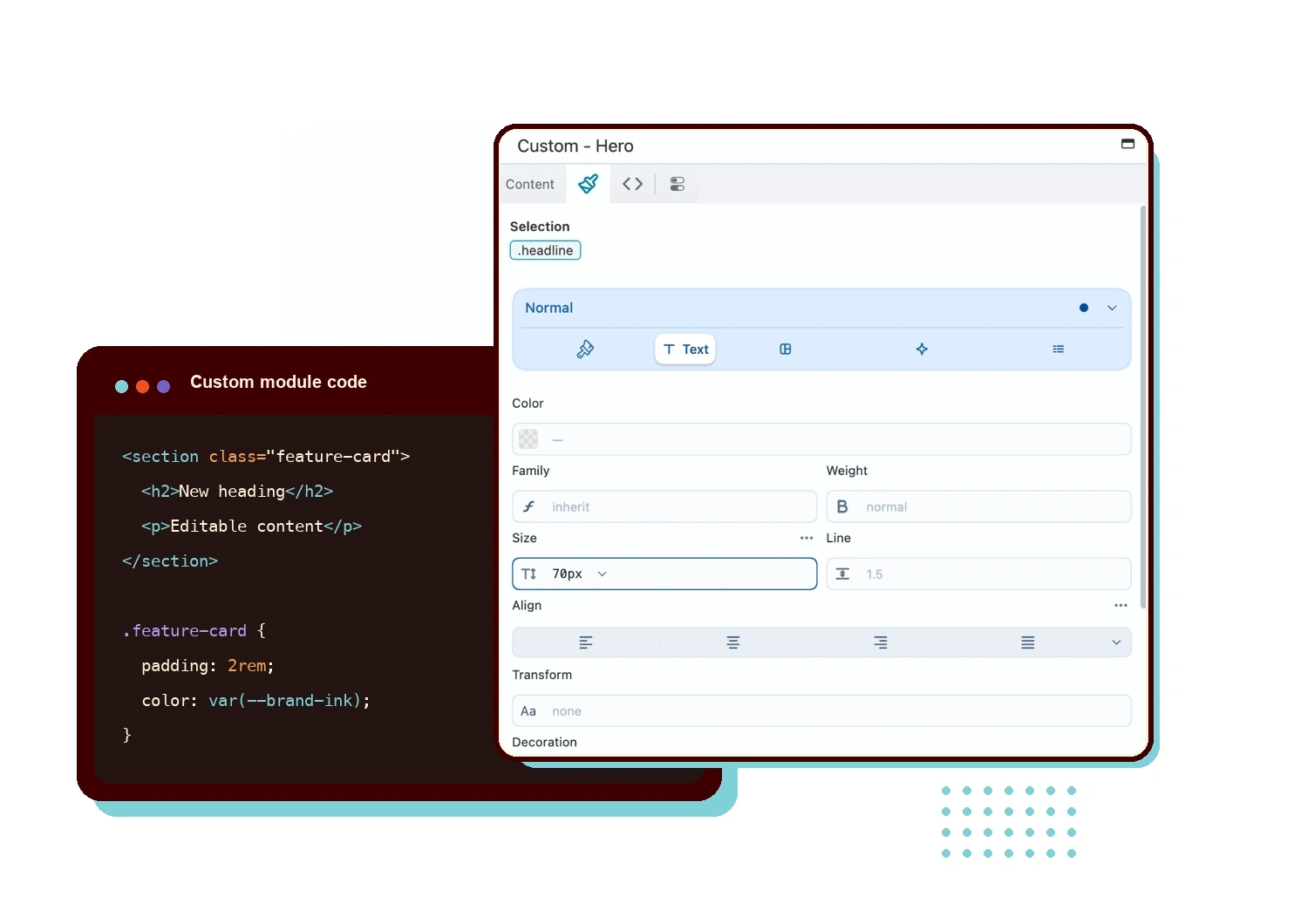
Think of the new Design tab as the styling panel built for design system blocks. It replaces the earlier prototype and gives you a lot more control over how a block looks.

If you’d rather not touch code, this is where you’ll spend your time, changing how things look without ever opening the HTML, CSS, or JavaScript.

5. Publishing Controls

Ever worry the AI is going to wipe out a page you already built? That was a real concern from testers, and it’s handled now.

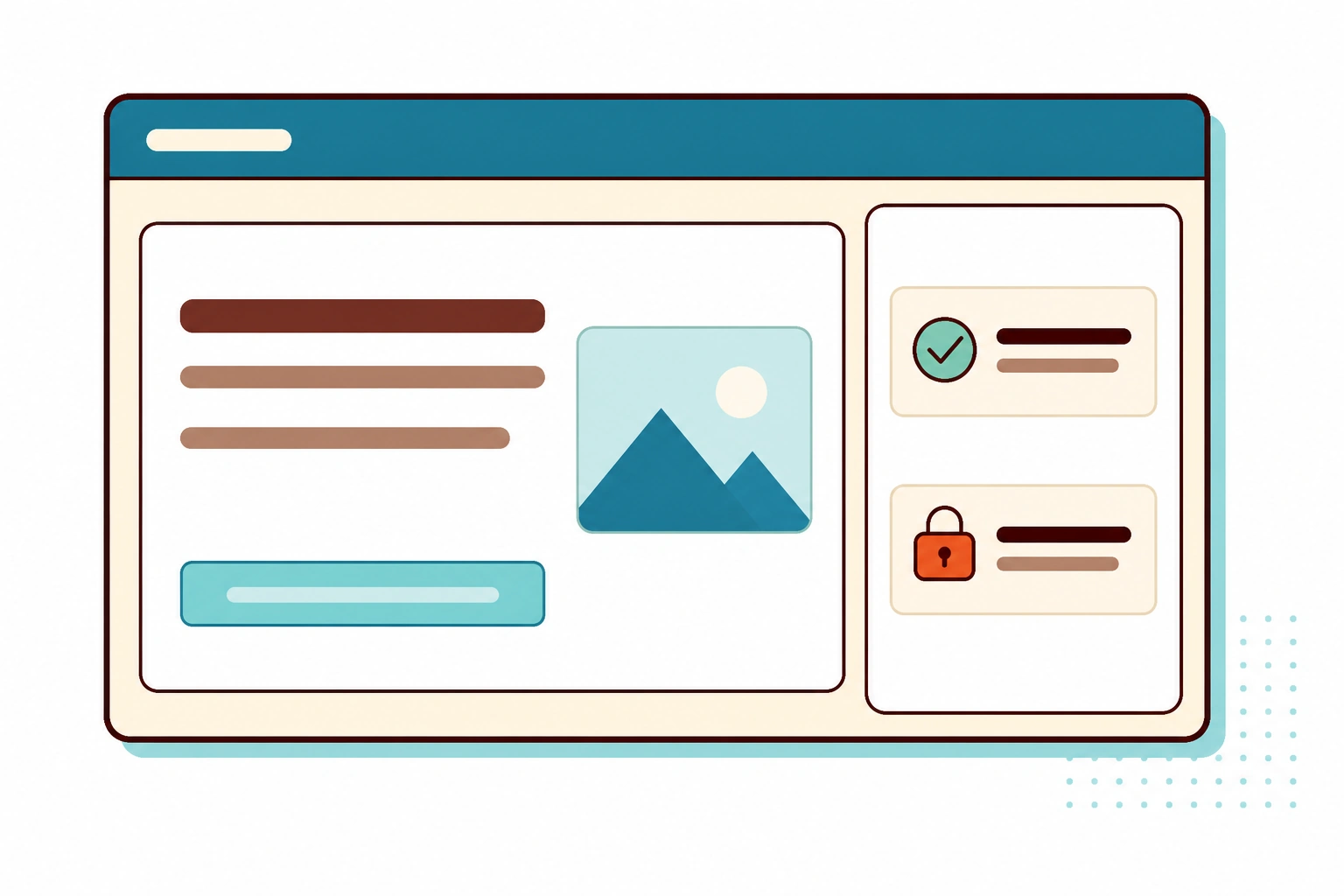
If the AI is about to build over a page that already has content, it stops and asks you first. Connected AI tools can also publish pages and set their status, and you can see what’s sitting as a draft before anything goes live. Chat and the AI admin menu now respect your Beaver Builder permissions too, so whatever access rules you’ve set for your team carry straight over.

6. Better Accessibility

A few of you flagged accessibility early on, and it got fixed. AI-built forms and content now follow stronger accessibility guidance, which means proper labels and field grouping, the stuff that makes a form actually usable for someone on a screen reader.

If you build for clients who care about this, it’s one less thing you have to go back and clean up by hand.

7. Shareable Design Kits

Nobody likes starting from a blank page. You can start from one of the bundled kits instead of building from scratch, and there are new ones to pick from.

You can also go the other direction and export one of your own design systems as a kit, which comes in handy when you want to reuse a look on another site or hand it off to someone on your team.

Want the full tour? Keep reading.

Why We Built It

The question we kept seeing on social media: should I use AI to build websites, or use my reliable page builder?

People felt like they had to make a tough choice. Stay on WordPress and miss out on AI, or jump to an AI builder and walk away from the ecosystem they’d built their business on.

We created Beaver Builder AI so you don’t have to choose. You get the best of both worlds: AI inside WordPress, with the page builder you already know and trust. All in one ecosystem, no need to leave the tools you’ve built your business on.

What Beaver Builder AI Does

You’re probably wondering what Beaver Builder AI can actually do. Let’s walk through the seven main features.

1. Chat Box

Beaver Builder AI Chat Box

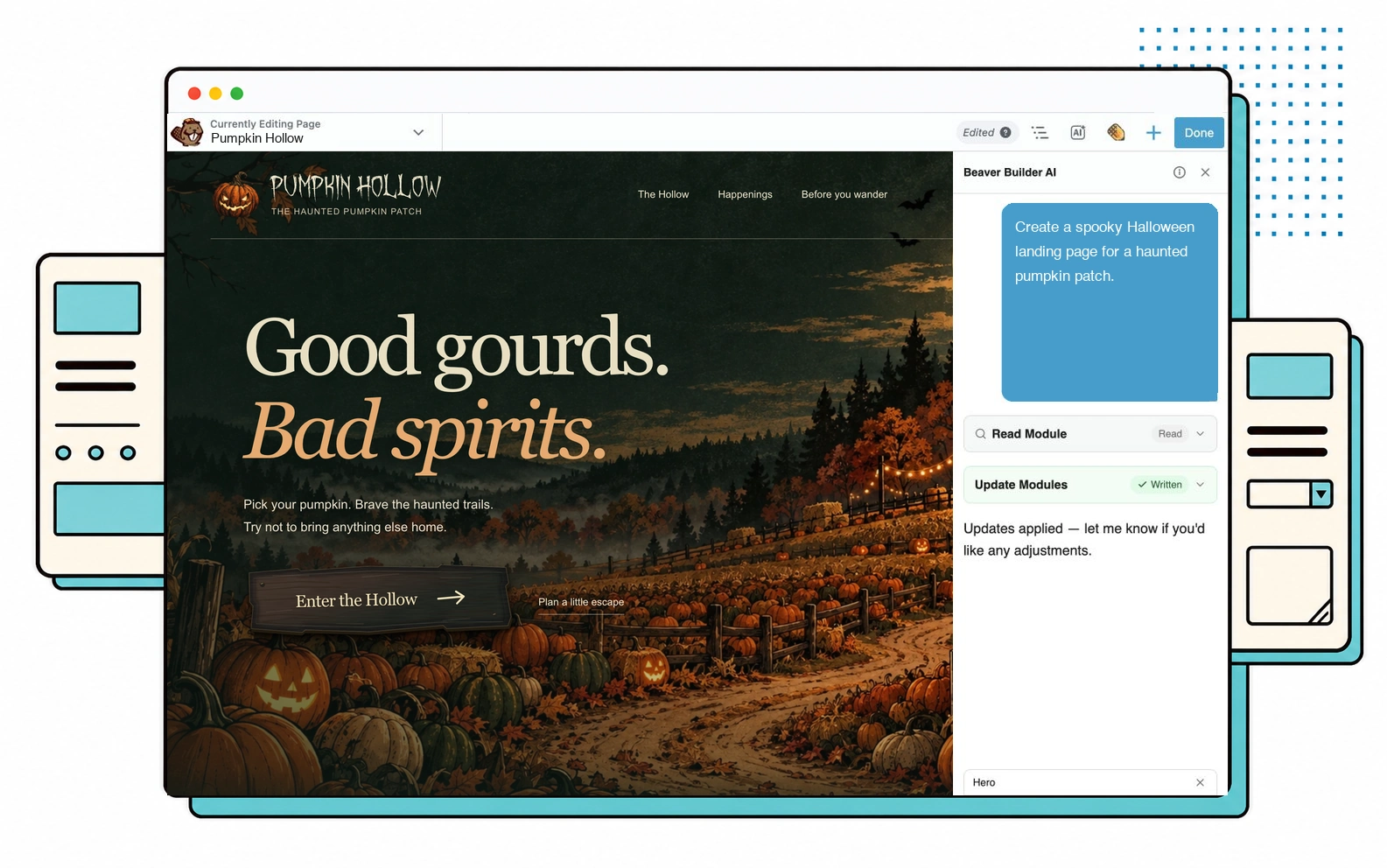
If you’ve used AI tools before, you already know how this works. Type what you want, the AI generates it. Beaver Builder AI’s chat panel does the same thing, except for web pages inside WordPress.

Click the chat icon in the top right of the Beaver Builder editor, describe what you want, and the AI generates the layout, design, and content. A complete web page from a single prompt.

For a live example, check out create.beaverbuilder.ai. We had some fun with this one and got creative. The entire site was built with Beaver Builder AI, including the pop-up galleries, opt-in forms, scrolling marquee, card motions, and UI animations.

2. Design System

Beaver Builder AI Design System

Think of a design system like a brand style guide. The kind of thing a client hands you at the start of a project that describes their colors, fonts, spacing, and creative direction.

When you give Beaver Builder AI a prompt, it doesn’t just generate a single page. It creates colors, typography, spacing, and base styles as a reusable design system. Every page it builds after that uses the same foundation, so page five feels like it belongs with page one.

3. Block Editing

Beaver Builder AI Block Editing

One of the unique benefits of Beaver Builder AI is that AI-generated blocks are fully editable. You’re not stuck with whatever the AI hands you on the first try.

Click on any section to expand its editing options. You can adjust fonts, resize columns, drag-and-drop text, add padding, swap heading tags between H1 and H6, and edit images and links inline. When you need to go deeper, you have full access to the HTML, CSS, and JavaScript code.

4. Targeted Edits

Beaver Builder AI Targeted Editing

One of the great things about Beaver Builder AI is that you can edit a specific AI section. Simply target a block by clicking the area you want changed, tell the AI in chat what to update, and only that section changes. The rest of the page stays exactly the same.

That gives you the confidence to make changes, knowing the AI won’t rework the parts you didn’t ask it to.

5. Hybrid Building

Beaver Builder AI Hybrid Building

Are you worried that you can’t use the page builder anymore? The good news is you don’t have to pick between Beaver Builder AI and Beaver Builder native modules. You can use both side-by-side on the same page.

For example, create a hero section with AI and use Beaver Builder rows and modules for the next section. Mix and match however it fits your workflow.

6. Custom Modules

Beaver Builder AI Custom Module

Have you ever wished Beaver Builder had a certain module that we don’t offer natively? A timeline, a pricing calculator, an animated headline, etc? Now you can create them yourself with AI.

Simply drop a box module into your page, target it, and prompt the AI on what you would like it to generate for you. The AI builds the component inside that box, and then you can drag it wherever you want on the page.

This unlocks more flexibility for what you can build inside Beaver Builder, even when there isn’t a native module for it.

7. Custom Forms

Beaver Builder AI Custom Forms

Did you know you can create custom forms with Beaver Builder AI? For example, multi-step forms, opt-in forms, questionnaires, surveys, contact forms, quizzes, etc. Describe what you need and the AI builds it.

Forms can send submissions to your email or another destination you set up, and redirect to a specific page after submission.

For example, the demo tester feedback form was built with Beaver Builder AI. Essentially, we used the same product to ship the product.

Three Ways to Build

We didn’t want to lock you into one workflow, so Beaver Builder AI comes with three ways to build pages.

Chat Inside Beaver Builder

AI Providers

The chat panel is the fastest way to get a page from idea to draft, without leaving the builder. You’re not locked to one model either. Connect it to Anthropic, OpenAI, or OpenRouter and use whichever one fits how you work.

You connect with your own API key, so you only pay for what you use.

Prompts and content go directly from your site to whichever provider you picked, not through Beaver Builder servers. Your key is stored encrypted in your site’s database. Better for your privacy, and better for your security.

MCP Connection

MCP Connection

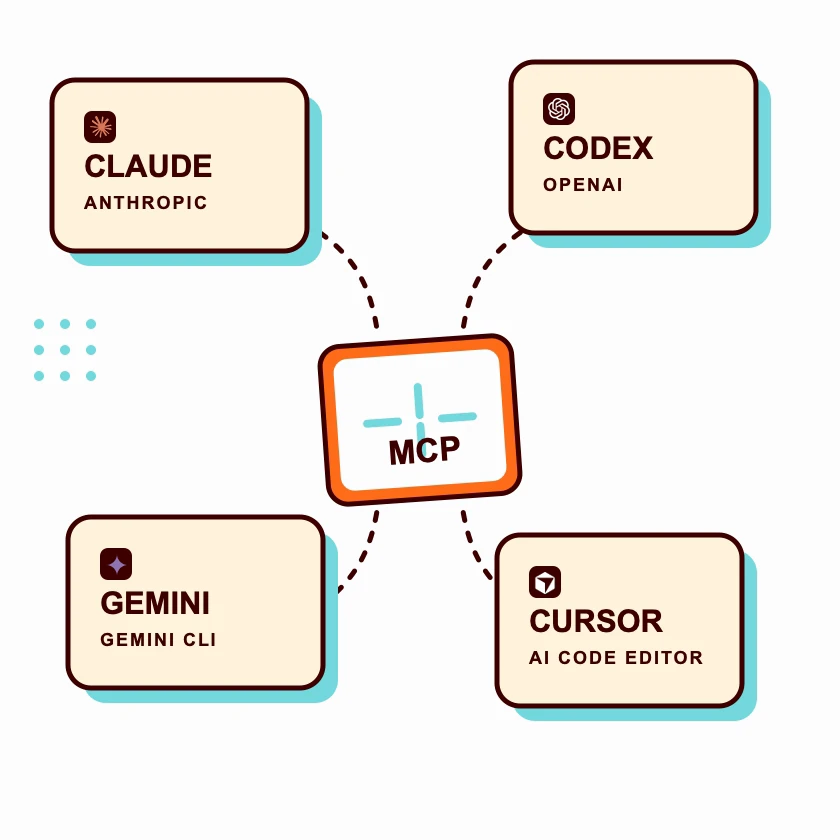
Think of MCP like a connector. It lets your favorite AI tool (like Claude) talk directly to your WordPress site.

So when you type a request in your LLM chat box, it sends that request to your WordPress site through the connector. Want to generate a page? Edit a custom html block? Update your design system? You can do it all from your LLM, without ever opening WordPress.

Here’s what changed. Connected LLMs can now build native Beaver Builder layouts, not just HTML and design system blocks. That means real rows, columns, and the modules you know (headings, text, buttons, button groups, images, icons, and separators), with the Box module as the main container.

It can also save reusable templates, whether that’s one module, a column, a row, or a full layout, and it builds Beaver Themer layouts and sets where they show up.

Your colors are tied to your design system and your fonts follow your global styles, so what the AI builds stays on brand automatically. It can even edit the text and links on modules already sitting on the page, and pull in images from a web link straight into your media library.

You stay in control of what goes live. Connected LLMs can publish pages and set their status, and you can see what’s sitting as a draft before anything ships. If you point the AI at a page that already has content, it stops and asks you first, so your existing work is safe.

Chat and the AI admin menu also respect your Beaver Builder Unrestricted Editing and Builder Admin settings, so whatever access rules you’ve set for your team carry straight over.

One-click authorization for licensed users. Claude is what we’ve tested against most heavily. The connector also works with Codex, Cursor, and other MCP-compatible tools.

Design Kits

Design Kits

Think of a design kit like a moving box. You’re moving from one AI platform to another (your WordPress site). You pack everything into the box, drop it on the other side, and unpack.

Here’s how it works. Use any AI coding tool to build out a design (pages, header, footer, design system). Package it up as a design kit. Drop it into your WordPress site and unpack.

Now everything is live in Beaver Builder, fully editable. Use whatever AI you want. No lock-in.

What’s Still Very Early

This is an alpha version. We’re putting it in your hands first because we want real-world feedback from agencies, freelancers, and the rest of our community. Tell us what’s working, what’s broken, and which use cases you find. Every piece of feedback shapes what we ship next.

Roadmap

Beaver Builder AI Roadmap

Here’s where things stand:

Shipped: Native Modules. Connected LLMs can now build native Beaver Builder layouts, modules, templates, and Beaver Themer layouts. Reusable templates are here too, so AI output and Beaver Builder are closer together than ever.

Shipped: Design System in Beaver Builder. You can manage design systems from their own page right in the Beaver Builder menu, even without the AI plugin active. This is the first piece of a bigger move, with more coming.

In Progress: Images. You can already pull images into a layout from a web link, straight into your media library. Screenshot upload, direct image upload, and fuller media library support are still on the way. Images can guide what the AI builds or live inside the layout as real content.

Future: Dynamic Data. Connecting AI-built layouts to live WordPress data. Post loops, custom fields, and dynamic content you can edit visually.

How to Get It

Ready to try it? Beaver Builder AI is in the Pre-Release Testing Downloads section of your account, alongside the Beaver Builder version 2.11 you’ll need to run it.

Here’s the order:

1. Sign in to your Beaver Builder account and head to the My Account page.

    2. Scroll to Pre-Release Testing Downloads and read the pre-release documentation linked at the top of that section.

    3. Download Beaver Builder 2.11 and Beaver Builder AI (1.0.0-alpha).

    4. Install Beaver Builder 2.11 first, then install Beaver Builder AI alpha.

    5. Once installed, look for Beaver Builder AI in your WordPress sidebar. There’s a welcome section with video tutorials walking you through chat setup, MCP, design kits, and the rest.

    Welcome to Beaver Builder AI

    Please Provide Feedback

    We’d love your feedback. If you come across anything, good or bad, please share it via the feedback form. Every bug report, feature request, and “this confused me” note goes straight to the team.

    Thank you all who initially tested BB AI on the demo site. The feedback was incredibly helpful and we were able to implement a lot of your suggestions which has made the product even better.

    Frequently Asked Questions

    We’ve been collecting questions from our community. Here are the most common ones.

    Is this a separate plugin or part of Beaver Builder?

    Separate plugin. Beaver Builder AI installs alongside your existing Beaver Builder. Nothing about Beaver Builder itself changes.

    Can I use my Claude, OpenAI, or other model subscription instead of an API key?

    It depends on which part of Beaver Builder AI you’re using.

    The MCP server: yes. Connect it to Claude Desktop, Claude Code, or Claude Cowork and your usage is covered by your Claude subscription, the same as any other Claude conversation. This is the supported way to use your existing plan with Beaver Builder AI today.

    The built-in chat: no, an API key is required. Anthropic only permits “sign in with your Claude account” in third-party products that have been individually pre-approved, and that approval is currently limited to a small set of developer tools.

    The monthly Agent SDK credit that comes with Claude plans ($20 Pro, $100 Max 5x, $200 Max 20x) only applies through Anthropic’s own tools and those pre-approved apps, so it isn’t something we can plug into. There are also practical limits: the credit is billed at standard API rates, Free plans aren’t eligible, and the SDK has no PHP runtime, which rules it out for most WordPress hosting.

    We looked at this in depth and decided not to pursue it. We know entering an API key is friction, and we’re working on ways to make getting started simpler. The chat now supports Anthropic, OpenAI, and OpenRouter, all using your own API key.

    Can I use ChatGPT, Gemini, DeepSeek, or other AI models?

    Yes. The chat panel supports Anthropic, OpenAI, and OpenRouter, all using your own API key. OpenRouter is the one that opens things up the most, since a single key gets you a wide range of models.

    The MCP endpoint works with any MCP-compatible tool today, including Claude, Codex, and Cursor.

    Will this work with my existing Beaver Builder site, theme, and modules?

    Yes. The AI’s design system styles are kept separate from your theme, so they don’t step on each other. Your theme stays put, and the AI’s styles stay in their lane.

    The AI can build two ways. In the built-in chat, it generates clean HTML, CSS, and JavaScript design blocks. Through a connected LLM like Claude or Cursor, it can now build native Beaver Builder layouts too, with real rows, columns, and modules. Either way, you can mix and match AI sections with native Beaver Builder rows on the same page.

    For dynamic content like post loops, native modules still lead, and we’re bringing everything closer together over time.

    What data is sent to the AI? What about security?

    Your prompts and content go directly from your site to whichever AI provider you picked, not through Beaver Builder servers. We don’t collect or store anything you generate.

    The AI runs with your WordPress permissions and never auto-publishes. Everything appears in the editor for you to review before it goes live. Generating custom code requires the same admin-level trust WordPress already requires to edit your theme, and lower-level users can’t generate code at all. Forms include built-in spam protection.

    Like any AI tool, review the output before saving.

    Is using AI optional? I don’t want it forced on me.

    Completely optional. Install Beaver Builder AI only if you want it, and Beaver Builder itself stays the same.

    You can also toggle AI chat on or off independently for Beaver Builder and the WordPress Block Editor in Settings.

    Wrapping Up

    Beaver Builder shipped in 2014 because this community helped us figure out what a stable page builder should feel like. We’re at the same moment with Beaver Builder AI. The bones are in place. The hard work now is hammering on it together until it’s something every agency and freelancer can run on every project.

    Visit your My Account page to download it. Build a page. Push it. Tell us what worked, what didn’t, and what would make you use it on every project.

    We’re excited to see what you build.

    About Anthony Tran

    Anthony Tran is the Marketing Director at Beaver Builder and co-founder of a WordPress web design agency. With 13 years of experience in digital marketing, SEO, content strategy, and conversion optimization, he helps businesses grow by improving their WordPress SEO and conversions.

    1 Comment

    1. Jonathan on June 18, 2026 at 3:01 pm

      the more I watch this the more I get excited for the release. This is like day 1 all over again!!


    Our Newsletter

    Our newsletter is personally written and sent out about once a month. It's not the least bit annoying or spammy.
    We promise.

    Try Beaver Builder Today

    It would be totally gnaw-some if you could share this post with your friends.

    Related articles

    How to Build an Animated WordPress Website with AI Using Beaver Builder

    What if you could take an advanced, interactive website design and use AI to build a working WordPress page with…

    Read More...

    How to Fix Spacing Issues (Beaver Builder Box Module)

    How to fix inconsistent spacing in Beaver Builder's Box Module? Go to Global Settings and enable "Apply to Box." This...

    Read More...
    Beaver Builder Maintenance Mode: How to Set It Up in WordPress

    Beaver Builder Maintenance Mode: How to Set It Up

    Beaver Builder Maintenance Mode helps you keep your website looking professional while you work behind the scenes. Whether you’re redesigning…

    Read More...

    Join the community

    We're here for you

    There's a thriving community of builders and we'd love for you to join us. Come by and show off a project, network, or ask a question.

    Since 2014

    Ready to build?

    The WordPress page builder agencies and freelancers have trusted since 2014.