

How to Avoid AI Slop in Web Design: A Beaver Builder AI Masterclass with Paul Lacey
 -
September 11, 2026
-
September 11, 2026
AI can build a website quickly. But when no one makes the important design decisions, it can just as quickly produce a polished-looking site that feels generic. For professional web designers, the challenge is clear: How can you use AI to save time without giving up control of the design?
In this Beaver Builder AI masterclass, professional web designer Paul Lacey demonstrates how to avoid AI slop in web design. He shares a practical workflow combining Claude Skills, design systems, human approval gates, Beaver Builder AI Design Kits, and MCP workflows to create AI-generated WordPress websites that remain intentional, consistent, and editable.
New to Beaver Builder AI? Start with the Beaver Builder AI: Getting Started course or read the Beaver Builder AI support documentation.
Meet Paul Lacey: The Designer Behind the Anti-Slop Workflow
Paul Lacey is a professional web designer who designs, builds, and supports client websites and periodically collaborates with the Beaver Builder team. Having spent considerable time testing Beaver Builder AI and developing different AI-assisted workflows, he approaches these tools from a working designer’s perspective.
His goal in this masterclass is not to prescribe one rigid process. Instead, he demonstrates the principles he uses to keep AI from taking over the creative decisions—then encourages designers to adapt those principles to their own style, clients, and standards.
What Is AI Slop in Web Design?
AI slop is a website that looks polished at first glance but feels generic once you spend time with it. The page may be functional and visually impressive, especially to someone who has never designed a website before. Yet its layout, language, and visual treatments feel interchangeable with countless other AI-generated sites.
In the masterclass, Paul demonstrates the problem by generating a yoga studio website from a loose, two-line prompt. The result is not obviously broken or unattractive. In fact, a first-time designer might be pleased with it. The problem is that AI fills every gap in the brief with the same generic AI layouts, writing patterns, and visual treatments it uses everywhere else.
Paul points out several recurring hallmarks of AI slop:
- Repeated “eyebrow” labels, monospace captions, and decorative text above nearly every heading
- Headlines filled with italicized words, gradients, dramatic three-part slogans, and familiar phrases such as “This isn’t a gym. It’s a home.”
- Glassmorphism, translucent cards, floating gradients, and boxes nested inside other boxes
Recognizing these AI website builder traps is the first step toward avoiding them. The individual techniques are not necessarily bad; they become AI slop when they are applied automatically, without supporting the brand, audience, or purpose of the website.

Will AI Replace Web Designers? Why Expertise Matters More Than Ever
For web designers, the rise of AI can feel unsettling. Clients who once needed professional help to produce even a basic website can now generate layouts, copy, and images with a few prompts. The barrier to creating something that looks like a website has never been lower.
Paul describes this shift as AI “raising the floor.” The floor is the level of work someone can produce without professional training. As that floor rises, basic website production becomes faster, easier, and less valuable on its own.
But designers cannot respond by trying to hold the floor down. Instead, Paul argues that they must raise the ceiling.
A client may be able to generate a presentable page, but that is not the same as creating a website grounded in business strategy, audience needs, brand positioning, accessibility, and a coherent design system. Professional designers know how to make those decisions, evaluate the results, and maintain quality across an entire website—not just produce an impressive first screen.
This is where AI creates an opportunity. When the web fills with generic AI layouts and interchangeable visual choices, intentional design becomes easier to recognize. Designers who combine their expertise with AI can work faster while devoting more attention to the judgment, strategy, and creative direction that make their work valuable.

How to De-Slop an AI-Generated Website
To de-slop an AI-generated website, Paul uses a custom Claude Skill rather than a separate cleanup tool. His BB Design Kit Creator Skill includes what he calls a “de-slop engine”: a collection of instructions that helps Claude avoid the generic layouts, visual effects, and writing patterns commonly found in AI web design. He developed the initial rules by studying Impeccable, a Claude Skill for improving interface design, and then adapted them to his own design process.
Paul refined the engine by using it to create 24 websites. After each project, he reviewed the original brief, the finished site, and every design decision he had challenged. He then asked Claude to audit those results and used the findings to add, remove, or adjust the Skill’s rules. This repeated process trained Claude to produce websites that reflected Paul’s design style instead of falling back on predictable AI defaults.

The goal is not to prohibit gradients, animation, cards, or other popular techniques. It is to prevent Claude from using them without a reason. Paul found that too few rules produced AI slop, while too many created safe but uninspired designs. His process combines anti-slop guidelines with human approval gates, allowing Claude to research and generate ideas while keeping the designer responsible for the creative direction, design system, homepage, and final quality of the resulting website.
How Beaver Builder AI Works with Claude, Design Kits, and MCP
Paul’s workflow combines Beaver Builder AI with Claude, custom Skills, Design Kits, and MCP. Beaver Builder AI provides the editable WordPress environment, while Claude assists with research, design, content, and production.
Download Paul’s Custom Claude Skill For Beaver Builder AI
Claude Skills are central to Paul’s process. A skill is a folder of reusable instructions that Claude reads alongside the project prompt. Paul created his BB Design Kit Creator Skill to capture his design process, anti-slop rules, and preferred workflow. He refined it across 24 website experiments, auditing each result and adjusting the instructions until Claude could produce work that reflected his style without eliminating creative variation.

The API and MCP provide two ways for Claude and Beaver Builder AI to communicate. With the API, a request begins inside Beaver Builder and is sent to Claude. With MCP, the work begins in Claude, which can connect directly to the WordPress site and coordinate with other tools such as Google Drive or a browser. Paul uses both, depending on the task. Before setting up MCP, review the Beaver Builder AI system requirements.
The finished work is packaged as a Beaver Builder AI Design Kit. This importable ZIP file can contain complete pages, saved rows, headers, footers, theme layouts, brand guidance, visual assets, and rules for future pages. A Design Kit can begin with a short prompt, a detailed client brief, or an existing design created in Figma, Sketch, or Photoshop.
Together, the Skill and Design Kit turn Paul’s design process into a reusable system. The Skill teaches Claude how to work, while the Design Kit carries the approved pages, assets, and design rules into an editable Beaver Builder website.
How to Build a WordPress Website with AI Using a Professional Design Process
One of the most common AI website builder traps is entering a one-line prompt and accepting the first result. Building a professional WordPress website with AI requires a more intentional process. As Paul explains, “Designing with AI is not a switch that you just flip.” The strongest workflow combines AI-assisted production with the designer’s strategy, visual judgment, and attention to detail. Paul’s preferred “sweet spot” uses AI to expand on a professional’s ideas while leaving important creative work and decisions in human hands.
The process starts with a detailed website brief. Even in his simplified demonstration, Paul uses more than a couple of sentences, describing the business, its audience, creative direction, imagery, content needs, and design constraints. For a client project, that brief can include brand guidelines, wireframes, approved copy, and examples of websites the client likes or dislikes. Without that context, AI must guess what the website should say and how it should look.
Claude then researches the market, reviews relevant websites, and finds suitable imagery before proposing visual directions. Instead of immediately generating an entire site, Paul’s Skill introduces design gates where the AI must stop for approval. The designer can review style tiles, typography, colors, imagery, and the overall design system before Claude moves on to the homepage and supporting pages.
These approval points are essential because, as Paul says, “If you don’t decide, the AI decides for you.” Skipping wireframes means AI will guess the page structure. Failing to define the writing style means it will choose the tone. Providing no image direction leaves the visual story to the model. Professional-quality AI web design comes from deciding which tasks to automate and which decisions must remain with the designer.

Once the direction is approved, Claude builds the homepage, extends the system across the remaining pages, and audits the result for consistency and accessibility. The finished pages, reusable rows, assets, and design rules are packaged as a Beaver Builder AI Design Kit and imported into WordPress. For experienced designers, Paul recommends bringing their own designs, processes, and visual references into this workflow.
Build Professional WordPress Websites with AI—Without Giving Up Control
AI can accelerate research, generate ideas, and handle repetitive production work, but professional-quality websites still depend on human judgment. Paul’s process demonstrates that the best results come from combining AI with a clear brief, an intentional design system, and approval gates that keep the designer responsible for the decisions that matter.
That is the role Beaver Builder AI is designed to play: an assistant for professionals, not a replacement for professional judgment. It helps designers and developers work faster while preserving the control, editability, and established WordPress workflows their client projects require.

Choose an AI Assistant Built for WordPress Professionals
Beaver Builder has earned the trust of WordPress professionals through its commitment to quality, dependable tools, and knowledgeable support. Beaver Builder AI builds on that foundation by giving professionals a practical way to add AI to their workflow without handing over the entire creative process. Get Beaver Builder AI and start building faster while keeping your expertise at the center of every website.
Expert Answers to the Biggest Questions About AI Web Design
Give AI enough direction to understand the business, audience, goals, content, and desired visual character before it begins designing. A short prompt leaves too many decisions unresolved, causing AI to fall back on familiar layouts, language, and visual effects. Paul recommends beginning with a detailed brief and reviewing the proposed imagery, typography, colors, and design system before allowing AI to build the complete website.
AI should not have final authority over brand interpretation, content hierarchy, typography, imagery, accessibility, or the user experience. It can research possibilities and generate options, but a professional should decide which choices serve the client and audience. As Paul explains, “If you don’t decide, the AI decides for you.” His approval gates keep those important decisions in human hands.
Web designers can give AI reusable instructions that describe their design principles, preferred processes, and quality standards. Paul captures these instructions in a custom Claude Skill that includes his workflow and anti-slop rules. He recommends giving Claude examples of your previous work, explaining what you like and dislike, and refining the instructions as you evaluate the results.
Begin by refining one visual direction and approving its typography, colors, imagery, components, and layout rules. After the homepage establishes how those elements work together, AI can extend the approved system across the remaining pages. Paul then packages the pages, assets, saved rows, theme layouts, and design guidance into a Beaver Builder AI Design Kit that can be imported into an editable WordPress website.
Professional designers should compete on expertise rather than basic page production. AI can help an inexperienced client produce something that looks like a website, but it cannot independently understand the client’s positioning, reconcile competing business goals, or take responsibility for the final result. Designers remain valuable by applying strategy, brand judgment, accessibility knowledge, quality control, and a disciplined process—using AI to work faster without surrendering the decisions that make the website effective.

Start here

Beaver Builder AI Demo
Build a page with AI on a site that already has Beaver Builder and Beaver Themer installed. Free AI credits included.
1 Comment
Our Newsletter
Our newsletter is personally written and sent out about once a month. It's not the least bit annoying or spammy.
We promise.
Try Beaver Builder Today
Related articles
How to Turn a Screenshot Into a WordPress Page With AI
 -
October 29, 2026
-
October 29, 2026
Have you ever had a client send you a screenshot and ask you to make their website look like it?…
Create a Dark Mode Toggle in WordPress
-
October 15, 2026
Add a light and dark mode toggle to your WordPress site with Beaver Builder AI and the free Dark Mode…
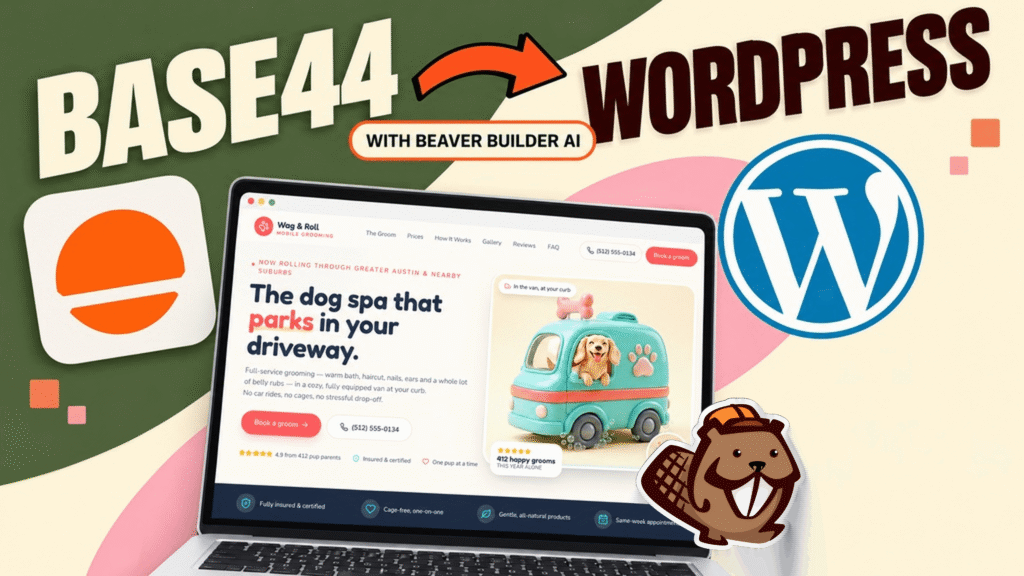
How to Convert Base44 design to WordPress using Claude and Beaver Builder AI
 -
October 13, 2026
-
October 13, 2026
In this article, I share how I moved a landing page design from Base44 to WordPress using Claude and Beaver…
Join the community
We're here for you
There's a thriving community of builders and we'd love for you to join us. Come by and show off a project, network, or ask a question.


Since 2014
Ready to build?
The WordPress page builder agencies and freelancers have trusted since 2014. Now with AI.
I agree that good web design should feel intentional rather than overly generic.