
While many AI website builders promise speed, they often require you to leave behind the tools and workflows you rely on. As a WordPress professional, speed isn’t your only concern. You also need sites that are easy to edit, simple to maintain, and easy to handoff to clients.
That’s what the Beaver Builder team had in mind when creating Beaver Builder AI. Built for freelancers, agencies, and business owners using WordPress, Beaver Builder AI helps you plan, create, and refine websites faster while keeping you in control.
In this article, we’ll look at what Beaver Builder AI is, what it can do, and where it fits into a professional WordPress workflow.
Table of Contents
- What Is Beaver Builder AI?
- How Does Beaver Builder AI Work?
- What Makes Beaver Builder AI Different?
- Who Is Beaver Builder AI For?
- What Beaver Builder Users Are Saying
- Start Building with Beaver Builder AI
- Frequently Asked Questions
What Is Beaver Builder AI?
Beaver Builder AI is an AI-powered design plugin for WordPress that helps you move from an idea to a professional website faster. It generates fully editable layouts in either Beaver Builder or the WordPress Block Editor, giving you a flexible starting point for your projects:
You must have both the Beaver Builder page builder (version 2.11+) and the Beaver Builder AI plugin installed to create and edit layouts in the Beaver Builder editor.
Beyond page layouts, Beaver Builder AI can help you create reusable Design Systems, draft content, build custom forms and modules, and refine existing designs.
One of the things that makes Beaver Builder AI different is its flexibility. You can build directly inside WordPress using the built-in AI chat, connect your favorite AI tools through MCP, or create Design Kits outside of WordPress and bring them into your site when you’re ready.
Instead of creating websites locked into a proprietary platform, Beaver Builder AI creates editable layouts and design assets you can customize and maintain. You stay in control of the final website while AI helps speed up the parts of the process that take the most time.
How Does Beaver Builder AI Work?
Every WordPress professional works a little differently. You may prefer working directly inside WordPress, spend most of your time in AI tools like Claude or Cursor, or want to design locally before bringing everything into your project.
That’s why Beaver Builder AI doesn’t lock you into a single approach. You can choose from three flexible workflows: a built-in chat for visual editing inside WordPress, MCP for connecting an AI agent directly to your site, and Design Kits for building locally before importing into WordPress.
1. Chat Inside Beaver Builder
The easiest way to get started is with the built-in AI chat panel. Open a page in Beaver Builder, describe the page, section, or layout you want to create, and Beaver Builder AI generates an editable draft directly inside the editor:
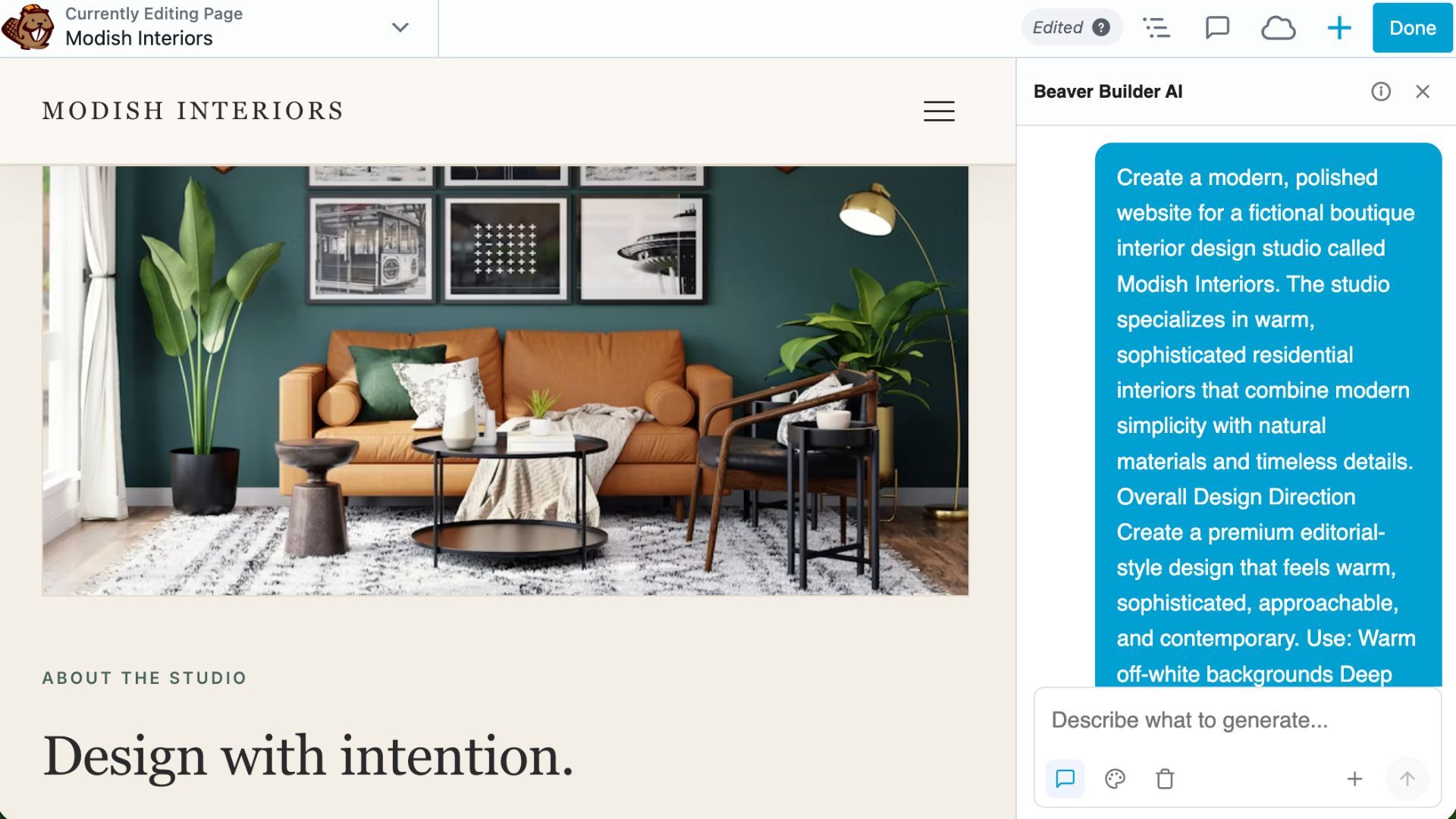
Because the AI works within your building environment, you can refine ideas, make changes, and continue building without leaving WordPress.
You can also choose the AI model that works best for you. Connect your own API key from Anthropic, OpenAI, or OpenRouter, and pay only for the AI usage you need.
2. Connect Your Favorite AI Tools With MCP
If you already work in tools like Claude Desktop, Cursor, Windsurf, or other MCP-compatible AI clients, you can connect them directly to your WordPress site via MCP (Model Context Protocol):
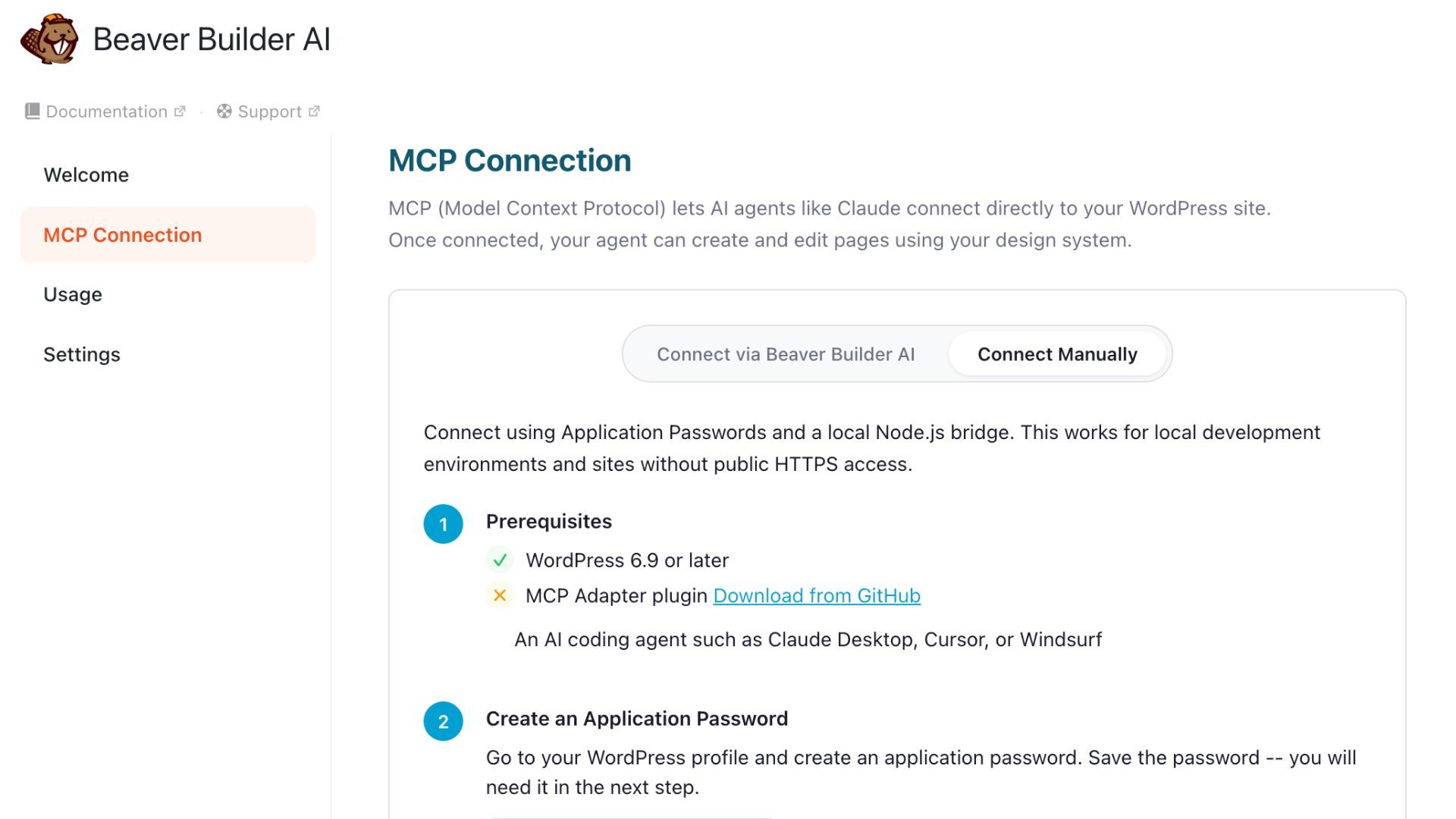
Instead of switching between tools, you can use your preferred AI Agent to create pages, update layouts, edit content, manage Design Systems, build Beaver Themer layouts, and more.
MCP gives you a more flexible way to work with Beaver Builder AI by bringing AI tools you already use into your WordPress workflow. And thanks to early tester feedback, connected LLMs can now build native Beaver Builder layouts, not just design system modules. That means real rows, columns, and the native modules you know (headings, text, buttons, button groups, images, icons, and separators), with the Box module as the main container.
3. Import Design Kits
Design Kits give you another way to build. Instead of starting inside WordPress, you can create website designs locally using the AI tools you prefer, including layouts, headers, footers, and a complete Design System:
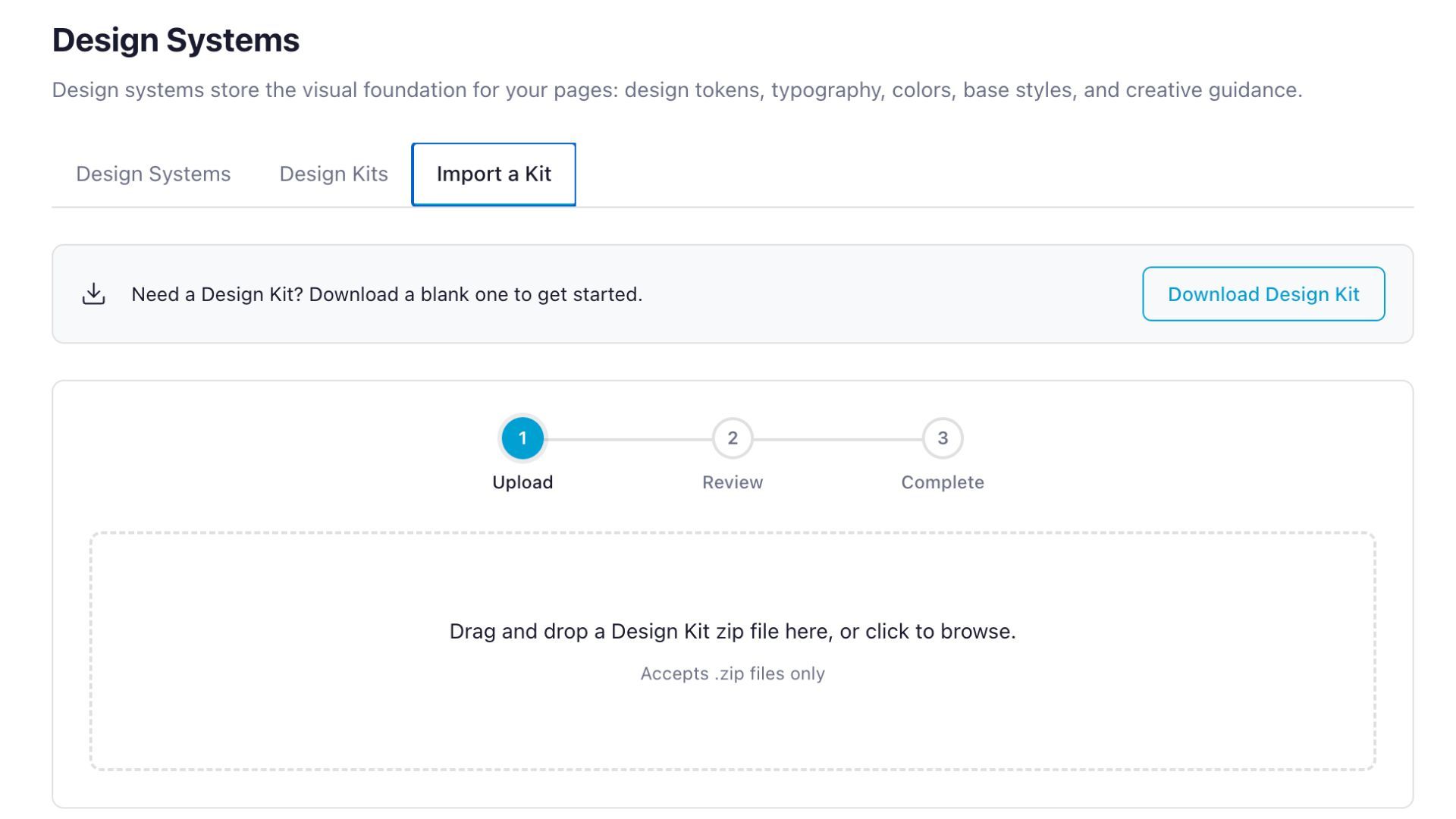
Once your Design Kit is ready, import it into WordPress and continue customizing everything in the editor. This gives you the freedom to explore ideas and create designs outside WordPress while still bringing everything into a familiar, editable WordPress workflow.
Next, let’s look at the key features that make these workflows possible.
What Makes Beaver Builder AI Different?
Beaver Builder AI was built with professional WordPress workflows in mind. Instead of limiting you to a single way of working, it gives you the flexibility to create, customize, and manage websites the way that makes sense for your projects.
Keep Every Page On Brand
Creating one impressive page with AI is easy. Creating an entire website that feels consistent is much harder.
Beaver Builder AI helps solve this with Design Systems. Instead of treating every page as a separate design, you can create a foundation for your website that includes your colors, typography, spacing, buttons, creative direction, and other visual guidelines:
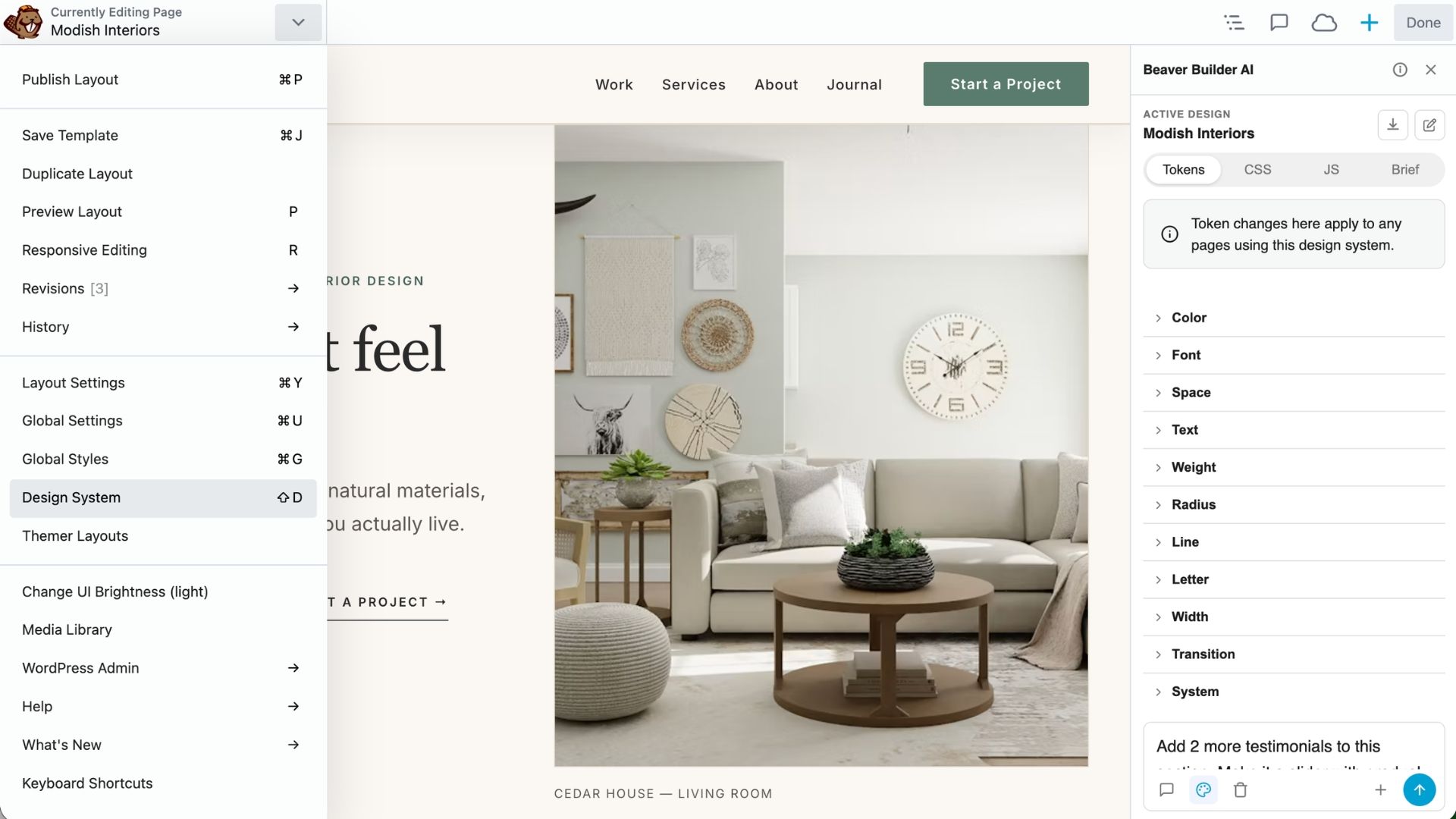
A Design System works like global styling on a site, with one difference: it is only global to the pages that use it. Different pages can use different Design Systems, and a system can live on a site or inside a Design Kit.
Once your Design System is in place, new pages can follow the same visual style, helping your homepage, service pages, landing pages, and other content feel like they belong together.
Everything Stays Editable
AI-generated websites are more useful if you can customize them after they’re created.
With Beaver Builder AI, you’re not locked into a finished design. You and your clients can update content, swap images, adjust layouts, change styles, and continue refining the website as your project evolves:
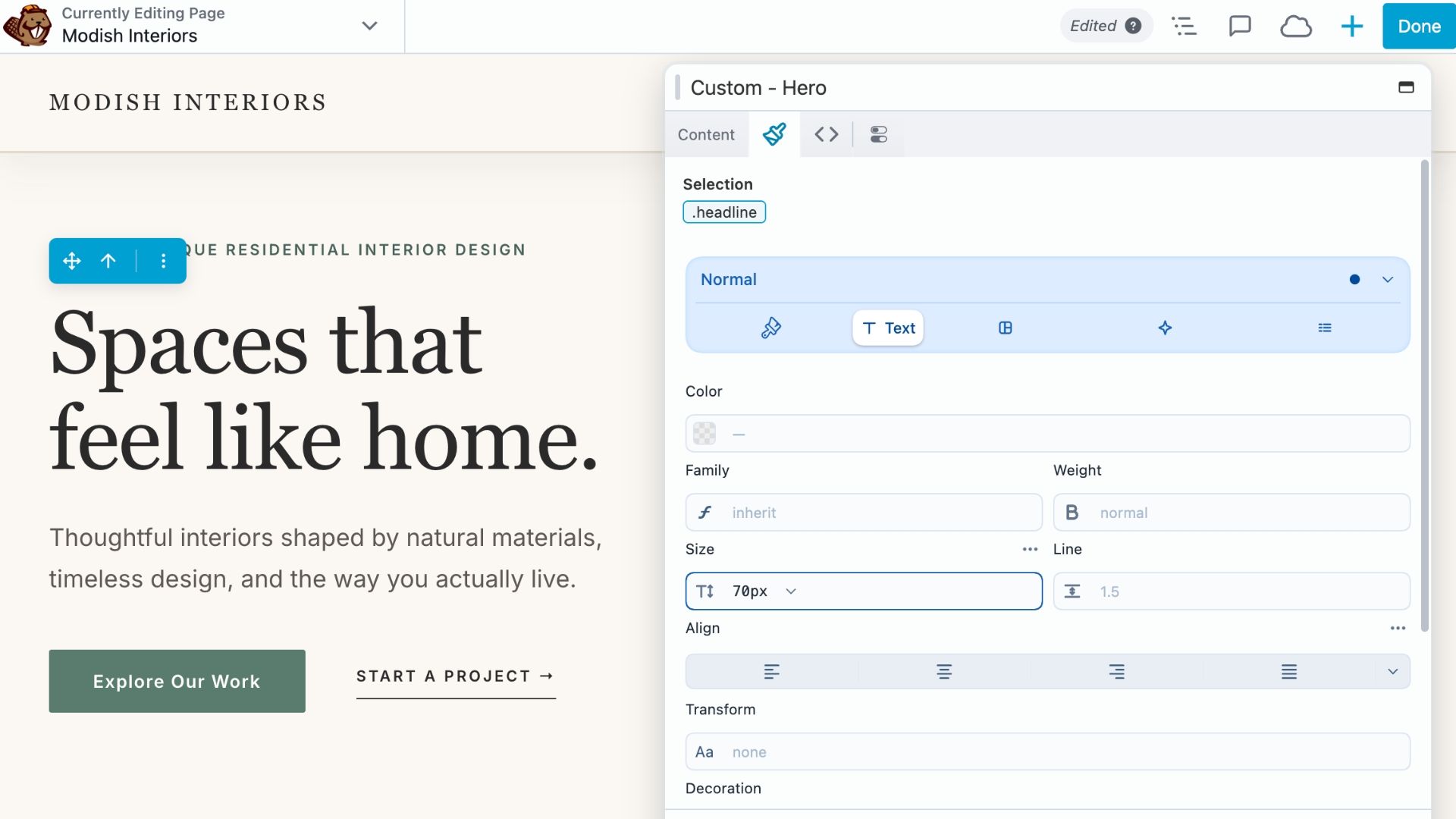
The built-in chat builds using Beaver Builder Custom Modules, while an MCP connection can be prompted to build using native Beaver Builder modules instead.
Whether you prefer visual editing or need deeper control via the code, Beaver Builder AI gives you the flexibility to shape the final result.
Change One Section Without Starting Over
One of the biggest frustrations with AI tools is that a small change can sometimes mean rebuilding everything.
Beaver Builder AI lets you focus on the specific area you want to update. Instead of recreating an entire page, you can target a section by clicking on it, describe the change you want, and refine that part while leaving the rest of your design intact:
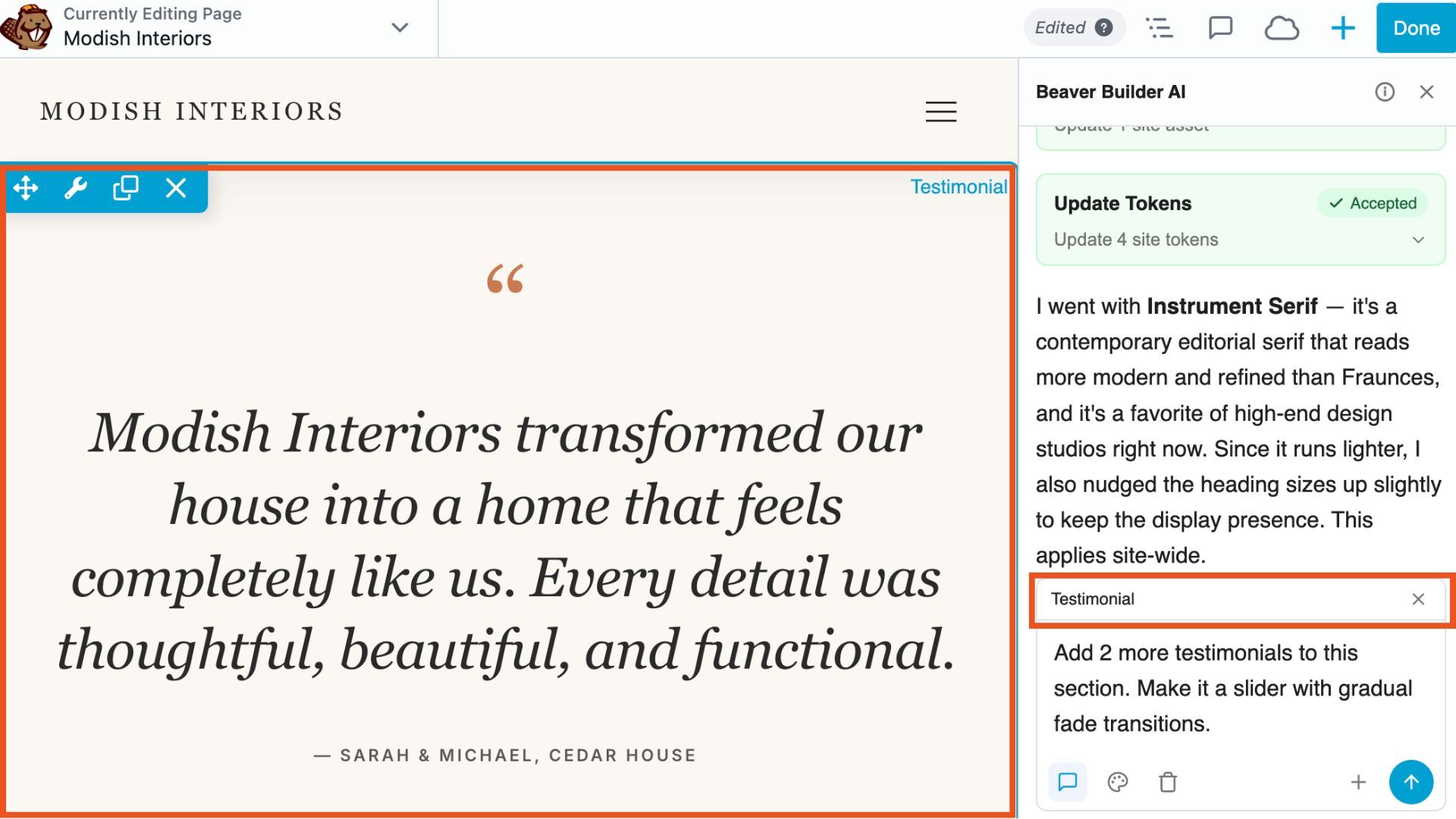
This makes experimenting with ideas faster and gives you more confidence when making changes.
Build Beyond Basic Layouts
Create more than standard page sections. From custom modules and interactive elements to advanced forms and unique design ideas, Beaver Builder AI gives you a faster way to explore possibilities that may have previously required more development time.
For example, when you have a design idea that isn’t possible with the default modules, you can drop the new Custom Module onto your page, target it, and prompt the AI on what you would like it to generate for you. The AI builds the component, and then you can drag it wherever you want on the page:
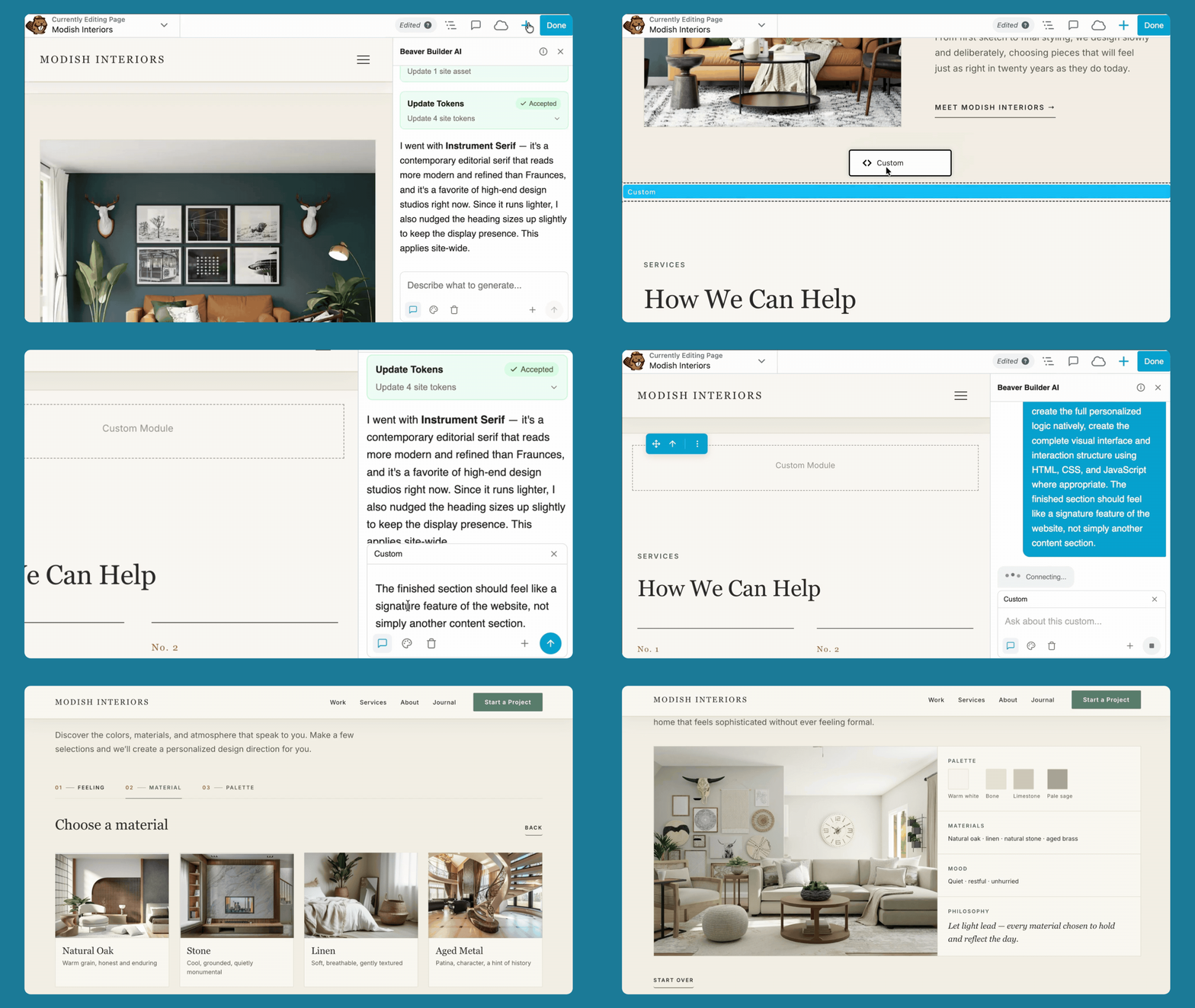
This helps expand what you can build inside WordPress while still keeping you in control of the final website.
Work With the AI Tools You Already Love
With connections to tools like Claude, Cursor, and others via MCP, Beaver Builder AI gives you the flexibility to use the AI tools that fit your workflow best.
Whether you prefer working directly inside Beaver Builder or using an external AI assistant, you can choose the approach that works best for your project.
Who Is Beaver Builder AI For?
Beaver Builder AI is built for WordPress professionals who want to create websites faster, without giving up the tools and workflows you already rely on.
Freelancers and agencies spend less time creating first drafts and more time focusing on strategy, customization, and the details that make your websites stand out and easy to handoff to clients.
Designers and developers use AI to speed up the creative process while keeping full control over design, code, and functionality when you need it.
Business owners create and update your professional websites faster, without hiring out every small change or starting every new page from scratch.
What Beaver Builder Users Are Saying
We put Beaver Builder AI in the hands of Beaver Builder users to beta test prior to launch:
“I’ve been a Beaver Builder user for nearly 10 years and always loved it. This, however, is a game changer. It’s a step up to a more professional result and a huge time savings. This solves the whole ‘staring at a blank screen’ problem that comes with every new page.”
– Mark, mybusinessengine.com
“I ran two sample page generations. The second was fine-tuned specifically for a project I’m getting ready to build next month. The resulting design and layout were very strong, strong enough that I’ll be using the design system as a basis for my Beaver Builder theme and global settings on the actual build.”
– Chris, hypesites.com
“Overall, I’d be really happy to use this for building client sites.”
– Stacey, swish-it.com
Start Building with Beaver Builder AI
Ready to get started? Here’s where to go next:
- New to Beaver Builder?: Get Beaver Builder AI →
- Beaver Builder AI Course: Start the Course →
- Chat vs MCP vs Design Kits: Compare the Workflows →
- How to Set Up Beaver Builder AI (Built-In Chat): Read the Setup Guide →
Frequently Asked Questions
Beaver Builder AI comes bundled with Beaver Builder’s Plus, Professional, and Unlimited plans, including Legacy Plans. If you’re already a Beaver Builder customer, your eligible plan includes Beaver Builder AI. If you’re new to Beaver Builder, you’ll pick a plan based on how many sites you manage, and Beaver Builder AI works the same way across every tier. Get Beaver Builder AI →
Beaver Builder AI integrates directly with Beaver Builder v2.11+. It also works as a standalone plugin with the WordPress Block Editor.
The Beaver Builder AI chat feature requires you to use your own AI provider’s API key. You pay directly for usage.
You can use Beaver Builder AI with other AI tools such as Cursor and Claude Desktop. The MCP connection lets you use any MCP-compatible AI agent to build and edit pages on your WordPress site.

Start here

Beaver Builder AI Demo
Build a page with AI on a site that already has Beaver Builder and Beaver Themer installed. Free AI credits included.
Our Newsletter
Our newsletter is personally written and sent out about once a month. It's not the least bit annoying or spammy.
We promise.
Try Beaver Builder Today
Related articles
How to Build an Editable WordPress Header and Footer With AI
 -
October 2, 2026
-
October 2, 2026
Headers and footers are among the most repetitive parts of building a WordPress website. AI can speed up the process,…
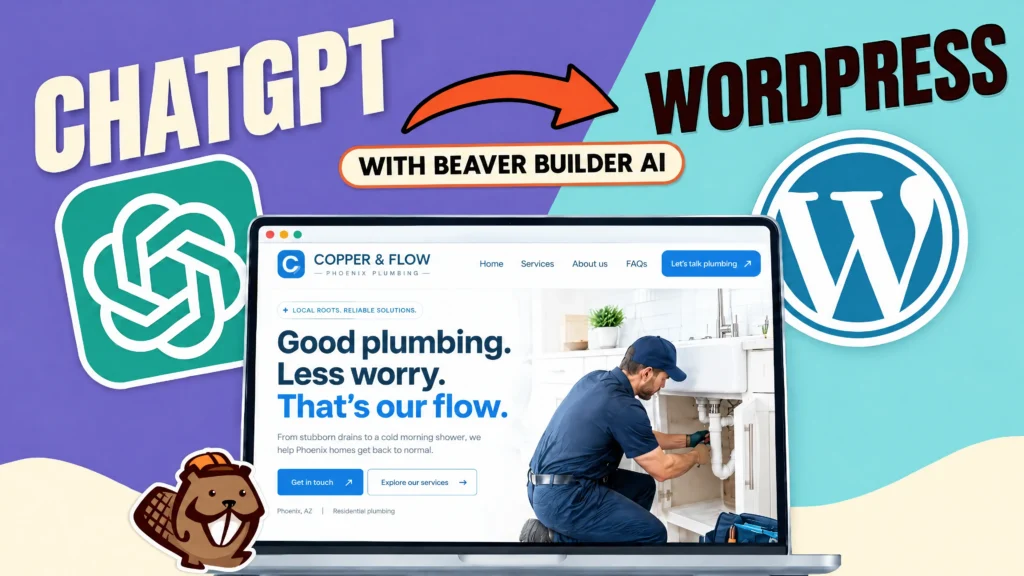
How to Convert a ChatGPT Site to WordPress (Beaver Builder AI)
 -
October 1, 2026
-
October 1, 2026
Hey everyone! If you’ve built a website design in ChatGPT, you’ve probably wondered how to get your ChatGPT site to…
Beaver Builder AI MCP Settings: Layout Mode and Layout Structure Explained
-
September 23, 2026
Beaver Builder AI has two MCP settings that shape AI-built pages. MCP Layout Mode controls what AI builds with: Native…
Join the community
We're here for you
There's a thriving community of builders and we'd love for you to join us. Come by and show off a project, network, or ask a question.


Since 2014
Ready to build?
The WordPress page builder agencies and freelancers have trusted since 2014. Now with AI.