
Beaver Builder AI Design Kits vs. Design Systems: What’s the Difference?
 -
August 28, 2026
-
August 28, 2026
The terms “design system” and “design kit” can mean different things in web design.
In Beaver Builder AI, a Design System provides the visual foundation for your website’s design. A Design Kit packages that Design System with pages and global elements so you can build outside WordPress and bring the finished work into Beaver Builder or the Block Editor.
In this article, you’ll learn how Design Systems and Design Kits differ, how they work together, and when to use each.
Table of Contents
- What Is a Design System in Beaver Builder AI?
- What Is a Design Kit in Beaver Builder AI?
- Design System vs. Design Kit
- Looking Ahead: Design Systems In Beaver Builder Core (v.12+)
- What's Next?
- Frequently Asked Questions
What Is a Design System in Beaver Builder AI?
In Beaver Builder AI, a Design System is a shared set of visual rules that pages assigned to it use. It defines things like your colors, typography, spacing, and other foundational styles.
Think of it as your website’s visual foundation, packaged in a format that both Beaver Builder and AI can use and reuse:
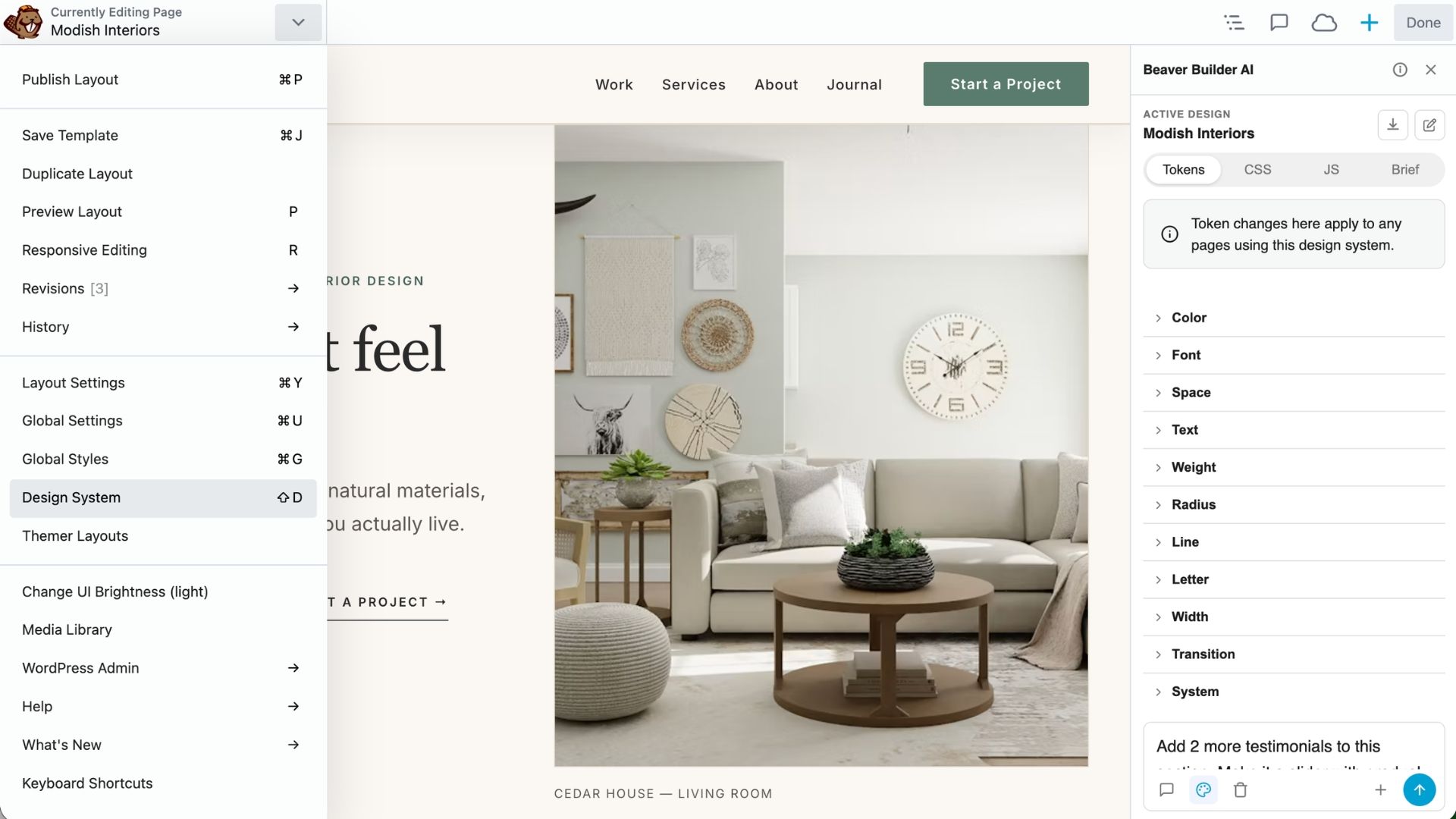
Once a page is assigned to a Design System, it uses that system’s visual foundation. Change a design token, such as a brand color or font size, and pages using that token will reflect the change automatically.
What’s Inside a Design System?
A Design System brings together the visual and creative information AI uses to build consistent pages:
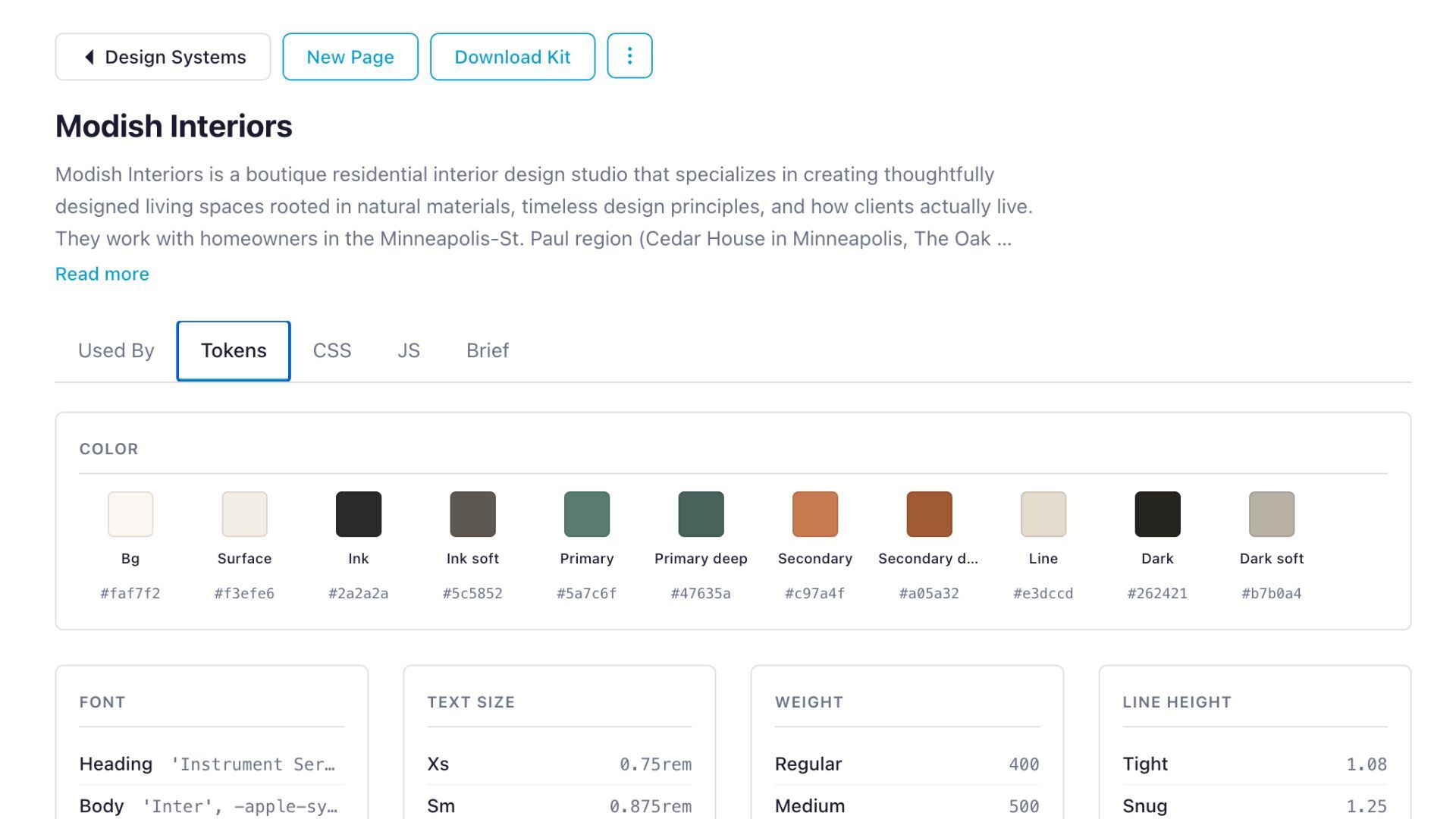
In the Design System panel, you’ll find:
- Used By — The pages assigned to the Design System.
- Tokens — Design values such as colors, typography, spacing, and other visual properties.
- CSS — The Design System’s base CSS.
- JS — Optional JavaScript for the Design System.
- Brief — The business brief and creative direction that gives AI context for the design.
How a Design System Gets Built
A Design System is created automatically the first time you generate a page with Beaver Builder AI. The AI looks at what it built, writes a brief based on your prompt, documents its own design choices as guidance, and stores the token set. All pages assigned to that Design System use the same foundation.
You can also create a Design System from a starter kit. When you select a starter kit and create a page from it, the kit’s Design System is imported and automatically assigned to the new page. In addition, an MCP-connected AI agent can also create a Design System directly on your site.
Want to explore the different ways to build with Beaver Builder AI? You might also like to read about Chat vs. MCP vs. Design Kits, which compares the three workflows and when to use each.
Can a Site Have Multiple Design Systems?
A Design System applies only to the pages assigned to it, not to the entire site by default. This means that a single WordPress site isn’t limited to one Design System, and you can assign different pages to different systems:
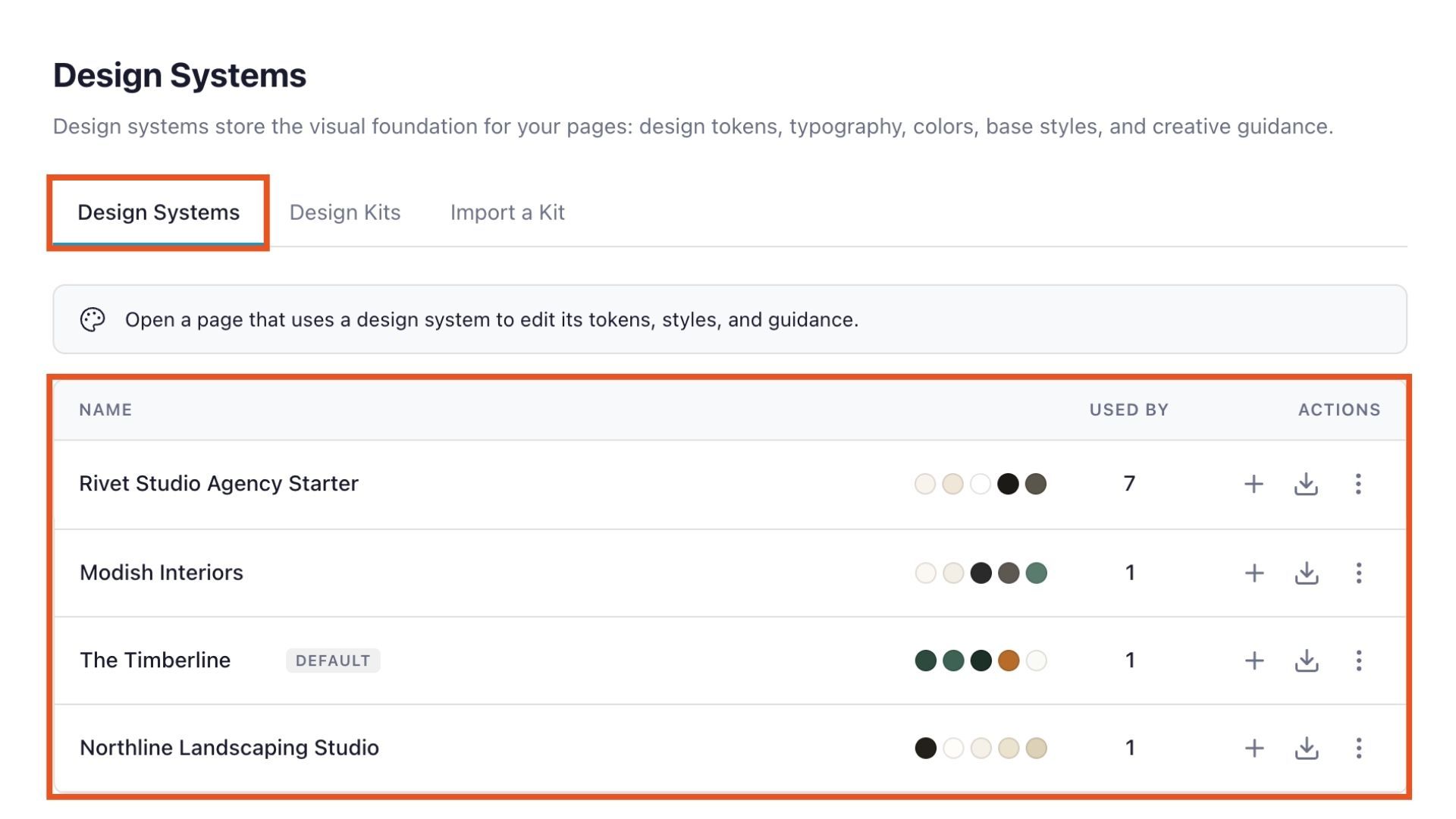
For example, an agency could use one Design System for a client’s main website and another for a separate campaign or sub-brand.
What Is a Design Kit in Beaver Builder AI?
A Design Kit is a folder of files that packages a Design System together with website pages and optional global elements, such as a header and footer. The files use HTML and follow Beaver Builder’s Design Kit structure giving AI coding agents the information they need to build within that system:
This makes Design Kits useful when you want to build outside WordPress first.
Instead of opening Beaver Builder and creating a page from scratch, you can open a Design Kit in an AI coding agent such as Claude Code, Codex, Cursor, or Windsurf. The agent reads the kit’s instructions and Design System, then builds the pages and global elements inside that structure.
When you’re finished, you can bring the kit back into WordPress and continue working in Beaver Builder.
How the Design Kit Workflow Works
A Design Kit gives you a simple workflow for building a WordPress site with an AI coding agent.
- Get a Design Kit: Download a pre-designed or blank Design Kit, or export an existing Design System for a local AI workflow.
- Build with a Coding Agent: Open the Design Kit folder in an AI coding agent such as Claude Code, Codex, Cursor, or Windsurf. You can create pages, update content, adjust layouts, and build global elements.
- Zip and Upload: When you’re finished, zip the Design Kit folder and upload it to Beaver Builder. Review the kit before importing, then continue refining the editable content in WordPress.
Start With a Pre-Designed Kit
You don’t have to start with a blank Design Kit. Beaver Builder AI includes pre-designed kits with pages and a Design System already built in. Download them from the Design Kits tab under Beaver Builder > Design Systems:
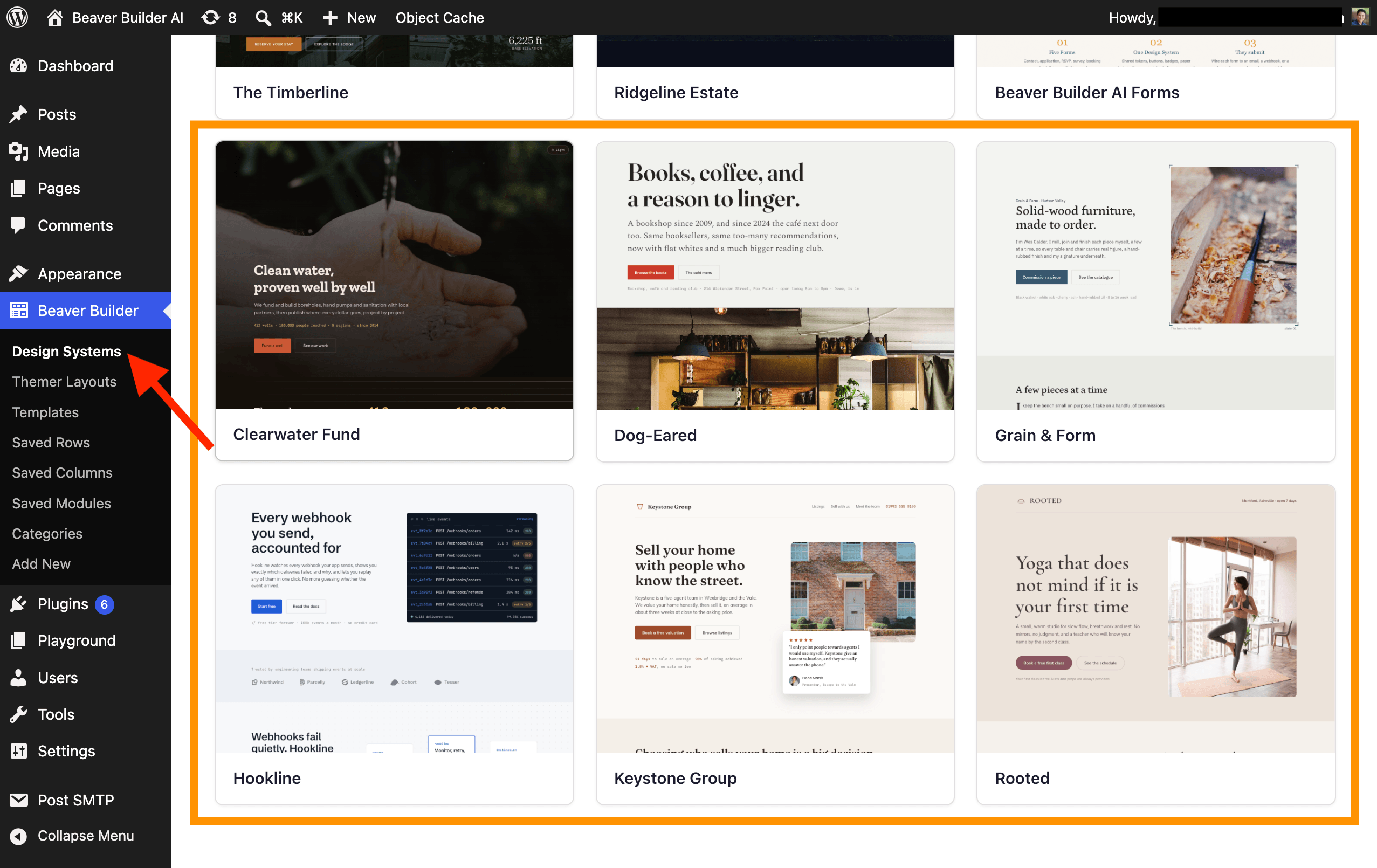
Want to learn more about how Design Kits work? Design Kits Explained →
Design System vs. Design Kit
A simple way to think about the difference between Design Systems and Design Kits is: A Design System defines the visual foundation for the pages that use it. A Design Kit packages that Design System with the pages and other files needed to build a site locally with an AI coding agent.
| Design System | Design Kit | |
| What It Is | Tokens, base CSS, optional JS, fonts, and creative guidance | A folder of files, built to Beaver Builder’s spec |
| What It Contains | Colors, typography, spacing, base styles, and a creative brief | One Design System, plus its pages and global elements |
| How It’s Created | By the AI assistant, an MCP agent, or a starter kit | By a coding agent, working locally |
| How Many per Site/Kit | As many Design Systems as a site needs | One Design System per kit |
| Its Scope | Only the pages assigned to it | The local project packaged for export / import |
Looking Ahead: Design Systems In Beaver Builder Core (v.12+)
Starting with Beaver Builder v.12+, Beaver Builder AI will no longer be required to manage a Design System. That’s because Design Systems are being decoupled from Beaver Builder AI and moved into Beaver Builder core. Once created, a Design System can continue to work without the AI plugin installed.
This gives agencies and freelancers more flexibility when handing off client sites. You can install Beaver Builder AI, use it to create the site’s Design System, then turn off or remove the AI plugin before giving the site to the client. The Design System remains available, while the AI features, API keys, and potential usage costs are removed.
Design Kits, however, will remain part of the Beaver Builder AI workflow, so packaging, exporting, and importing kits still requires the Beaver Builder AI plugin.
What’s Next?
Ready to see the difference for yourself? Create a Design System in Beaver Builder AI, or start with a Design Kit and build your next project locally before bringing it into WordPress.
Frequently Asked Questions
A Design Kit and a Design System serve different purposes. A Design System is the styling foundation for your site, including colors, typography, spacing, and creative direction. It can exist independently on your WordPress site. A Design Kit packages a Design System with the pages and global elements built from it, allowing you to move the design between projects or build locally and outside WordPress.
A Design Kit contains a single Design System that applies across its pages. If a project needs a different visual identity, you’ll need a separate Design Kit.
Using a Design Kit doesn’t require you to write the pages by hand, but you’ll need an AI coding tool capable of working with HTML and CSS. Some familiarity with web design and code is helpful for directing the AI and reviewing its output before importing the kit.
When you import a Design Kit, its pages, Design System, and global elements are brought into Beaver Builder as editable content. You can then continue working with them in Beaver Builder just like other site content.
A Design Kit can be refined locally and imported again when you’re ready. Each import brings the updated version into Beaver Builder, allowing you to continue iterating on the design before moving it into WordPress.
A WordPress site can use multiple Design Systems, allowing different pages or sections to have distinct visual identities. This can be useful for sites that include separate brands, sub-brands, or sections with their own design requirements.

Start here

Beaver Builder AI Demo
Build a page with AI on a site that already has Beaver Builder and Beaver Themer installed. Free AI credits included.
1 Comment
Our Newsletter
Our newsletter is personally written and sent out about once a month. It's not the least bit annoying or spammy.
We promise.
Try Beaver Builder Today
Related articles
Create a Dark Mode Toggle in WordPress
 -
October 15, 2026
-
October 15, 2026
Add a light and dark mode toggle to your WordPress site with Beaver Builder AI and the free Dark Mode…
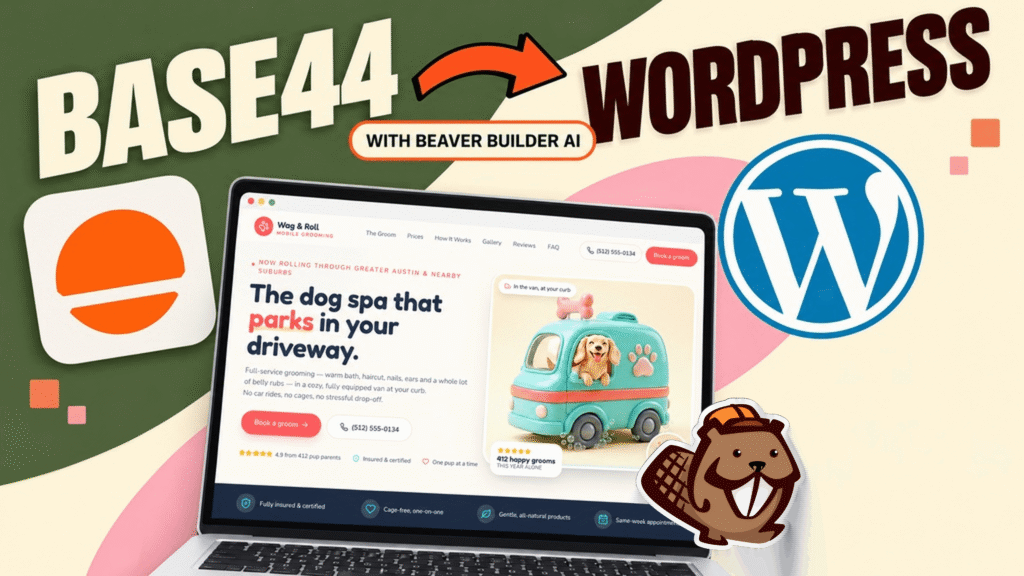
How to Convert Base44 design to WordPress using Claude and Beaver Builder AI
 -
October 13, 2026
-
October 13, 2026
In this article, I share how I moved a landing page design from Base44 to WordPress using Claude and Beaver…
How to Convert Figma Design to WordPress (Claude + Beaver Builder AI)
-
October 9, 2026
How do you turn a Figma design into a WordPress site without rebuilding every section by hand? It’s a common…
Join the community
We're here for you
There's a thriving community of builders and we'd love for you to join us. Come by and show off a project, network, or ask a question.


Since 2014
Ready to build?
The WordPress page builder agencies and freelancers have trusted since 2014. Now with AI.
This was very helpful as I wasn’t sure of the difference between Beaver Builder AI design systems and design kits.
The one thing I am still curious about is: if I already have a WordPress boilerplate with all of the Beaver Builder pages I want, including all of the modules I need, is there, or could there be, a way to convert that into a design kit as a starting point? That way, after working on it in Claude or Codex, I would be confident it had all of the modules I need before importing it back into Beaver Builder.