
How Beaver Builder Products Work Together to Build Flexible WordPress Websites
 -
May 21, 2026
-
May 21, 2026
Building a WordPress website often means stitching together a theme from one developer, a page builder from another, and a handful of plugins that don’t always work together. Over time, this leads to messy websites that are harder to manage, maintain, and keep consistent.
Beaver Builder takes a different approach.
Beaver Builder’s suite of products work together as a complete WordPress website building system. The theme gives you a flexible framework, Beaver Builder creates page layouts, Beaver Themer adds dynamic templates, and modules plus components help you build fast, reusable, scalable websites.
Rather than forcing you to assemble disconnected tools, Beaver Builder gives you a layered website building system where every product has a clear, focused role. Together, you can design, build, customize, and scale WordPress websites faster, and with far less friction.
Whether you’re a freelancer, agency owner, developer, or business owner, understanding how Beaver Builder products work together will change how you approach every project.
This guide breaks down the full Beaver Builder ecosystem.
Table of Contents
- Beaver Builder: A Complete Website-Building System
- 1. Beaver Builder WordPress Theme is the Framework
- 2. The Beaver Builder Plugin Controls Page Content
- 3. Rows and Top-level Container Modules Create the Structure
- 4. Columns Organize Content Horizontally
- 5. Beaver Builder Modules Add Content and Functionality
- 6. Reusable Content: Templates, Globals, and Components
- 7. Beaver Themer Expands Design Beyond Page Content
- 8. Beaver Builder Cloud Connects Your Templates Across Sites
- 9. Dynamic Content Connects Templates to Live Data
- 10. Third-Party Integrations Expand Beaver Builder
- Who Gets the Most from the Beaver Builder Ecosystem?
- Conclusion
Beaver Builder: A Complete Website-Building System
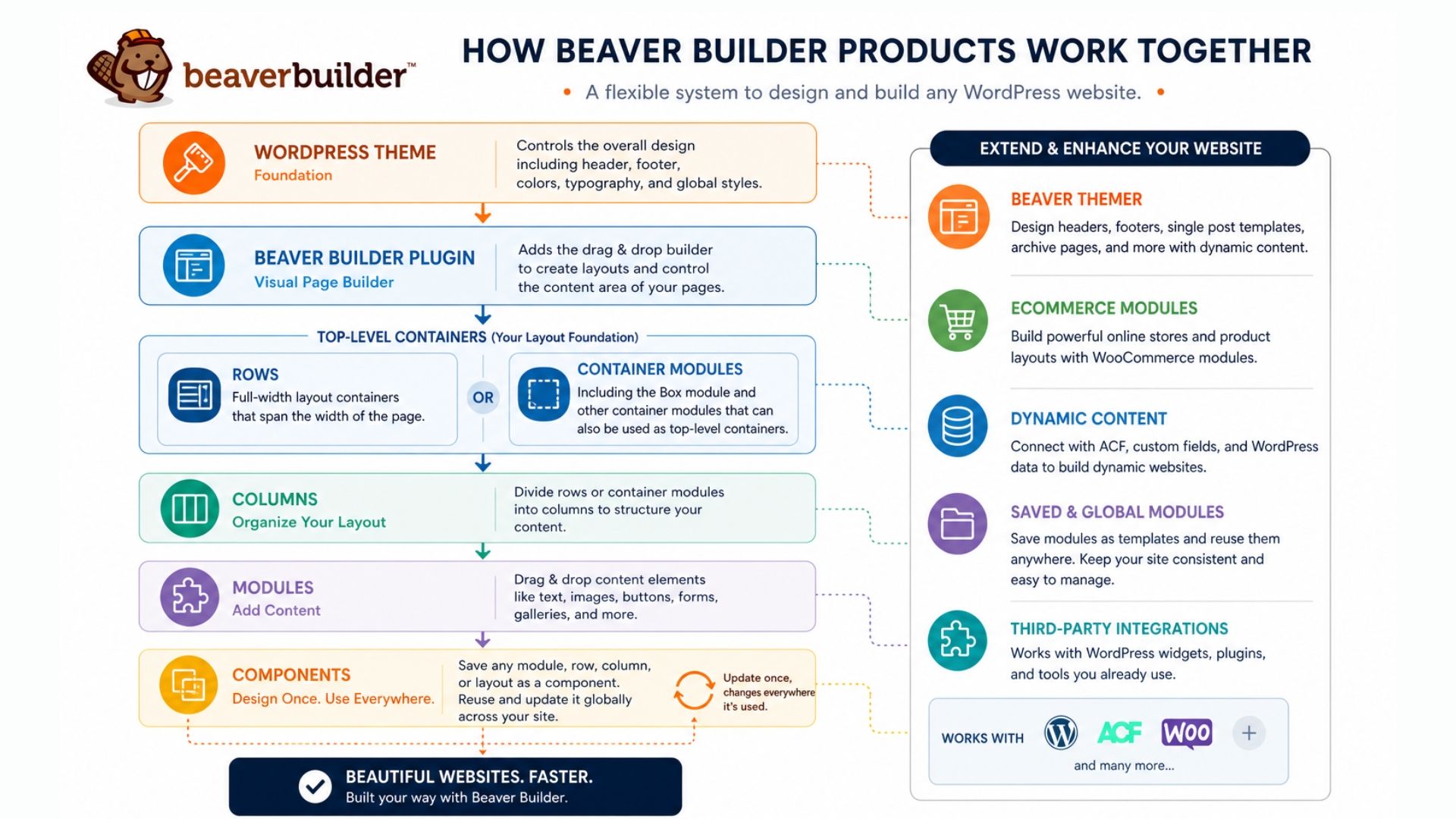
Think of Beaver Builder as a modular website-building framework. Not a single product, but a set of tools that build upon each other:
- Beaver Builder Theme handles the overall framework
- The Beaver Builder Page Builder plugin controls page content and layouts
- Rows and top-level containers inside the page builder create structural sections
- Columns inside the rows and containers organize content horizontally
- Modules inside the columns add content elements and functionality
- Reusable content (saved templates, globals, and components) creates scalable design systems
- Beaver Builder Cloud stores and shares templates across multiple sites
- Beaver Themer extends design control beyond the content area such as to headers and footers
- Dynamic content inside Beaver Themer connects templates to live WordPress data
- WooCommerce modules and third-party integrations extend the system
When used together, the Beaver Builder suite of tools create a professional-grade workflow that scales from a simple five-page brochure site to a complex dynamic platform.
This modular structure keeps the system flexible. You can use just the page builder on a simple site, then add Beaver Themer and dynamic content as complexity grows. You’re not locked into a bloated all-in-one tool that handles nothing particularly well.
1. Beaver Builder WordPress Theme is the Framework
Every WordPress website starts with a theme. While Beaver Builder tools work with most well-coded WordPress themes, many professionals choose the Beaver Builder Theme because it’s built specifically for Beaver Builder products:
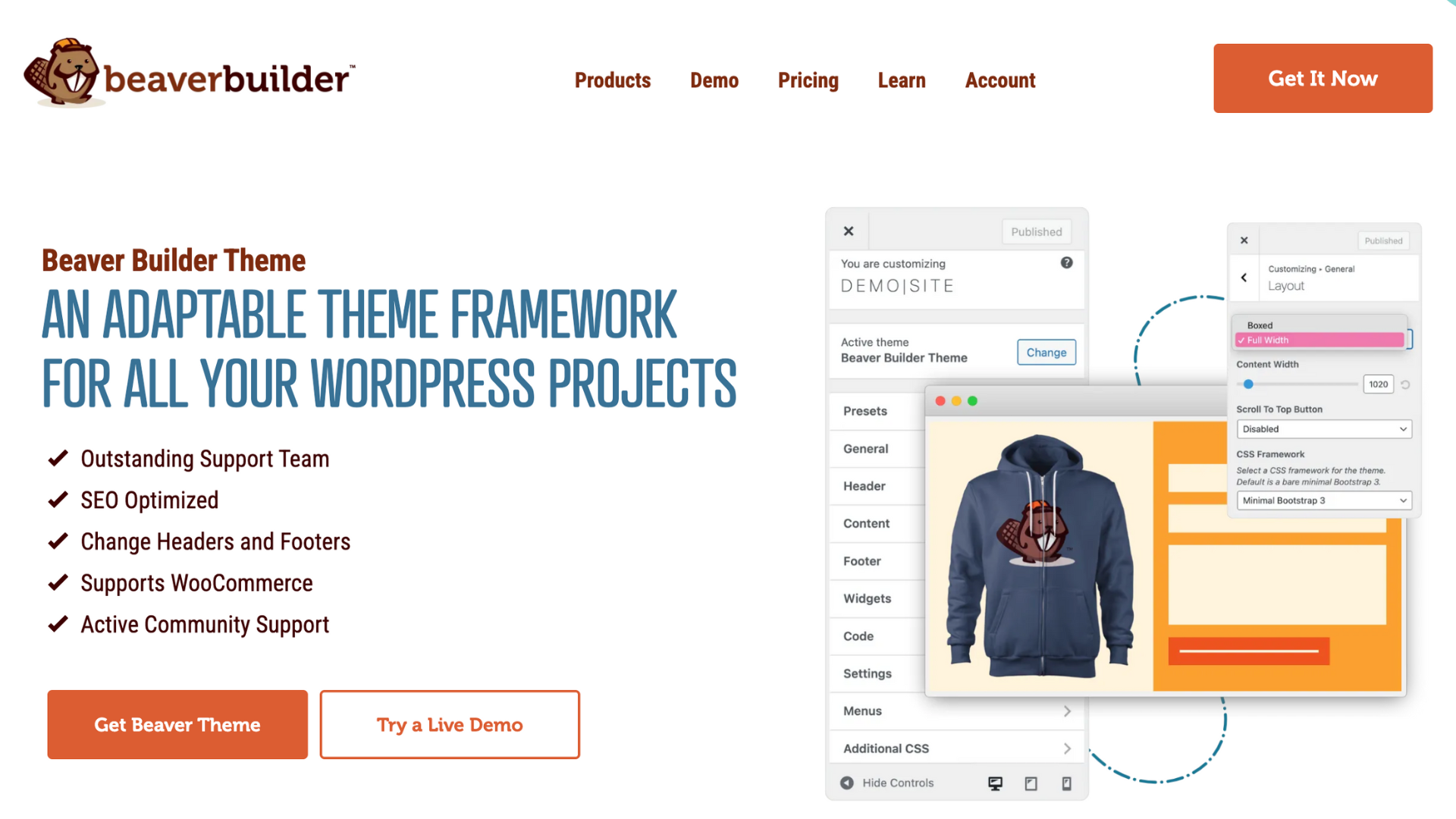
This creates a smoother foundation for building websites by reducing common friction points such as CSS conflicts, inconsistent styling, and unnecessary complexity during customization.
The result is a cleaner, more reliable workflow that helps speed up builds, maintain design consistency, and reduce long-term maintenance overhead.
2. The Beaver Builder Plugin Controls Page Content
Once the theme establishes the global design shell, the Beaver Builder plugin takes over the content area that allows you to design the main body of your pages and posts.
This is where the drag-and-drop experience lives:
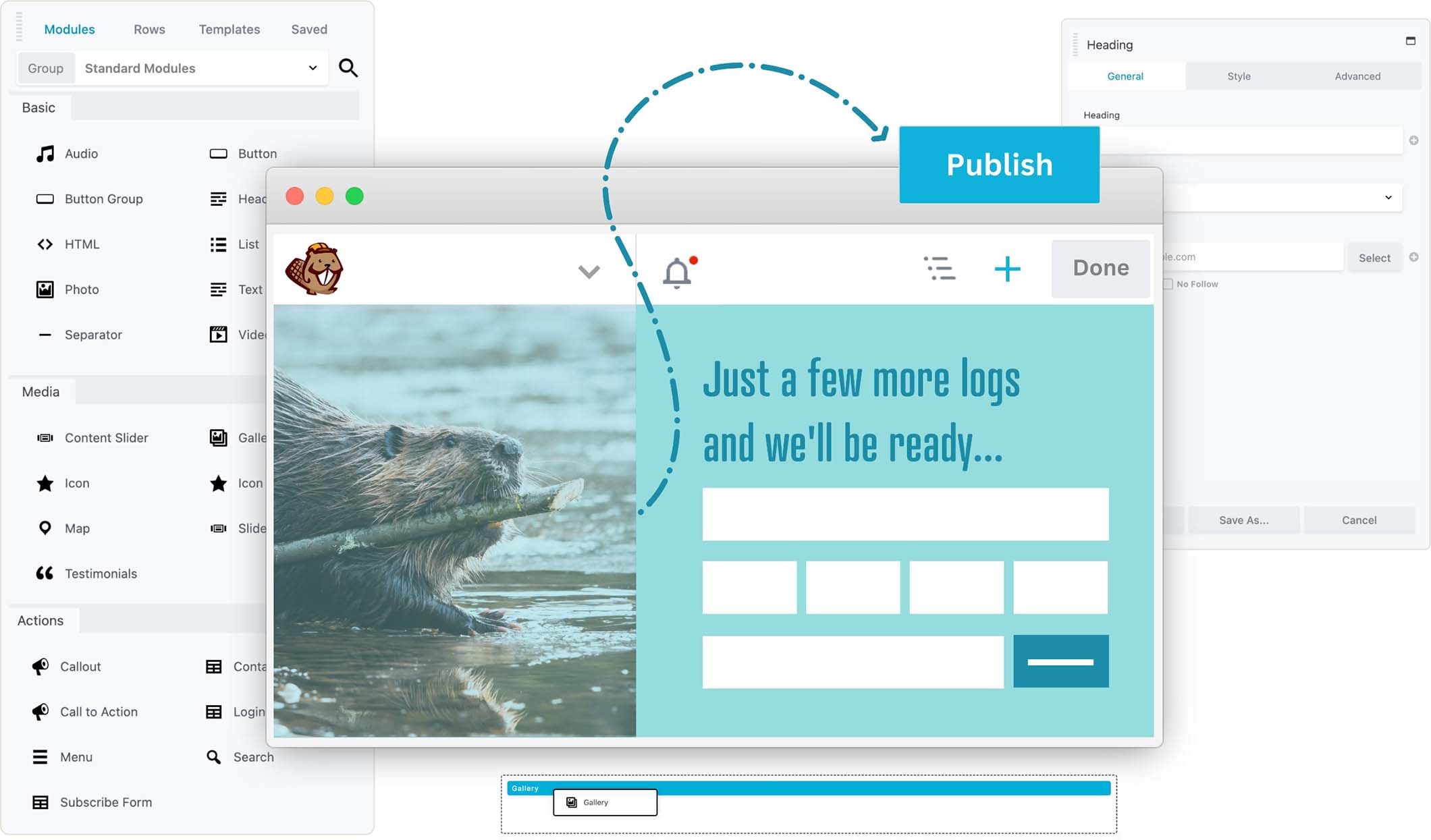
As you build, you see your changes instantly. Drag modules onto the page, adjust settings in the side panel, and watch updates happen in real time without switching back and forth between the editor and preview screen.
Traditional WordPress editing often locks you into rigid templates and limited layout control. Beaver Builder removes those constraints by giving you visual control over layout, spacing, content positioning, and responsive design all without needing to write code.
3. Rows and Top-level Container Modules Create the Structure
Inside the Beaver Builder page builder, every layout begins with top-level structural elements.
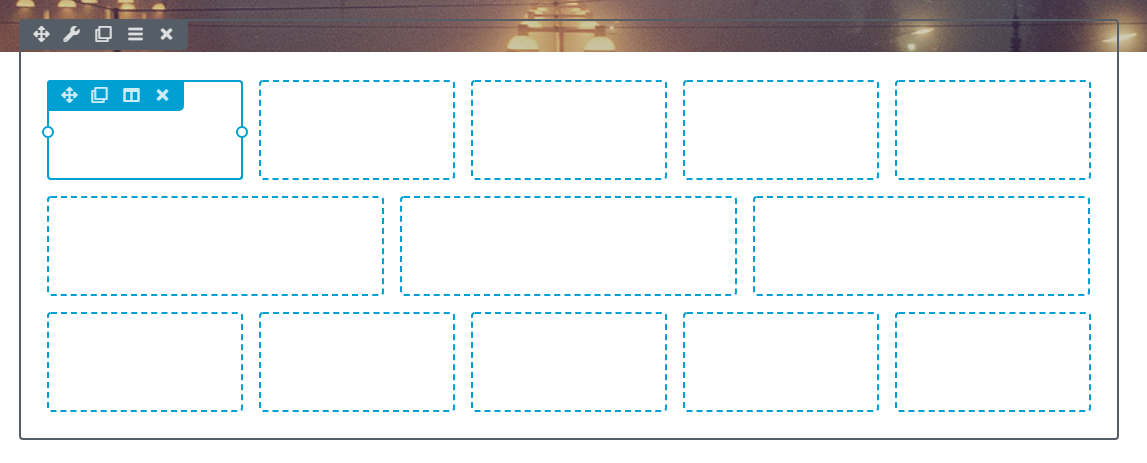
Classic rows span the full width of the content area and act as horizontal sections, the visual sections that divide your page into distinct parts. A homepage might have a hero row, a features row, a testimonials row, and a contact row.
More recently, Beaver Builder introduced container modules, including the Box module and the Loop module, that offer greater layout flexibility. Containers can hold other content, act as wrappers, and even sit at the top level of a layout alongside rows, giving you more control over how sections are built and nested.
4. Columns Organize Content Horizontally
Inside each row or container, layouts are divided into columns.
Columns control how content is arranged side by side, helping create structure, balance, and visual flow across the page.
Beaver Builder handles responsive behavior, allowing columns to stack cleanly on tablets and mobile devices without requiring custom CSS. You can also fine-tune layouts for different screen sizes using Responsive Editing Mode:
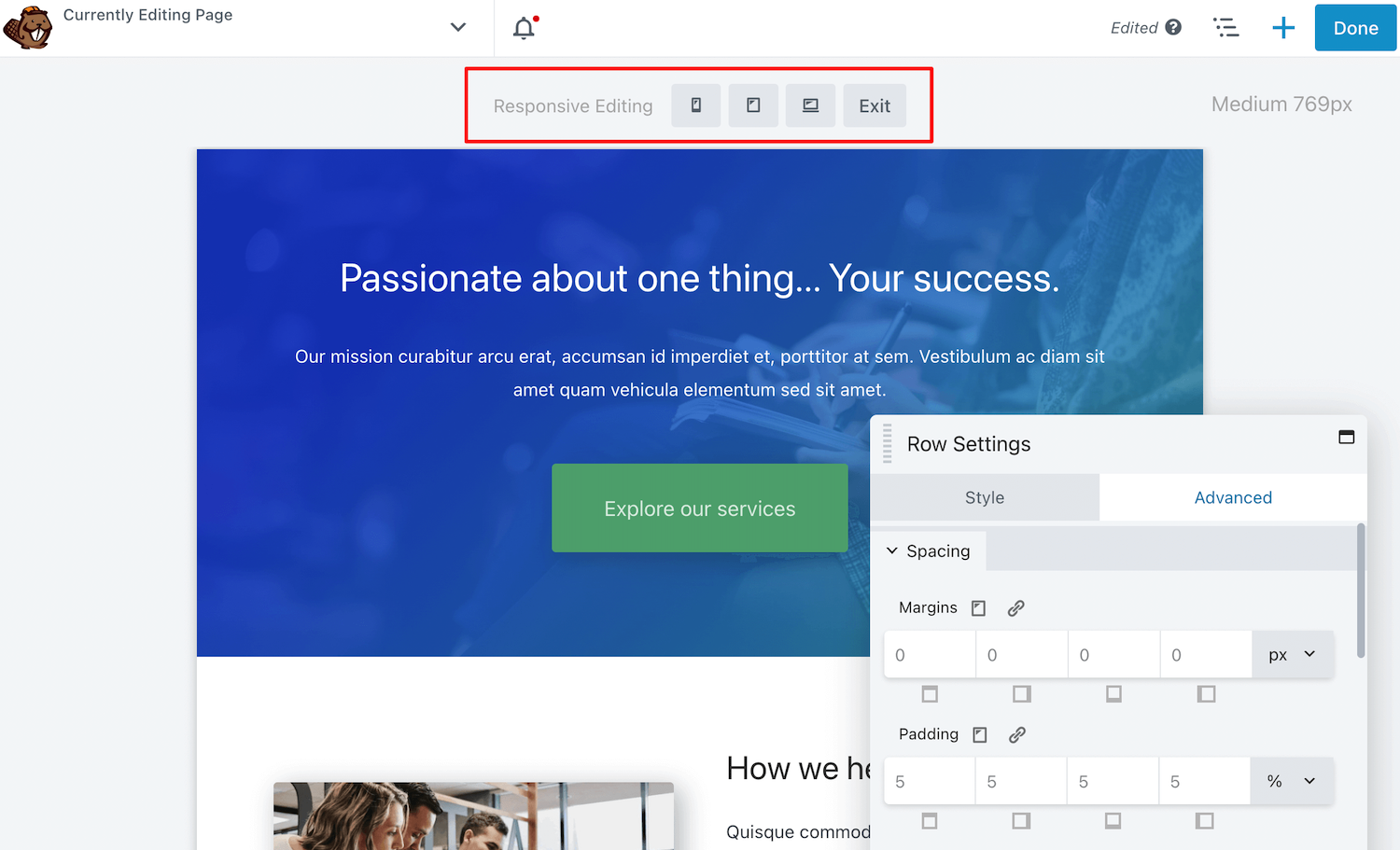
Columns improve readability, make content easier to scan, and help create polished, professional layouts without needing to build custom grid systems from scratch.
5. Beaver Builder Modules Add Content and Functionality
Modules are the individual elements you drop into your rows and columns:
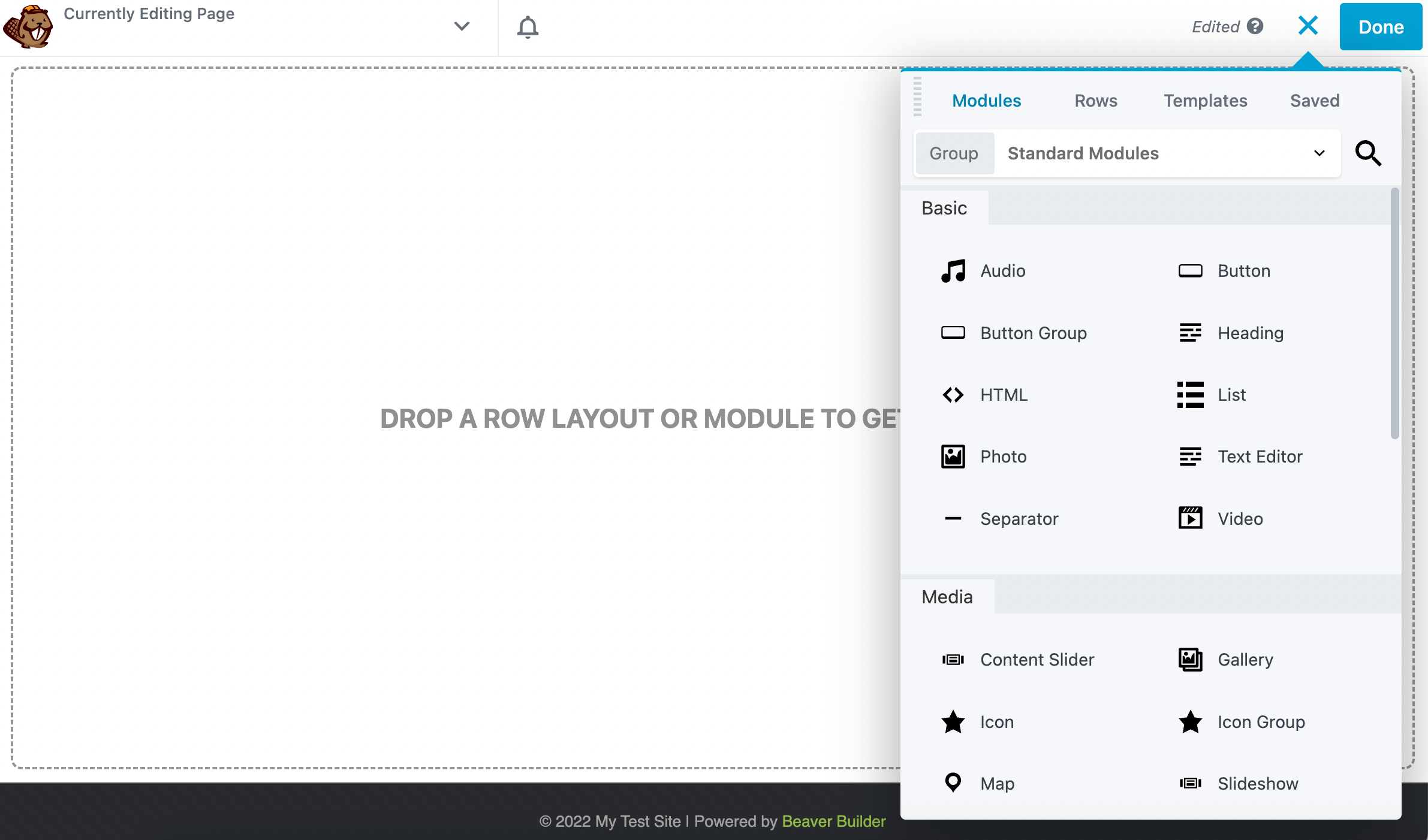
Beaver Builder includes a wide library of modules such as:
- Text Editor for body copy
- Heading for titles and subheadings
- Photo and Video for media
- Button for calls to action
- Accordion and Tabs for structured content
- Testimonials for social proof
- Contact Form for lead capture
- Pricing Table for plan comparisons
- Gallery and Slideshow for visual portfolios
- Map for location display
- Star Rating (added in version 2.10) for reviews and feedback
Instead of building common website elements from scratch on every project, you simply drag in a module and customize it. This speeds up development, improves consistency across pages, and makes ongoing client edits much easier to manage.
For a comprehensive list of available modules, check out this page: Beaver Builder Modules
6. Reusable Content: Templates, Globals, and Components
Beaver Builder includes three different types of reusable content: Templates, Globals, and Components.
Templates
Templates are saved rows, columns, modules, or full page layouts that can be reused across your site. Each instance remains independent, meaning changes made to the original template do not automatically update previously placed copies:
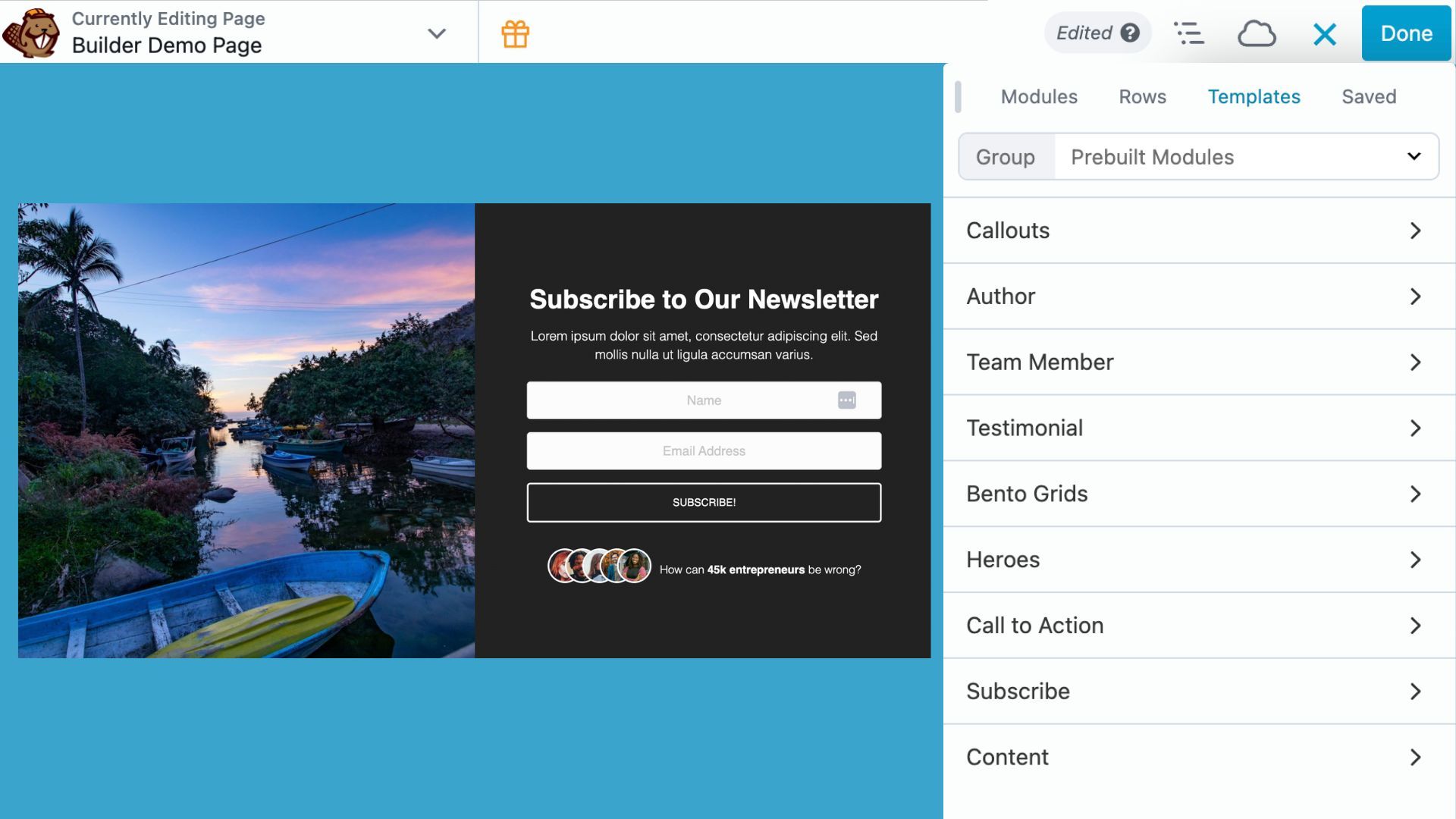
Templates work well when you want to reuse a layout as a starting point while still customizing each version individually.
Globals
Saved Global items stay synchronized everywhere they are used. When you update a global item once, every instance updates automatically across the site.
Globals are ideal for content that needs to remain consistent sitewide, such as call-to-action sections, announcements, contact prompts, or brand disclaimers.
Components
Components, introduced in Beaver Builder 2.10, combine the flexibility of templates with the consistency of globals.
With Components, you can decide which parts of a layout remain locked and which parts stay editable. For example, you might lock the structure, spacing, colors, and design system while allowing editors to update headlines, images, buttons, or text content on individual pages.
This creates a balance between consistency and flexibility, making it easier to maintain brand standards without limiting content editors.
To learn more about reusable content in Beaver Builder, check out: Components vs Globals vs Templates
7. Beaver Themer Expands Design Beyond Page Content
Beaver Themer extends Beaver Builder’s visual building experience to the parts of your site traditionally controlled by your WordPress theme.
With Beaver Themer, you can create:
- custom headers and footers
- templates for blog posts and custom post types
- archive layouts for category, tag, and date pages
- WooCommerce product and shop templates
- search results pages
- 404 error pages
Instead of editing PHP template files or relying on limited theme customization settings, you can build these areas visually using the same Beaver Builder page builder interface.
8. Beaver Builder Cloud Connects Your Templates Across Sites
Introduced in Beaver Builder 2.10 and powered by Assistant Pro, Beaver Builder Cloud adds a built-in cloud icon directly to the builder toolbar no separate plugin required. Simply connect your account and access a centralized library for your WordPress design assets across projects:

Instead of exporting templates as ZIP files, downloading them, and re-importing them on new sites, your designs are always available in one place and ready to use.
For agencies and freelancers, this creates a meaningful workflow upgrade. High-performing sections like hero layouts, pricing tables, or landing page blocks can be saved once and reused across any client project in seconds. Teams can also share libraries, ensuring everyone works from the same approved design system.
Beaver Builder Cloud keeps your entire design system portable. Instead of rebuilding the same elements across every project, you build once and reuse on future WordPress sites.
9. Dynamic Content Connects Templates to Live Data
Dynamic content is what allows Beaver Themer templates to scale efficiently across large websites.
Instead of manually entering content into every layout, dynamic content pulls live information directly from WordPress and displays it automatically inside your templates.
For example, a blog post template can dynamically display:
- the post title
- featured image
- author name and bio
- publish date
- categories and tags
- custom fields from plugins like Advanced Custom Fields (ACF)
For WooCommerce websites, dynamic fields can display product names, prices, descriptions, images, and inventory information automatically. Directory, real estate, and listing websites can also pull data from custom post types and custom fields.
This allows you to build a template once and reuse it across hundreds or thousands of posts, products, or listings without rebuilding layouts manually.
Dynamic content is what transforms Beaver Builder and Beaver Themer from a visual page builder into a scalable website-building system for WordPress.
10. Third-Party Integrations Expand Beaver Builder
Beaver Builder is built on WordPress standards, which allows it to work smoothly with the broader WordPress ecosystem so you’re not locked into a closed platform.
Popular third-party integrations include:
- Advanced Custom Fields (ACF) for custom fields and dynamic content
- WooCommerce for ecommerce functionality
- Gravity Forms and WPForms for advanced forms
- Membership plugins like LifterLMS and LearnDash
- SEO plugins such as Yoast SEO and Rank Math
- marketing and automation tools
- native WordPress widgets and sidebar content
Because Beaver Builder extends WordPress rather than replacing it, most well-coded plugins integrate naturally into your workflow without major compatibility issues.
This flexibility allows you to combine Beaver Builder with the tools your project already depends on, creating a more scalable and adaptable website-building workflow.
Who Gets the Most from the Beaver Builder Ecosystem?
Beaver Builder works across a wide range of use cases, but it’s especially well-suited for:
- Freelancers who need to build professional sites quickly and hand them off cleanly
- Agencies managing multiple client sites with reusable design systems
- WordPress developers who want to extend the builder without fighting against it
- Small business owners who want to maintain their own sites without needing a developer for every update
- Ecommerce businesses that need custom product layouts beyond WooCommerce defaults
- Content-heavy sites like blogs, directories, or membership platforms that rely on dynamic templates
The Beaver Builder website building tools are approachable enough for beginners but deep enough to support advanced professional workflows.
Conclusion
Beaver Builder products work together as a complete, layered website-building system for WordPress.
The Beaver Builder theme establishes the foundation. Beaver Builder page builder creates page layouts. Rows, containers, and columns provide structure. Modules add content and functionality. Templates, Globals, and Components make layouts reusable and scalable. Beaver Themer extends visual building across the rest of the website. Dynamic content powers data-driven templates, while WooCommerce modules and third-party integrations expand what the system can do.
Together, these tools create a unified visual workflow that can support everything from simple landing pages to large, dynamic websites without relying on disconnected tools or repetitive manual work.
If you’ve ever felt frustrated piecing together random themes, plugins, and incompatible workflows, Beaver Builder offers a more structured and scalable alternative built around flexibility, consistency, and long-term maintainability.
Explore Beaver Builder and start building faster, more consistent WordPress sites with a workflow that adapts to how you build.

Start here

Beaver Builder AI Demo
Build a page with AI on a site that already has Beaver Builder and Beaver Themer installed. Free AI credits included.
Our Newsletter
Our newsletter is personally written and sent out about once a month. It's not the least bit annoying or spammy.
We promise.
Try Beaver Builder Today

Related articles

How to Build an Editable WordPress Header and Footer With AI
-
October 2, 2026
Headers and footers are among the most repetitive parts of building a WordPress website. AI can speed up the process,…

How to Convert a ChatGPT Site to WordPress (Beaver Builder AI)
 -
October 1, 2026
-
October 1, 2026
Hey everyone! If you’ve built a website design in ChatGPT, you’ve probably wondered how to get your ChatGPT site to…

Beaver Builder AI MCP Settings: Layout Mode and Layout Structure Explained
-
September 23, 2026
Beaver Builder AI has two MCP settings that shape AI-built pages. MCP Layout Mode controls what AI builds with: Native…
Join the community
We're here for you
There's a thriving community of builders and we'd love for you to join us. Come by and show off a project, network, or ask a question.


Since 2014
Ready to build?
The WordPress page builder agencies and freelancers have trusted since 2014. Now with AI.