

Beaver Builder AI gives you multiple ways to build WordPress websites with AI. This article focuses on the Design Kit workflow which lets you build websites locally with AI before importing them into WordPress.
Table of Contents
- What Is a Design Kit?
- What's in a Design Kit?
- How to Get Started with a Design Kit
- How the Design Kit Workflow Works
- Why Design Kits Matter for Agencies
- Get Started with Beaver Builder AI Design Kits
- Frequently Asked Questions
What Is a Design Kit?
A Beaver Builder AI Design Kit is a folder of files that gives your AI coding agent the structure, design direction, and technical instructions it needs to build your website. It also provides a portable format for moving designs in and out of Beaver Builder AI:
A Design Kit can include a Design System, page templates, global elements such as headers and footers, assets, and the HTML, CSS, and JavaScript behind each layout.
Learn about Design Kits vs. Design Systems →
Kits are designed to be authored by AI coding agents working locally. The downloaded kit includes agent instructions and the full format specification, giving the agent the information it needs to work with the kit without extensive additional prompting.
What’s in a Design Kit?
A Design Kit folder contains the files your coding agent needs to understand the project’s design, structure, content, and requirements. Depending on the kit, these may include:
- AGENTS.md and/or CLAUDE.md — instructions for your coding agent.
- design-system/ — the site’s colors, typography, spacing, and creative direction.
- globals/ — shared elements such as navigation and footer components.
- pages/ — the individual page layouts for the site.
- assets/ — images and other media used throughout the site.
- spec/ — project specifications or instructions that guide the agent as it builds the site.
- kit.json — information that ties the different parts of the kit together.
Every page in a Design Kit pulls from the same Design System. This lets you build multiple pages that share the same colors, typography, spacing, buttons, and overall creative direction.
How to Get Started with a Design Kit
There are three ways to get started with a Beaver Builder AI Design Kit:
1. Build a Design Kit from Scratch
If you want complete control over the design and structure of your website, start with a blank Design Kit. If you want complete control over the design and structure of your website, start with a blank Design Kit. Go to Beaver Builder > Design Systems > Import a Kit and click Download Design Kit:
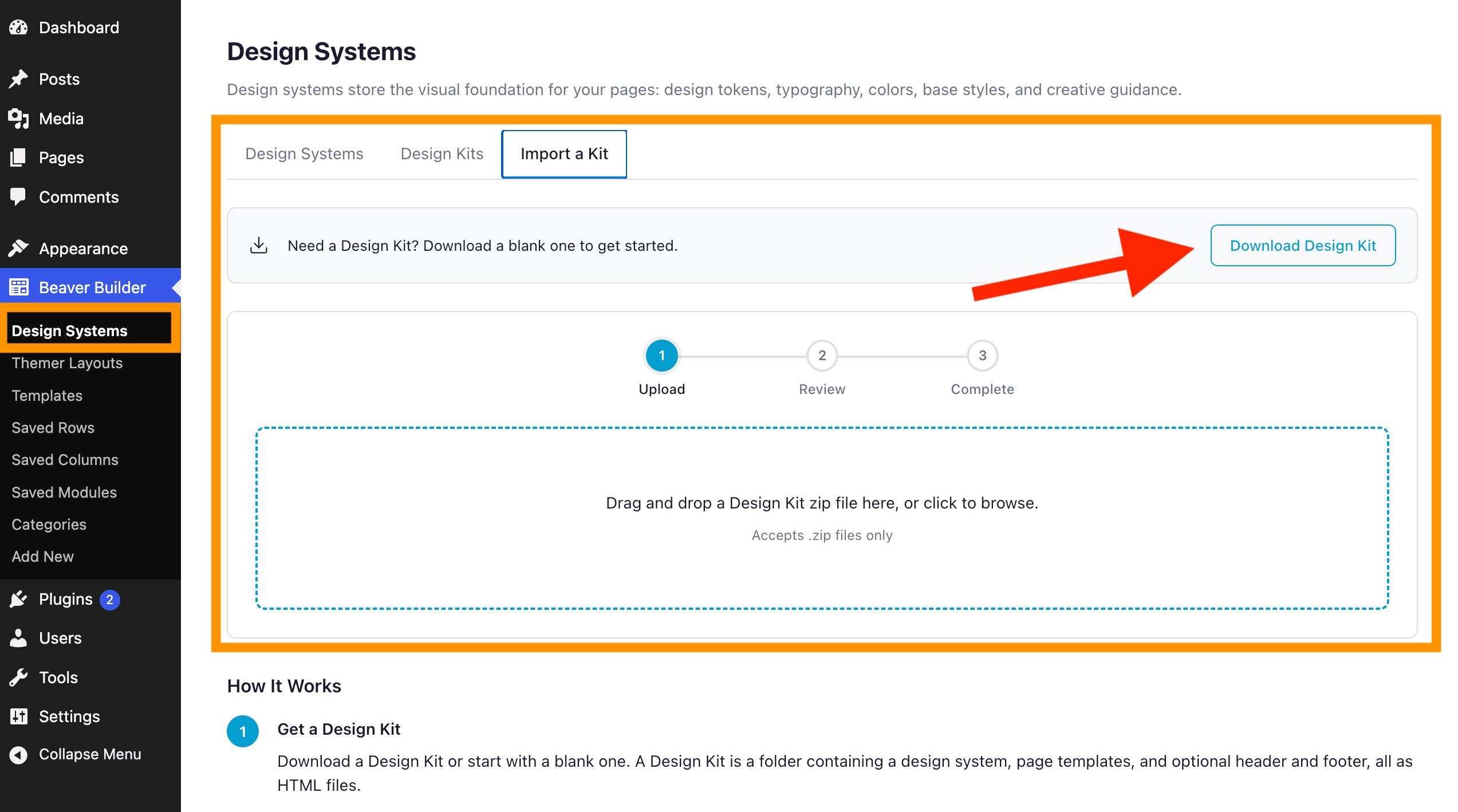
Starting with a blank kit is a good option when you’re creating a new brand, developing a custom website design, or want your AI agent to build the site without relying on an existing Design System.
You can define the colors, typography, spacing, layout, and creative direction based on your project requirements, giving your AI coding agent a consistent foundation to work from.
2. Choose a Pre-Designed Design Kit
Beaver Builder AI includes pre-designed Design Kits that give you a ready-made foundation for building a website with AI. Each kit provides a complete Design System with predefined colors, typography, spacing, and creative direction.
Go to Beaver Builder > Design Systems > Design Kits to browse the available options. Select a kit to open its information page, then click Download Kit:
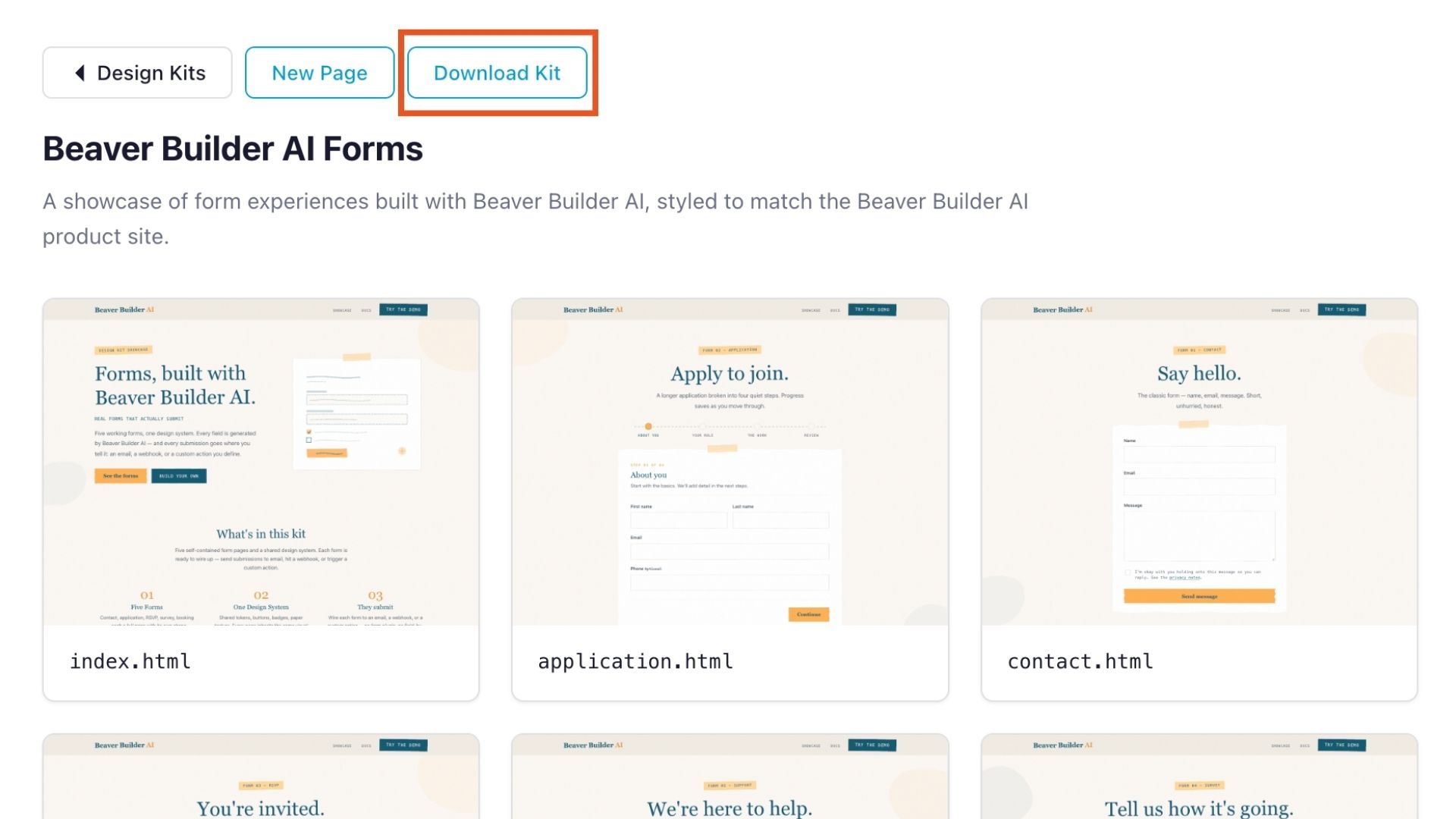
Starting with a bundled kit is a good option when you want to build a WordPress website locally with AI without starting from a blank Design System. It gives you a head start while still allowing you to change the design and structure to match your project.
3. Reuse an Existing Design System
If you’ve already created a Design System in Beaver Builder AI, you can export it as a Design Kit and use it as the foundation for a new website.
From the Design Systems tab, choose an existing Design System to export as a Design Kit. Instead of defining your brand’s visual language from scratch, your AI coding agent starts with the colors, typography, spacing, buttons, and creative direction you’ve already established:
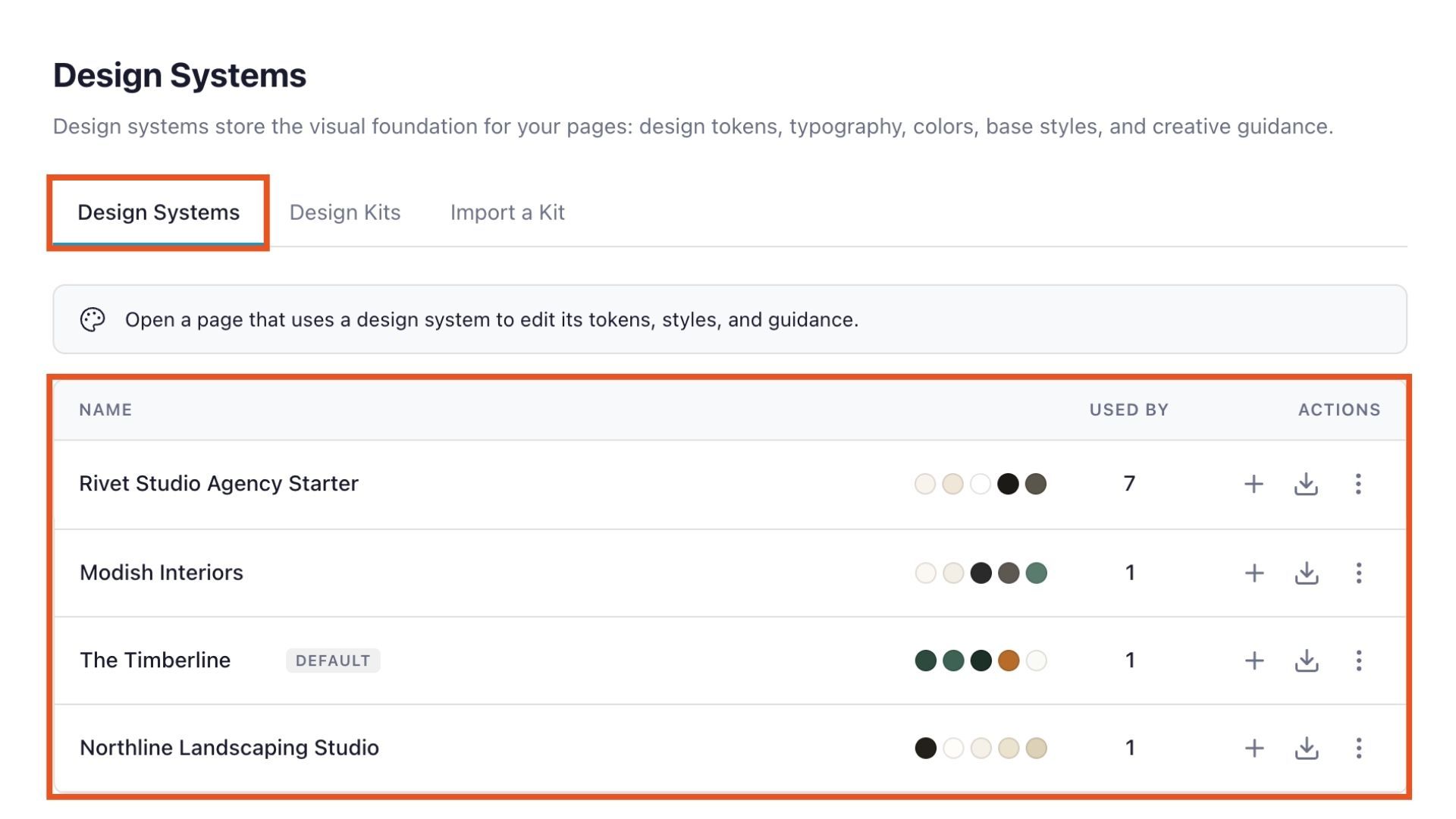
This makes it easier to maintain consistent branding across multiple WordPress websites, create new page types for an existing client, or build additional pages without reinventing the design each time.
You can also share the kit with other members of your team. An exported Design Kit can serve as a reusable website design template or starting point for future projects.
How the Design Kit Workflow Works
The Beaver Builder AI Design Kit workflow has three basic steps as noted on the Import a Kit tab in the Design Systems dashboard:
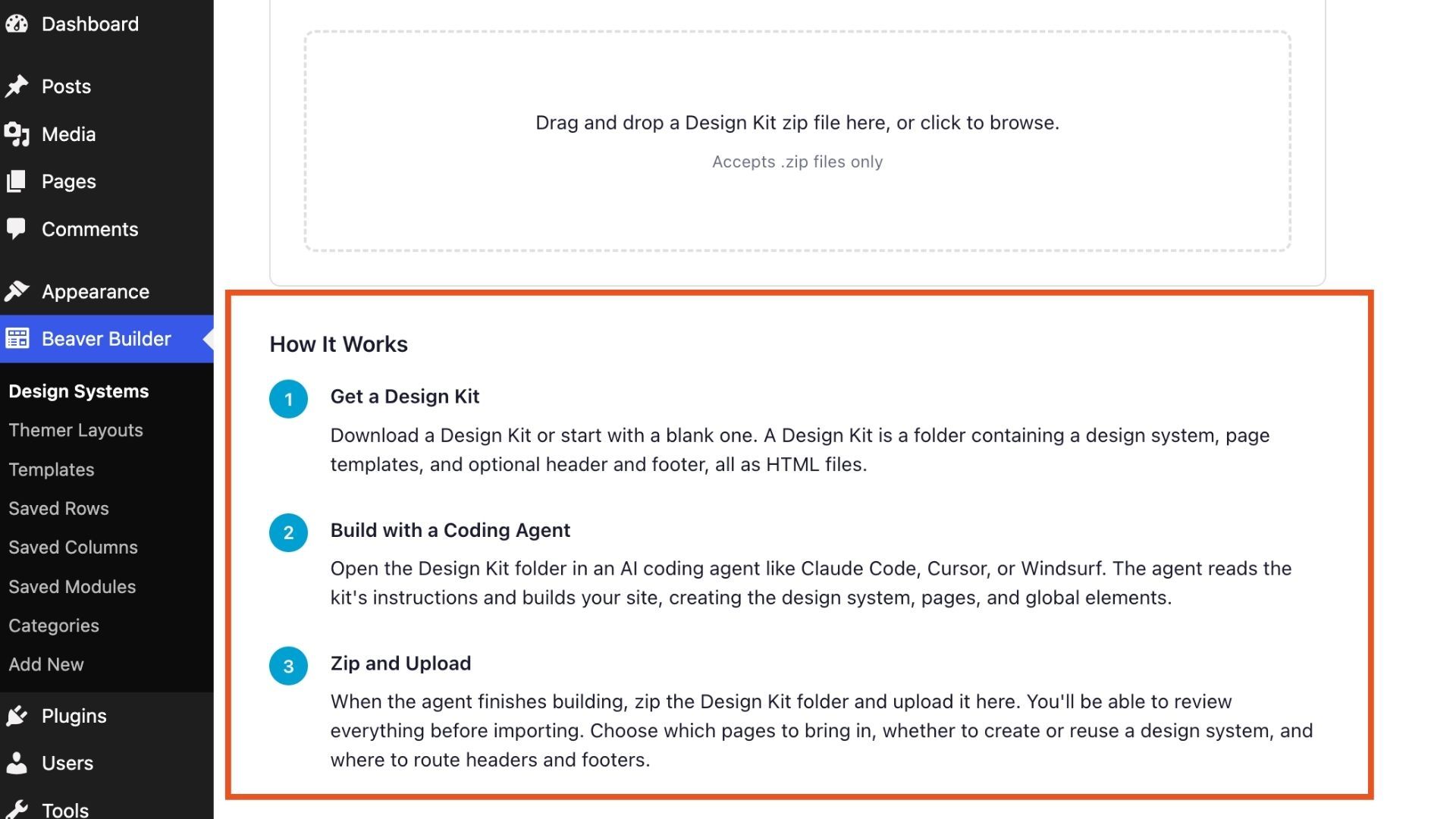
1. Download Your Design Kit
Choose the Design Kit you want to use and download it to your computer. As noted in the previous section, you can start with a blank kit, a pre-designed kit, or an existing Design System that you’ve exported as a kit.
2. Build Your WordPress Website Locally with AI
Open the Design Kit folder in an AI coding agent such as Claude Code, Codex, Cursor, or Windsurf. The coding agent uses the kit’s instructions, Design System, and other files to build and refine your website locally, including its pages, global elements, styles, and content:
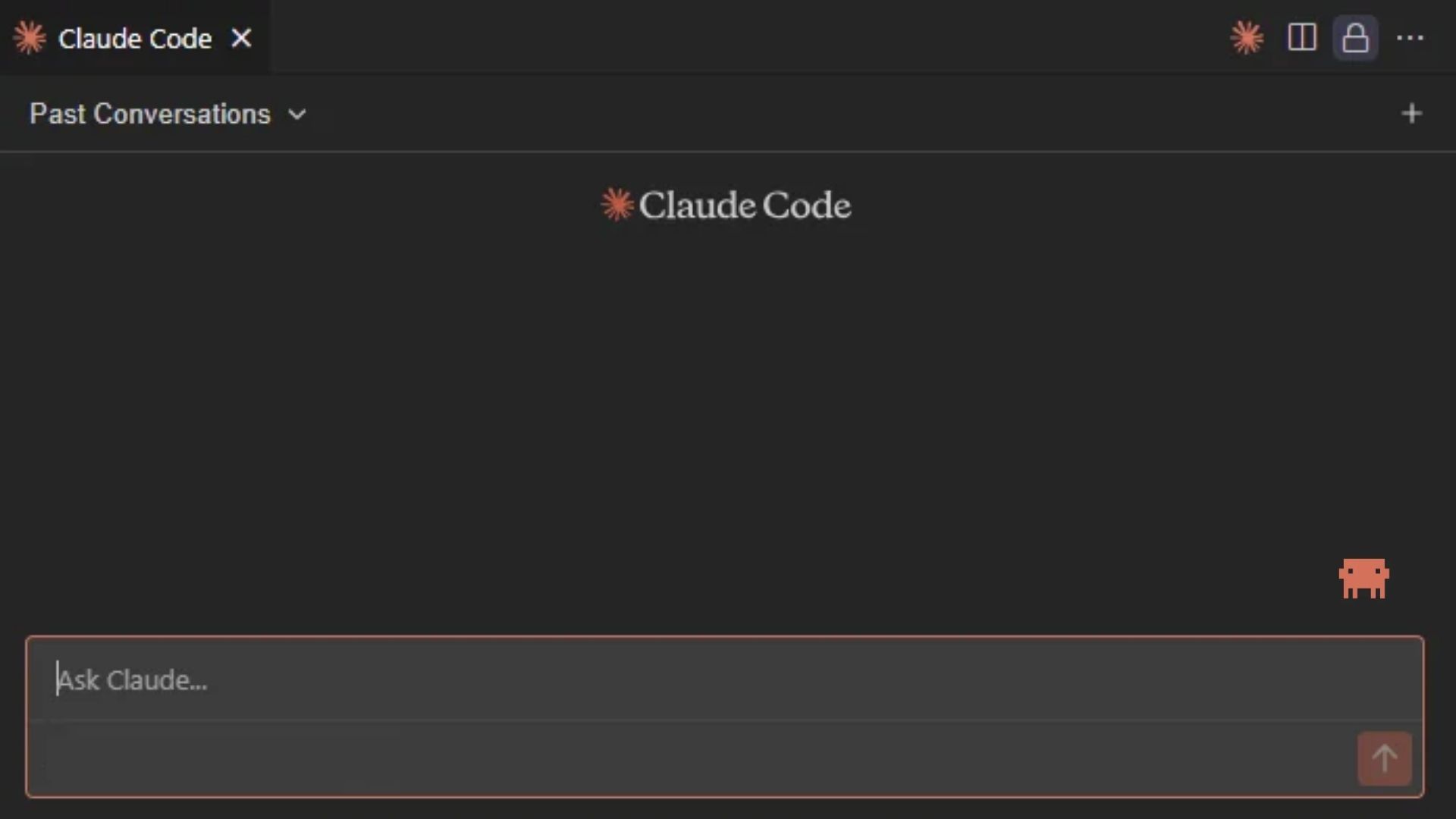
Because the Design Kit is a collection of files, you can work on the project using the AI coding tools and development workflow your team already knows.
3. Import Your Design Kit into WordPress
When your website is ready, zip the completed Design Kit and upload it through Beaver Builder > Design Systems > Import a Kit.
Beaver Builder AI analyzes the kit and lets you review its contents before importing. You can choose which pages to bring into WordPress and whether to import them into Beaver Builder or the Block Editor:
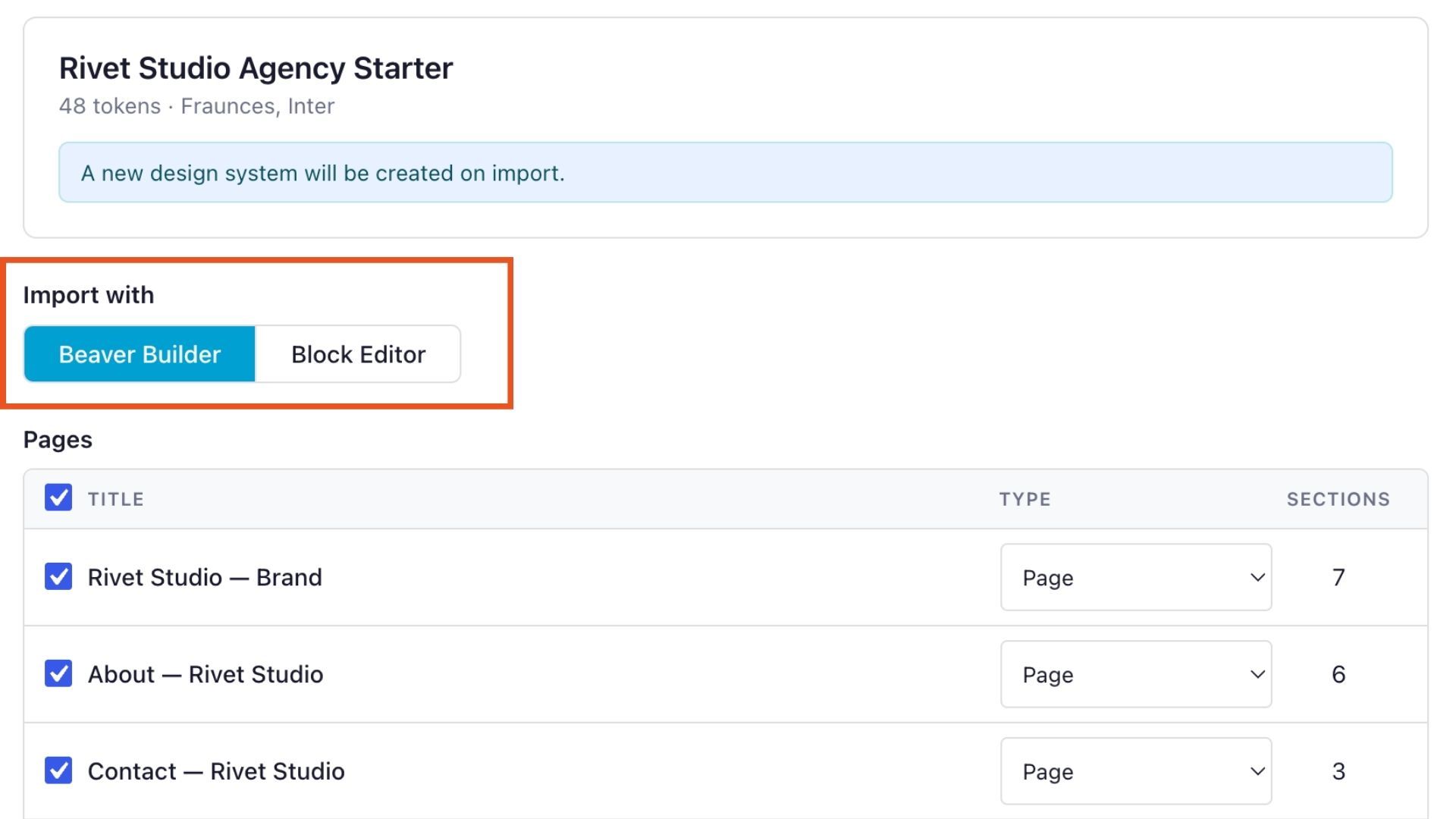
Design Kits can include their own images, so you can build locally with the images you want to use. When you import the kit into WordPress, supported images are added to your Media Library and automatically connected to the pages and styles that use them.
Why Design Kits Matter for Agencies
Design Kits can fit naturally into an agency’s existing WordPress and AI workflow:
- Use the AI tools your team already knows. Design Kits work with AI coding agents such as Claude Code, Codex, Cursor, and Windsurf, so your team can use familiar tools rather than learning a separate AI website builder.
- Build entire websites as one project. A Design Kit isn’t limited to a single page. Your team can work on multiple pages, global elements, styles, and assets within the same project.
- Reuse designs across projects. Share kits with team members, create new page types for existing clients, or use an established Design System as a starting point for future websites.
Get Started with Beaver Builder AI Design Kits
Design Kits give you a way to combine AI coding tools with Beaver Builder’s WordPress workflow, giving you more flexibility in how you design and build your websites.
Ready to build your next WordPress website with AI?
Get started with Beaver Builder AI →
Prefer a different workflow?
Learn more about Beaver Builder AI’s built-in chat and MCP workflows in our guide to the three ways you can build with Beaver Builder AI.
Frequently Asked Questions
You don’t need to know how to code to use Beaver Builder AI Design Kits. Your AI coding agent generates the HTML, CSS, and JavaScript as it builds the site. You can review and refine the result before importing the completed Design Kit into WordPress.
Design Kits can work with AI coding agents that can read and work with files in a project folder. This includes tools such as Claude Code, Codex, Cursor, and Windsurf. The Design Kit it isn’t tied to a single AI coding tool, so you can use the agent that best fits your workflow.
Your imported pages become editable Beaver Builder layouts made up of Custom Modules in WordPress. You can open them in Beaver Builder and continue editing the layouts and content. Alternatively, you can also choose to import with the Block Editor.
An exported Design Kit can serve as a reusable starting point for other projects. Give the kit to your AI coding agent and use its Design System to create new pages that follow the same colors, typography, spacing, and creative direction. This can help you maintain consistent branding across multiple pages or WordPress sites.

Our Newsletter
Our newsletter is personally written and sent out about once a month. It's not the least bit annoying or spammy.
We promise.
Try Beaver Builder Today
Related articles
Beaver Builder Design System: Keep AI-Generated Pages Consistent
 -
August 31, 2026
-
August 31, 2026
Ever notice that some AI tools are great at building one page, but not always a complete website? Ask AI…
Beaver Builder AI Design Kits vs. Design Systems: What’s the Difference?
-
August 28, 2026
The terms “design system” and “design kit” can mean different things in web design. In Beaver Builder AI, a Design…

Phoenix Field Notes: WordCamp US 2026
 -
August 27, 2026
-
August 27, 2026
Robby shares field notes from WordCamp US 2026 in Phoenix, including Beaver Builder's arcade after-party, community highlights, and hopes for...
Join the community
We're here for you
There's a thriving community of builders and we'd love for you to join us. Come by and show off a project, network, or ask a question.


Since 2014
Ready to build?
The WordPress page builder agencies and freelancers have trusted since 2014. Now with AI.