
CommandUI and Beaver Builder Integration: Speed Up Your WordPress Workflow
 -
May 22, 2025
-
May 22, 2025
If you build websites with WordPress, you know how important speed and efficiency are to your daily workflow. The good news is that the latest CommandUI release (version 1.8.0) brings an exciting new integration with Beaver Builder.
With the CommandUI and Beaver Builder integration, you can search, open, and edit content with fewer clicks, all while staying focused on what matters most: creating great websites.
Whether you’re managing client sites or building your own, this update helps eliminate friction and enhances your productivity in the Beaver Builder ecosystem.
What is CommandUI?
CommandUI is a WordPress plugin that adds a powerful command bar to your site. This gives you instant access to almost any action—no matter where you are on the website.
With a single key press, you can:
- Jump between pages, posts, and admin sections
- Search your entire content library
- Install, activate, or deactivate plugins from the WordPress repository
With CommandUI, you can open pages, edit posts, manage settings, and now, launch directly into Beaver Builder. Speed up your workflow and reduce the time you spend clicking through menus.
Why CommandUI Was Created
CommandUI was created out of sheer frustration with the WordPress admin experience.
The plugin’s developer normally works in PHPStorm, where a powerful command palette makes everything fast and keyboard-driven. But when he started building a new website for his company, he found himself frustrated working in the WordPress admin.
To save time, he built a basic command palette for WordPress navigation. It was just meant to speed up his own workflow. But when he shared it with friends in the WordPress community, the response was immediate and enthusiastic.
Today, CommandUI continues to grow as a tool that helps WordPress users save time, reduce friction, and stay focused—all with a single keyboard shortcut.
Key Features of the CommandUI + Beaver Builder Integration
1. Instant Access to Beaver Builder from CommandUI Search
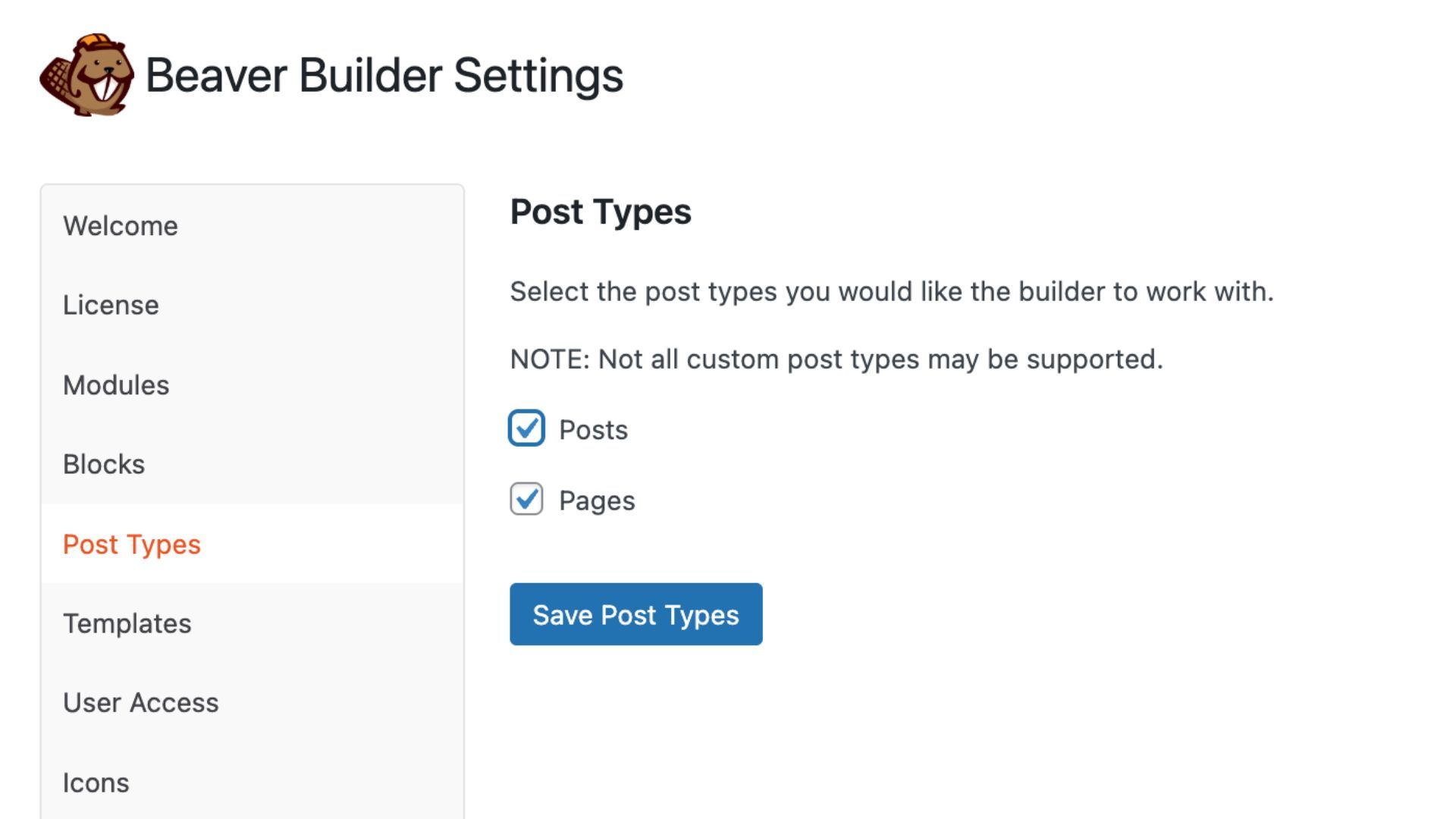
With the CommandUI and Beaver Builder integration, you can search any post, page, or custom post type directly from CommandUI and open it instantly in Beaver Builder. CommandUI checks your Beaver Builder Post Type settings and only shows the edit option when Beaver Builder is enabled:
2. Deep Linking to Beaver Builder Settings
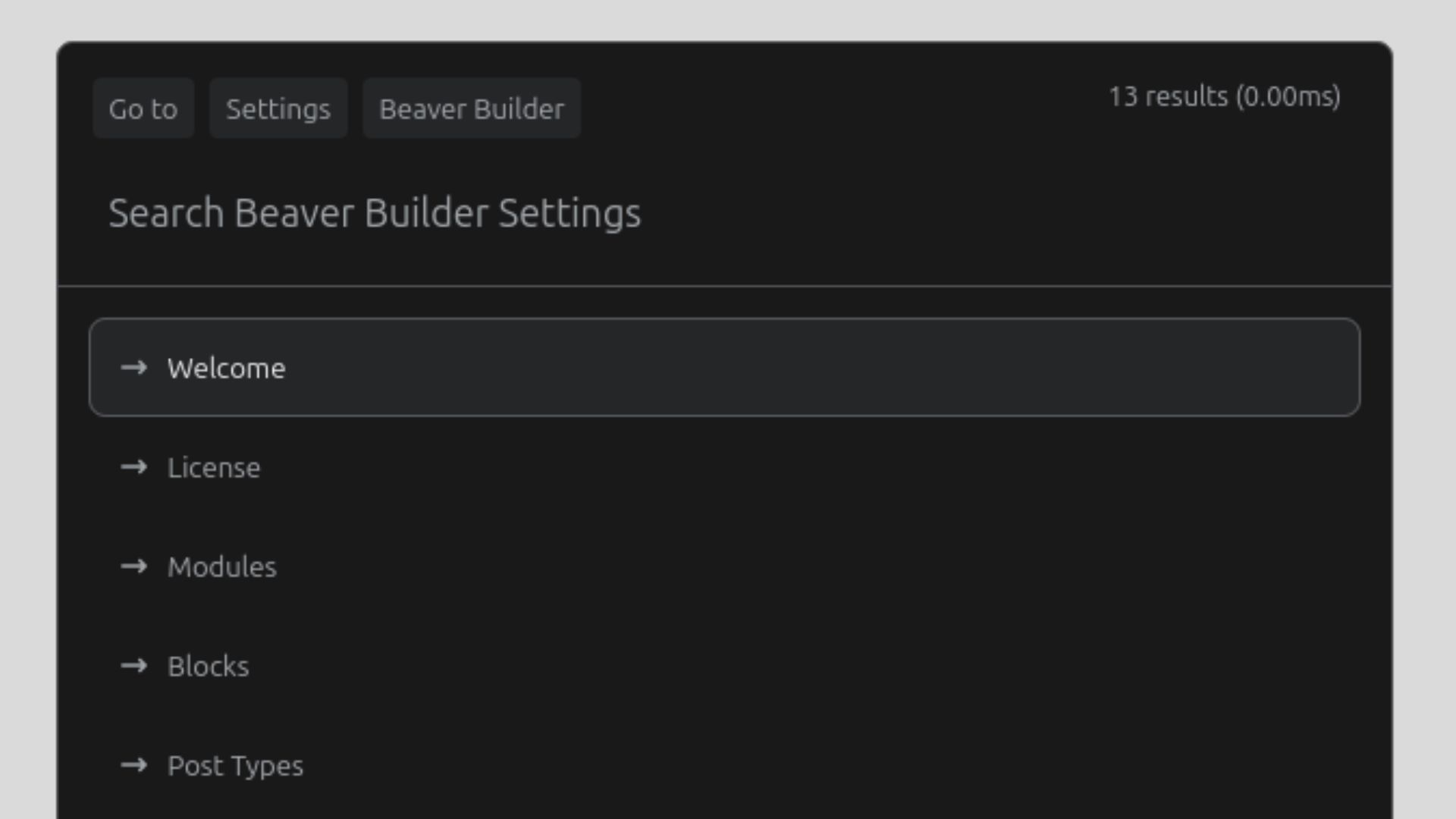
CommandUI now supports deep linking into Beaver Builder’s sub-settings. You can jump directly to the configuration tabs you need, saving time and clicks when adjusting your site’s layout or global settings:
3. Quick Edit Shortcut for the Current Page or Post
If you’re viewing a post or page that uses Beaver Builder, pressing the b key instantly opens the current page in the builder. This simple shortcut speeds up your workflow by eliminating the need to manually navigate through the WordPress dashboard.
4. Full CommandUI Functionality Inside Beaver Builder
CommandUI is now fully functional within the Beaver Builder editing interface. You can quickly switch to editing a global header or navigate to another page without exiting the builder, making your experience more seamless and efficient.
Speed Things Up with Beaver Builder Keyboard Shortcuts
Did you know Beaver Builder has it’s own built-in keyboard shortcuts to help you build faster and stay focused? You can view a list of the keyboard shortcuts by navigating to the Tools menu inside the Beaver Builder editor:
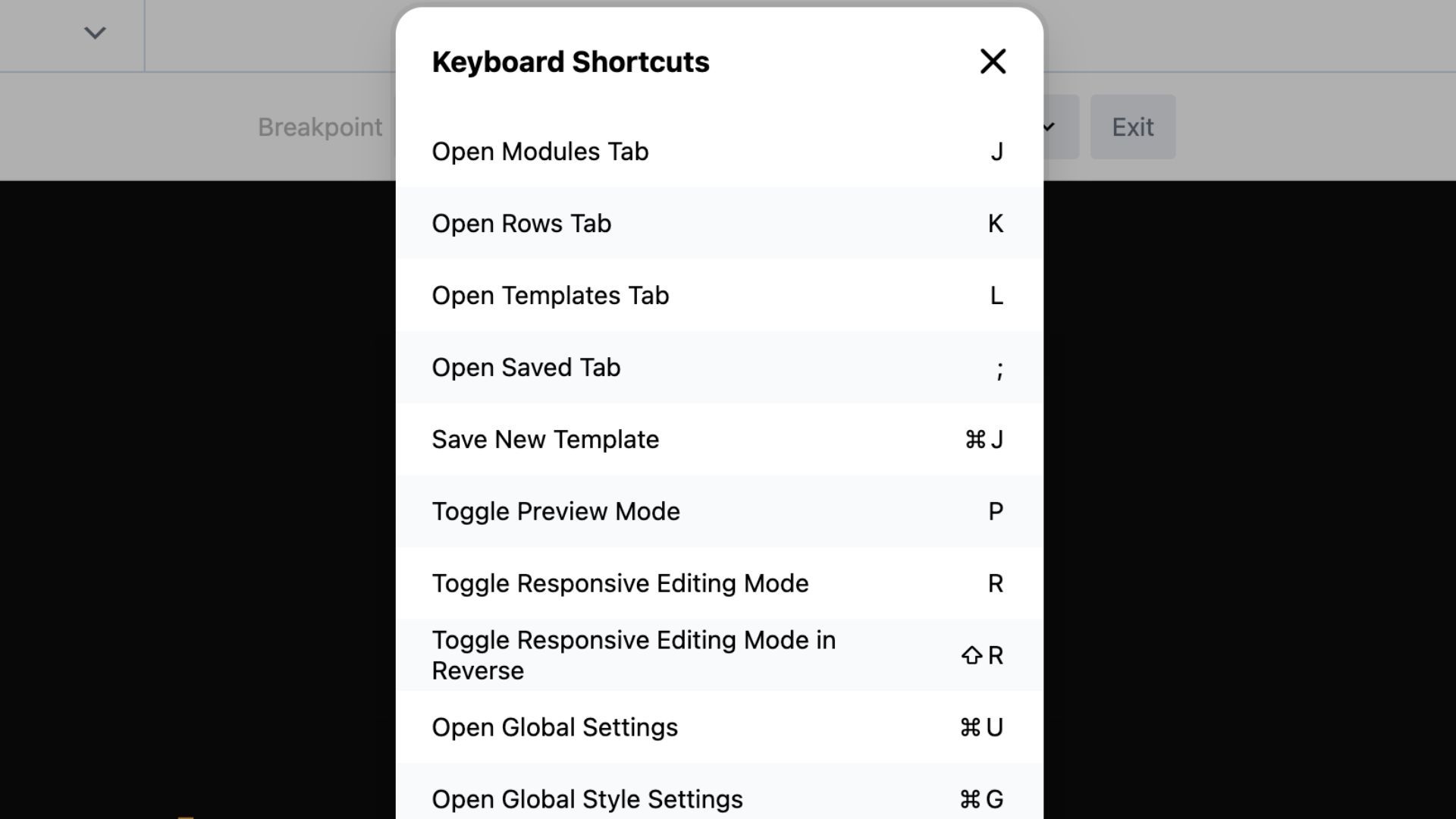
These shortcuts let you make quick edits, preview changes, and switch modes without lifting your hands from the keyboard—perfect for staying in the zone. Pair these with CommandUI, and you’ll have a workflow that’s lightning fast from start to finish.
For the full list of Beaver Builder keyboard shortcuts, check the Beaver Builder Keyboard Shortcuts documentation.
Try the CommandUI and Beaver Builder Integration
To get started, make sure you have the latest versions of both CommandUI and Beaver Builder installed on your site. You can read the full CommandUI 1.8.0 release notes here.
This integration represents a major step forward for Beaver Builder users looking to speed up your design and development process with fewer clicks and more control.

Start here

Beaver Builder AI Demo
Build a page with AI on a site that already has Beaver Builder and Beaver Themer installed. Free AI credits included.
Our Newsletter
Our newsletter is personally written and sent out about once a month. It's not the least bit annoying or spammy.
We promise.
Try Beaver Builder Today

Related articles
Create a Dark Mode Toggle in WordPress
 -
October 15, 2026
-
October 15, 2026
Add a light and dark mode toggle to your WordPress site with Beaver Builder AI and the free Dark Mode…
How to Convert Base44 design to WordPress using Claude and Beaver Builder AI
 -
October 13, 2026
-
October 13, 2026
In this article, I share how I moved a landing page design from Base44 to WordPress using Claude and Beaver…

How to Convert Figma Design to WordPress (Claude + Beaver Builder AI)
-
October 9, 2026
How do you turn a Figma design into a WordPress site without rebuilding every section by hand? It’s a common…
Join the community
We're here for you
There's a thriving community of builders and we'd love for you to join us. Come by and show off a project, network, or ask a question.


Since 2014
Ready to build?
The WordPress page builder agencies and freelancers have trusted since 2014. Now with AI.