

Beaver Builder Pricing, Trials, and Integrations: What to Know Before You Buy
 -
January 29, 2026
-
January 29, 2026
You’ve compared WordPress page builders. You’ve reviewed features, read comparisons, and narrowed your options. Now you’re here asking the question: Is Beaver Builder worth it?
Before choosing Beaver Builder, most buyers want clarity on the same three things:
- Does Beaver Builder offer a free trial or demo?
- What integrations does Beaver Builder support?
- Does every Beaver Builder plan include Beaver Themer?
This guide answers each question clearly and directly, using the same information you’ll find on the pricing page and official documentation. By the end, you’ll know whether Beaver Builder is worth the investment for your specific situation.
Let’s start with the question most buyers ask first:
Does Beaver Builder Offer a Free Trial or Demo?
Short answer: Yes! You can test Beaver Builder for free before buying.
Beaver Builder gives you multiple ways to try the page builder risk-free:
Try the Interactive Demo Site
We offer a free live demo of Beaver Builder directly on our website:
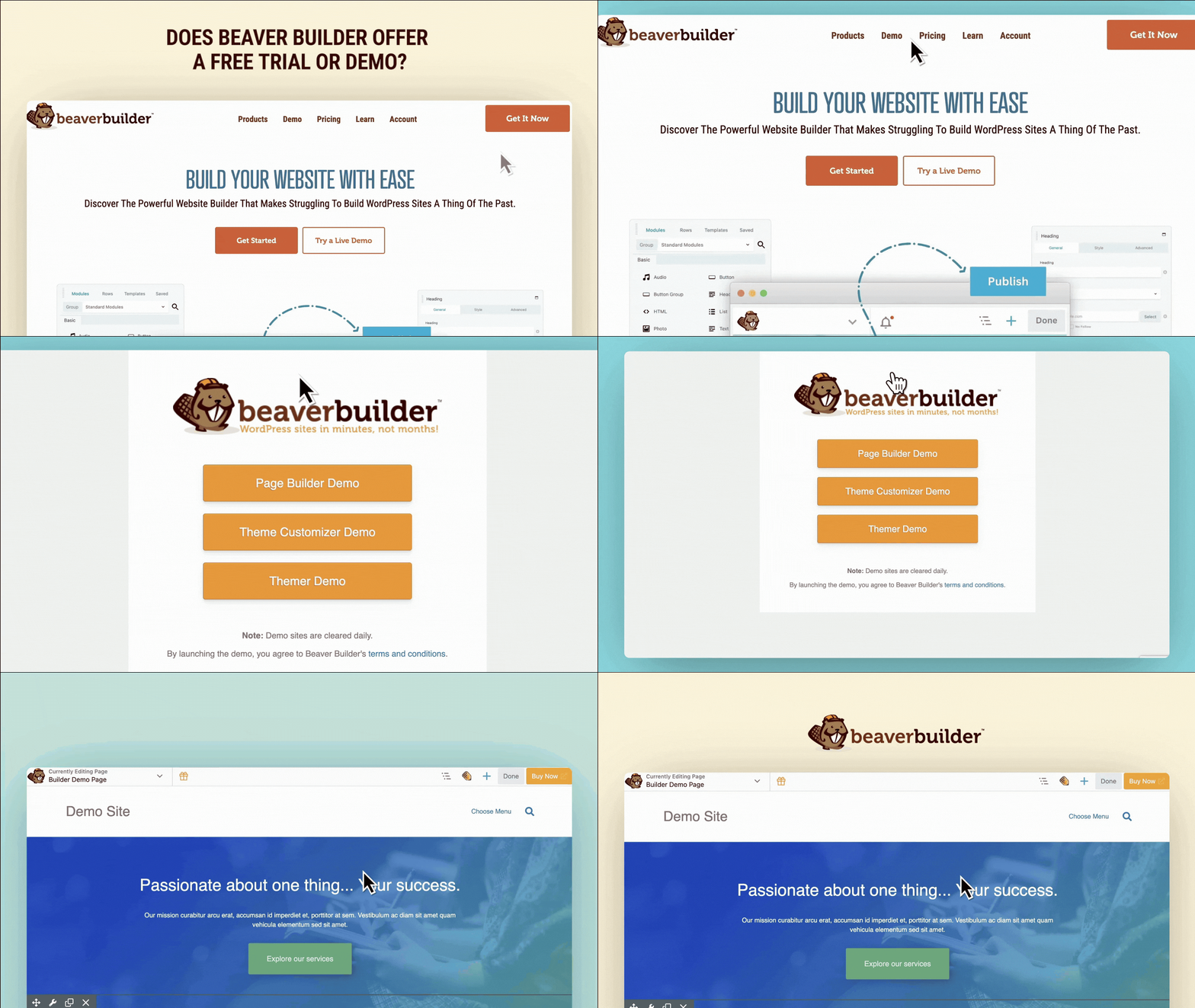
This demo runs on our desktop application, so you can test everything without touching your own WordPress site first. Visit https://demo.wpbeaverbuilder.com/ and start building immediately.
The demo site lets you:
- Explore the full Beaver Builder interface
- Test all functionality of the premium page builder plugin
- Try Beaver Builder theme features
- Experiment with Beaver Themer addon capabilities
- Access premium modules and templates
- See how the page builder works in real-time
- Experiment with layouts and designs
We also provide a step-by-step walkthrough of the user experience so you can get familiar with the product as you explore. This is the fastest way to see if Beaver Builder feels right for you.
With Beaver Builder, the stress of building a website is gone. Our intuitive front-end drag and drop page builder plugin allows you to build WordPress websites for yourself or your clients with ease. The demo site shows you exactly how that works.
Install Beaver Builder Lite (Free Forever)
Another option is to try our free Lite version of the page builder. Download Beaver Builder Lite from the WordPress plugin directory.
The Lite version includes:
- Core page builder functionality
- Basic modules (text, photo, video, buttons)
- Responsive editing controls
- Clean, simple interface
Install Beaver Builder Lite on your staging site. Test it with your theme and plugins. Use it to build pages and see how it performs in your actual environment.
When you’re ready for premium features, it’s easy to upgrade to a paid plan. Your Lite pages stay intact.
The 30-Day Money-Back Guarantee
Every premium Beaver Builder plan includes a 30-day guarantee. Buy it. Install it. Build with it. Test it on your actual site. If it’s not right for you, request a refund.
You test in your real environment. Use your theme, plugins, and actual content. See exactly how Beaver Builder performs in production.
You get 30 days instead of 7. Most trials feel rushed. Thirty days gives you time to build several pages and really learn the interface.
You access all premium features. Test the entire Beaver Builder website building suite of tools: Beaver Builder Page Builder, Beaver Builder Theme, and Beaver Themer. Try the advanced modules and explore the premium templates.
Live Demos and Documentation
Want to see Beaver Builder in action first? Watch our tutorial videos on YouTube or explore our course library.
Browse the documentation before buying. Every feature is explained with step-by-step guides. You’ll know exactly what you’re getting before you commit.
How to Test Effectively
Start with the demo site or Lite version. Get a feel for the interface.
When you upgrade to premium, make the most of your 30 days:
- Build at least three different page types
- Test with your most-used plugins
- Try both desktop and mobile editing
- Create a custom header or footer with Beaver Themer
- Reach out to support with questions
Between the demo site, Lite version, and money-back guarantee, you have zero-risk ways to test Beaver Builder!
What Integrations Does Beaver Builder Support?
Short answer: Most well-coded WordPress plugins work seamlessly with Beaver Builder.
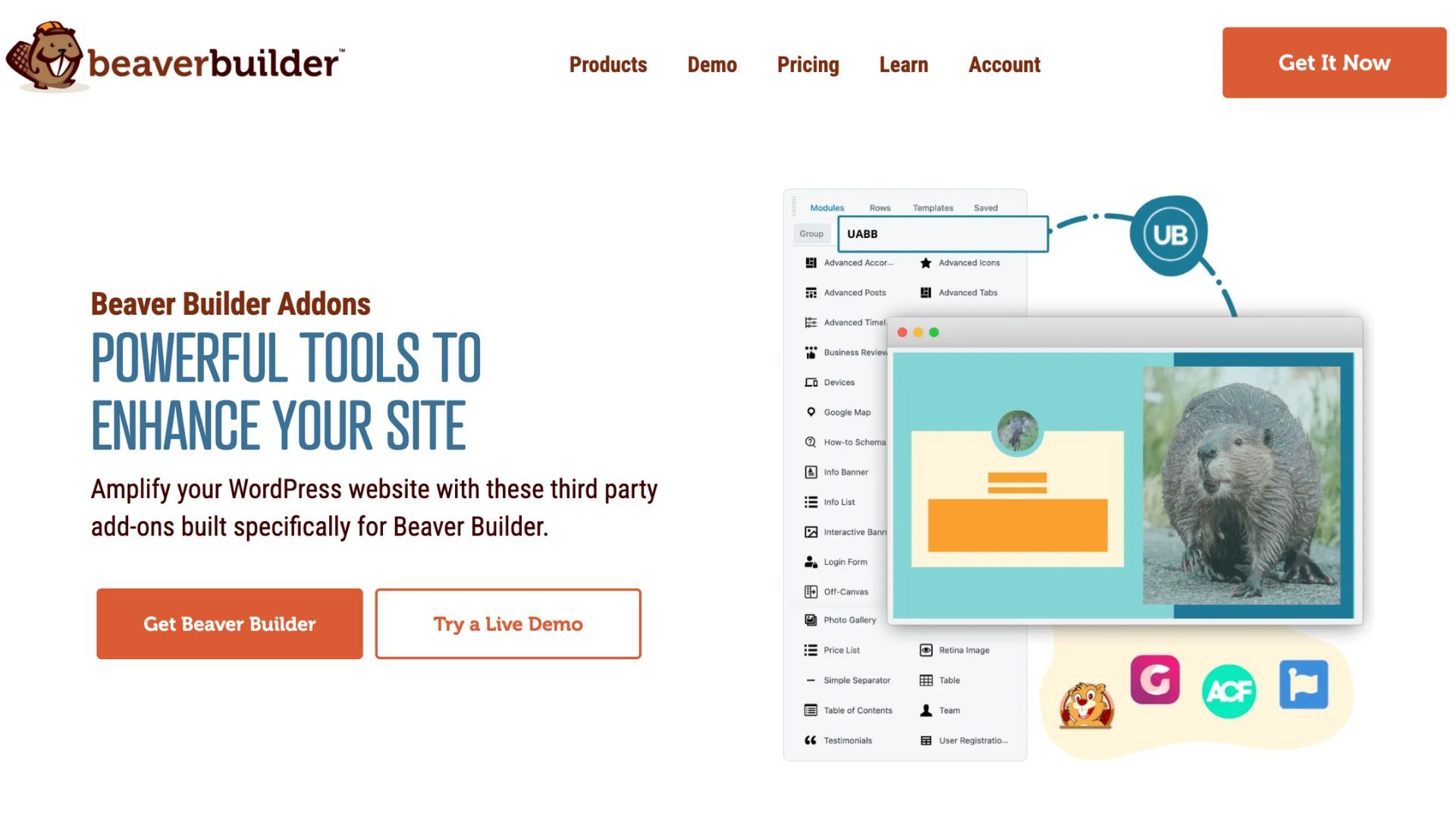
Beaver Builder follows WordPress standards and is designed to work with the WordPress ecosystem, not replace it. This means you’re not locked into a closed system. If a plugin works well with WordPress, it typically works with Beaver Builder.
Below is a short list of commonly used integrations. This is not exhaustive as Beaver Builder supports many more tools across ecommerce, marketing, memberships, and custom development. See the Beaver Builder Integrations page for more integrations and addons.
Popular Plugin Integrations
Ecommerce:
- WooCommerce (full support for product pages and archives)
SEO Tools:
- Yoast SEO
- Rank Math
- All in One SEO
Form Builders:
- WP Forms
- Gravity Forms
- Fluent Forms
- Ninja Forms
- Formidable Forms
Custom Fields:
- Advanced Custom Fields (ACF)
- Pods
- Toolset
Marketing and Email Platforms
Connect Beaver Builder forms to your email tools such as:
- Mailchimp
- ActiveCampaign
- ConvertKit
- GetResponse
- AWeber
Most integrations happen through native plugins or simple embeds. No complicated setup required.
Membership and LMS Plugins
Building membership sites or online courses? Beaver Builder integrates smoothly:
- MemberPress
- LearnDash
- LifterLMS
- Paid Memberships Pro
- Restrict Content Pro
Design your course pages and member areas visually.
Beaver Builder works seamlessly with most plugins and tools you already use, giving you confidence to move on to other important features, like whether Beaver Themer is included in the premium plan:
Does every Beaver Builder plan include Beaver Themer?
Short answer: Beaver Themer is included in all premium plans, including Starter.
What all Premium Plans Now Include
When you upgrade to any Beaver Builder paid plan, you get the complete website builder suite of tools:
- Beaver Builder Page Builder
- Beaver Builder Theme
- Beaver Themer
- Loop Builder
- WooCommerce Support
- 30-Day Money-Back Guarantee
The primary differences between premium plans is the number of sites allowed and the ability to white label Beaver Builder as your own.
What Beaver Themer Does
Beaver Themer lets you design parts of your site that normally require theme editing or PHP code.
You can visually design:
- Headers and footers
- Blog post layouts
- Archive pages
- 404 pages
- Search results pages
- Custom post type templates
You build these using the same Beaver Builder page building interface.
Why This Matters for Dynamic Content
Themer really shines when working with custom fields and dynamic data.
Example scenarios:
Real estate sites: Create property listing templates that pull data from custom fields. Design once. Apply to hundreds of listings.
Agency blogs: Design a single post layout. Every new post automatically uses that design. Writers can’t break your layout.
WooCommerce stores: Customize product page layouts visually. Control exactly how product data displays.
Directory sites: Build templates for business listings, team members, or portfolio items.
Do You Need Beaver Themer?
It depends on what you’re building.
You’ll use Themer if you:
- Build sites for clients
- Work with custom post types
- Need consistent layouts across many posts
- Want full control without switching themes
- Use custom field plugins like ACF or Pods
You might rarely use Themer if you:
- Build simple brochure sites
- Mostly create standalone pages
- Like your theme’s default post layouts
- Don’t work with custom fields
The good news? You have it either way. You can grow into Themer as your needs evolve.
Real Client Examples
Marketing agency: They design custom blog layouts for each client. Themer ensures brand consistency across hundreds of posts.
Real estate developer: They built dynamic property templates. Each listing automatically pulls data from 20+ custom fields.
Online course creator: They customized their LearnDash lesson layouts. Students get a branded learning experience.
Membership site owner: They designed custom member directory pages. Each profile displays dynamic user data.
These examples show Themer’s real power. It’s not about fancy effects. It’s about control and efficiency.
Which Beaver Builder Plan Should You Choose?
Beaver Builder offers four plans. Each includes the same powerful tools. The difference is site limits and premium features:
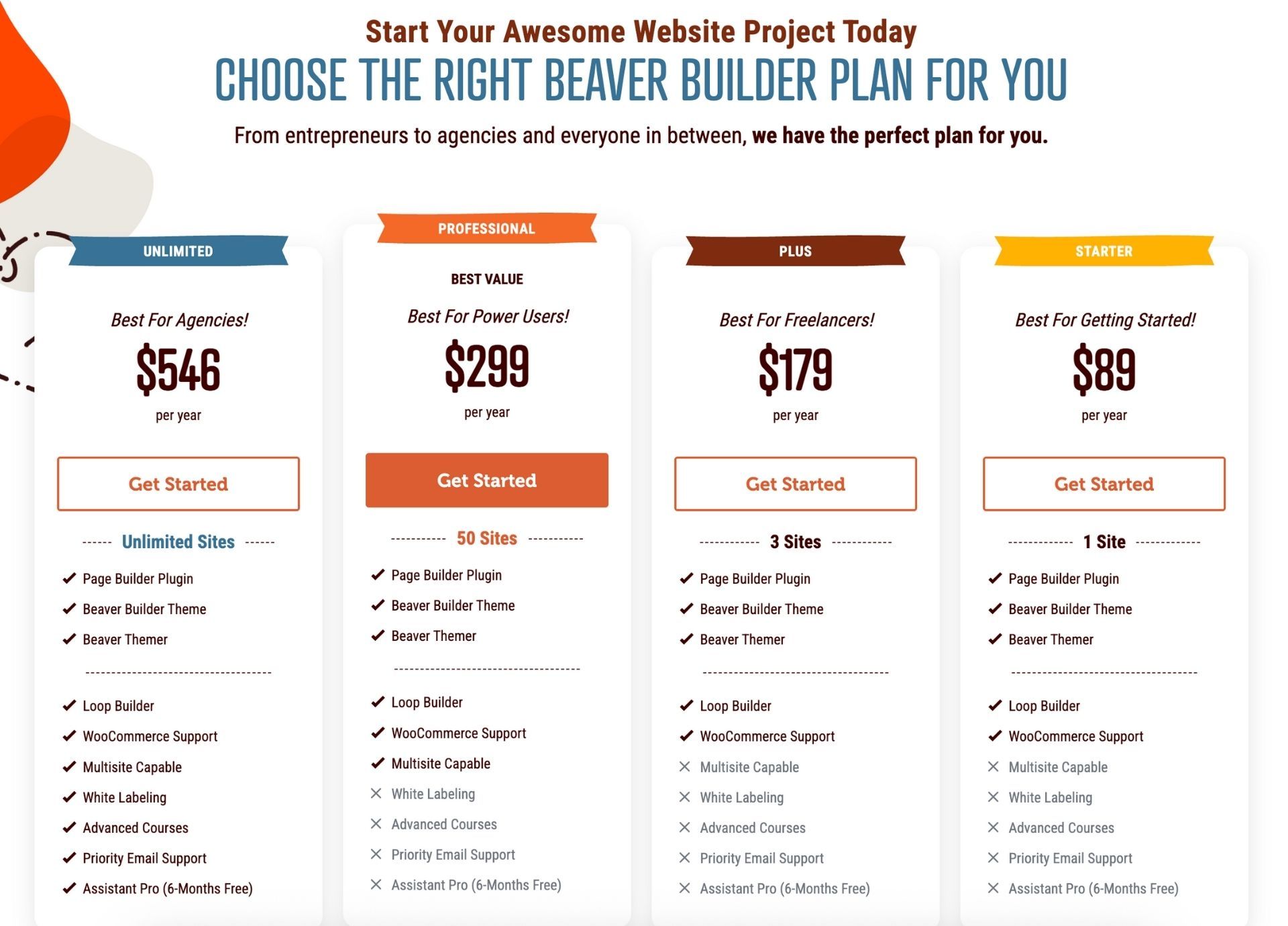
Starter ($89/year)
Perfect for getting started. Use on one site.
What’s included:
- Page Builder Plugin
- Beaver Builder Theme
- Beaver Themer
- Loop Builder
- WooCommerce Support
- 30-Day Money-Back Guarantee
Best for: Single-site owners building their main business site or portfolio.
Plus ($179/year)
Built for freelancers. Use on three sites.
What’s included:
- Everything in Starter
- Use on up to 3 sites
Best for: Freelancers managing a few client projects or personal sites.
Professional ($299/year)
The most popular plan. Use on 50 sites.
What’s included:
- Everything in Plus
- Use on 50 sites
- Multisite network settings
Best for: Power users, agencies, and developers building multiple client sites.
Unlimited ($546/year)
The complete package. Use on unlimited sites.
What’s included:
- Everything in Professional
- Unlimited sites
- White labeling (rebrand the interface)
- Advanced online courses
- Priority email support
- Assistant Pro (6 months free)
Best for: Agencies and teams managing many sites who need white-label capabilities.
Your Next Step: Try Beaver Builder Risk-Free
Many page builders force you to adapt your workflow to their system. Beaver Builder adapts to yours.
Three ways to get started:
- Test the demo site at https://demo.wpbeaverbuilder.com/ (no signup required)
- Download Beaver Builder Lite from WordPress.org (free)
- Choose a premium plan and start building (full 30-day refund available)
Pick the option that fits your needs. You can always upgrade later and your existing work transfers seamlessly to higher plans.

Our Newsletter
Our newsletter is personally written and sent out about once a month. It's not the least bit annoying or spammy.
We promise.
Try Beaver Builder Today

Related articles
How to Display a Beautiful Events List with Beaver Builder’s Loop Module
-
May 4, 2026
If you use Beaver Builder on your site and need to display a list of events, you can use the…
Why You Should Avoid Nulled WordPress Plugins and Themes
 -
March 10, 2026
-
March 10, 2026
When you’re building a site, whether for yourself, a business owner, or a client, premium WordPress plugins can feel like…
How to Design Responsive Web Design Without Code
-
March 5, 2026
Responsive web design is no longer a “nice-to-have.” People move between phones, tablets, laptops, and desktops all day, and they…
Join the community
We're here for you
There's a thriving community of builders and we'd love for you to join us. Come by and show off a project, network, or ask a question.


Since 2014
Build Your Website in Minutes, Not Months
Join Over 1 Million+ Websites Powered By Beaver Builder.